and then enter the workgroup name.
[Comments] If necessary, enter comments about the printer. You can enter up to 48 characters.
[Use LM Announce]
When announcing the existence of the printer to the LAN Manager, select the [Use LM
Announce] check box. When not making an announcement, clear [Use LM Announce].
When it is not necessary for the LAN Manager to reference the printer, you can clear
the [Use LM Announce] check box and reduce network traffic.
8
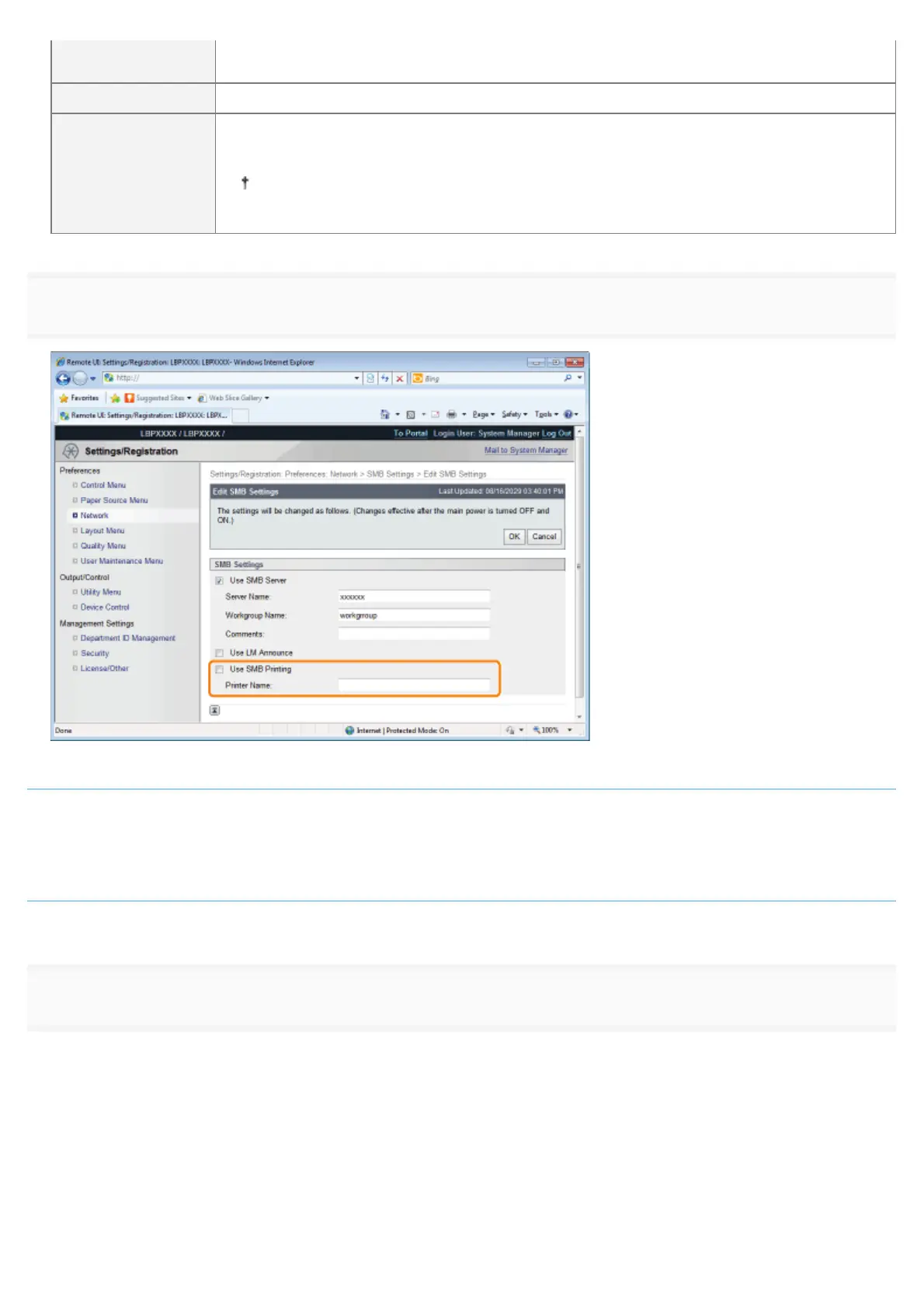
Specify the settings for SMB printing.
When using SMB printing
1. Select the [Use SMB Printing] check box.
2. Enter the name of this printer in [Printer Name]. Up to 13 alphanumeric characters can be entered.
When not using SMB printing
Clear the [Use SMB Printing] check box.
9
Click [OK].
㻡㻜㻝㻌㻛㻌㻥㻣㻜



 To Next Page