4
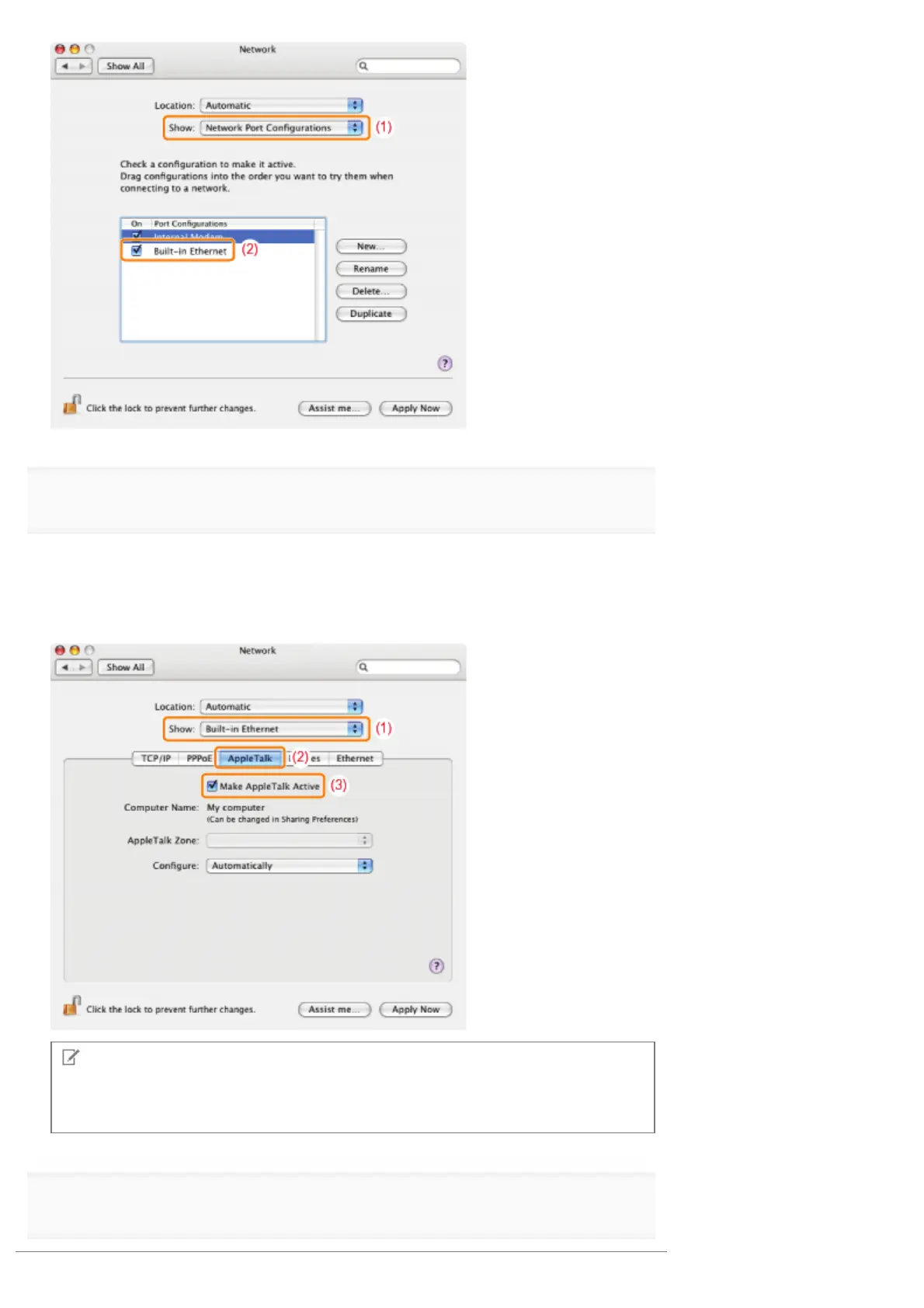
Make sure AppleTalk is active.
(1) Select [Built-in Ethernet] from [Show].
(2) Click [AppleTalk].
(3) Make sure that the [Make AppleTalk Active] check box is selected.
(If the check box is not selected, select it.)
NOTE
If [Built-in Ethernet] does not appear in [Show]
Select [Network Port Configurations], and then select the [Built-in Ethernet] check box.
5
Close the [Network] dialog box, and then save the settings.
㻡㻝㻞㻌㻛㻌㻥㻣㻜



 To Next Page