NOTE
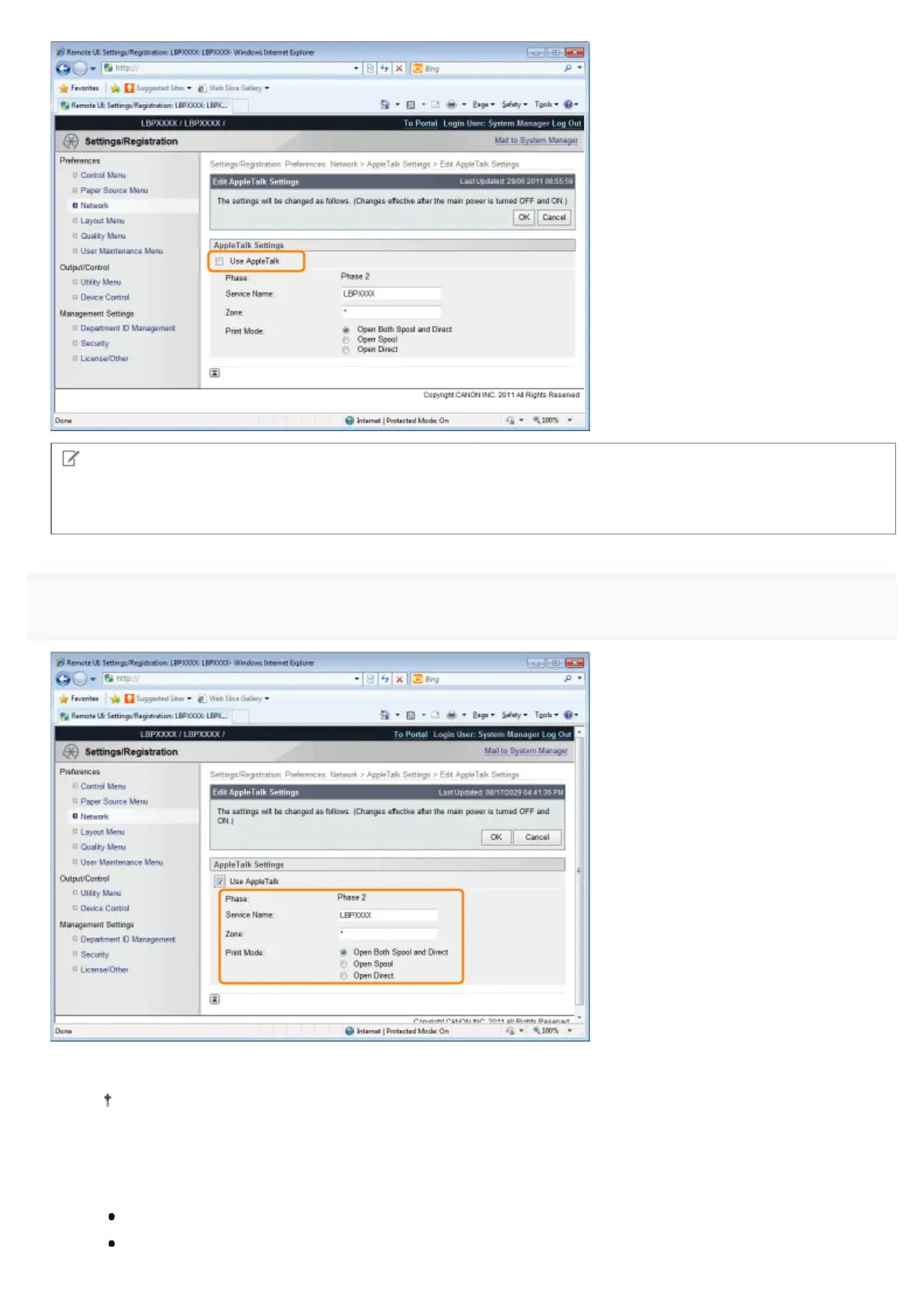
When the [Use AppleTalk] check box is cleared
The printer is not detected on the AppleTalk network.
7
Specify the settings for AppleTalk.
1. Enter the name of the printer in [Service Name]. Up to 32 characters can be entered.
The name specified in this option is displayed on the printer list of Macintosh.
2. If any zone is set up on the network, enter the zone name in [Zone]. Up to 32 characters can be entered.
3. In [Print Mode], specify a printing process to be used. If you want to fix the printer to be used, select the check box
only for the printer.
[Open Both Spool and Direct]: Prints documents with a choice of "Spool" or "Direct" from the computer.
[Open Spool]: Prints documents at high speed.
㻡㻝㻢㻌㻛㻌㻥㻣㻜



 To Next Page