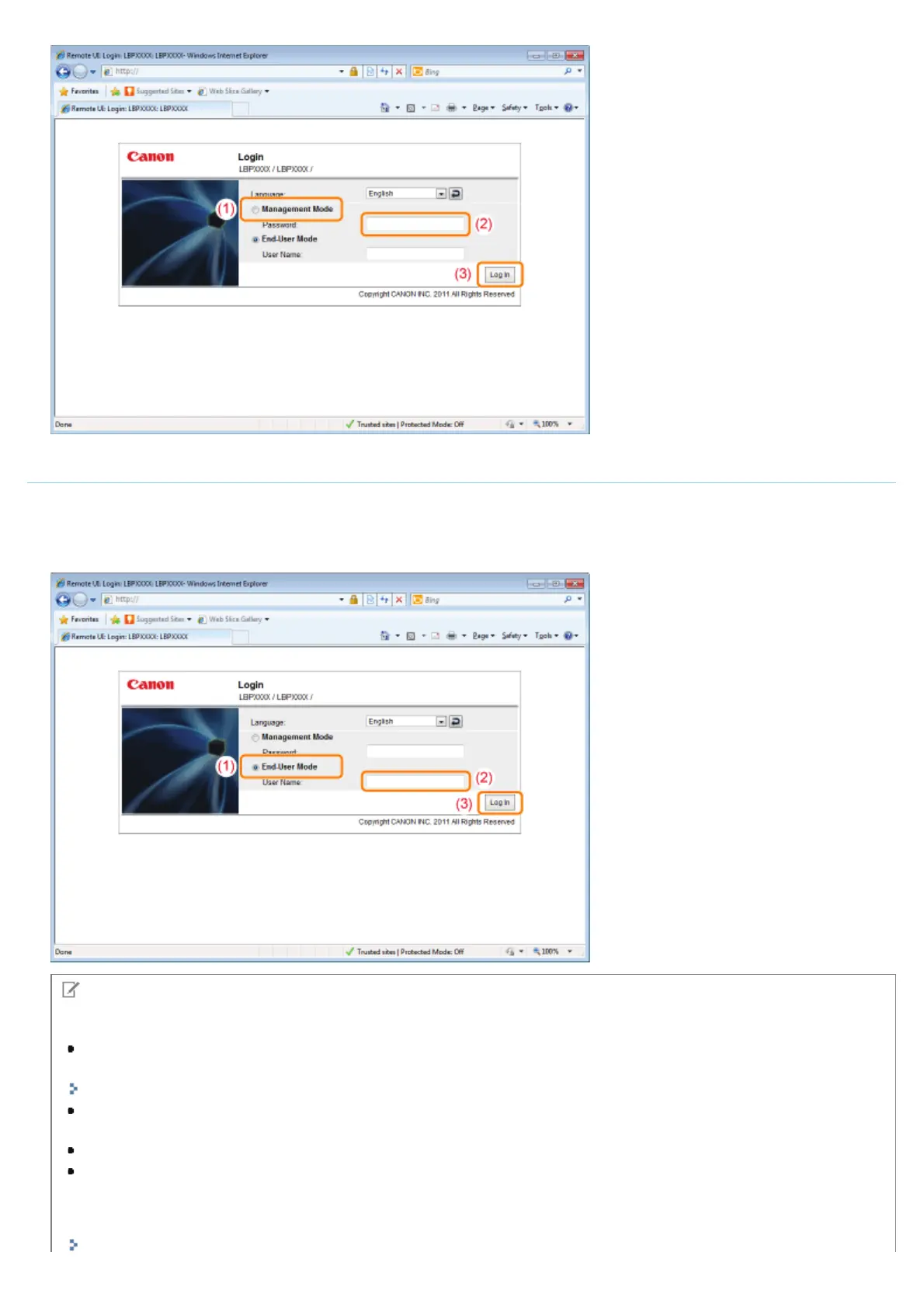
Logging in as End-User
(1) Select [End-User Mode].
(2) Enter [User Name] as needed.
(3) Click [Log In].
NOTE
About [User Name]
If you want to log in by entering [User Name], permit job operations by end-users in [Management Settings] in the
[Settings/Registration] - [Management Settings] - [Security] page.
"Specifying the Job Operation Permission for End-Users"
Although it is possible to log in without entering any value for [User Name], logging in by entering the user name
enables to operate the jobs for which the user names correspond with each other.
If you click [Log In] with only spaces entered into [User Name], an error message appears.
The value to be entered for [User Name] is the user name you entered when logging in to the computer.
About department ID management
When the department ID management function is enabled, you can log in by entering the department ID and password.
㻡㻞㻢㻌㻛㻌㻥㻣㻜



 To Next Page