[Y Dimension]
in.)
paper. The Y dimension can be adjusted between
127.0 mm and 355.6 mm in increments of 0.1 mm.
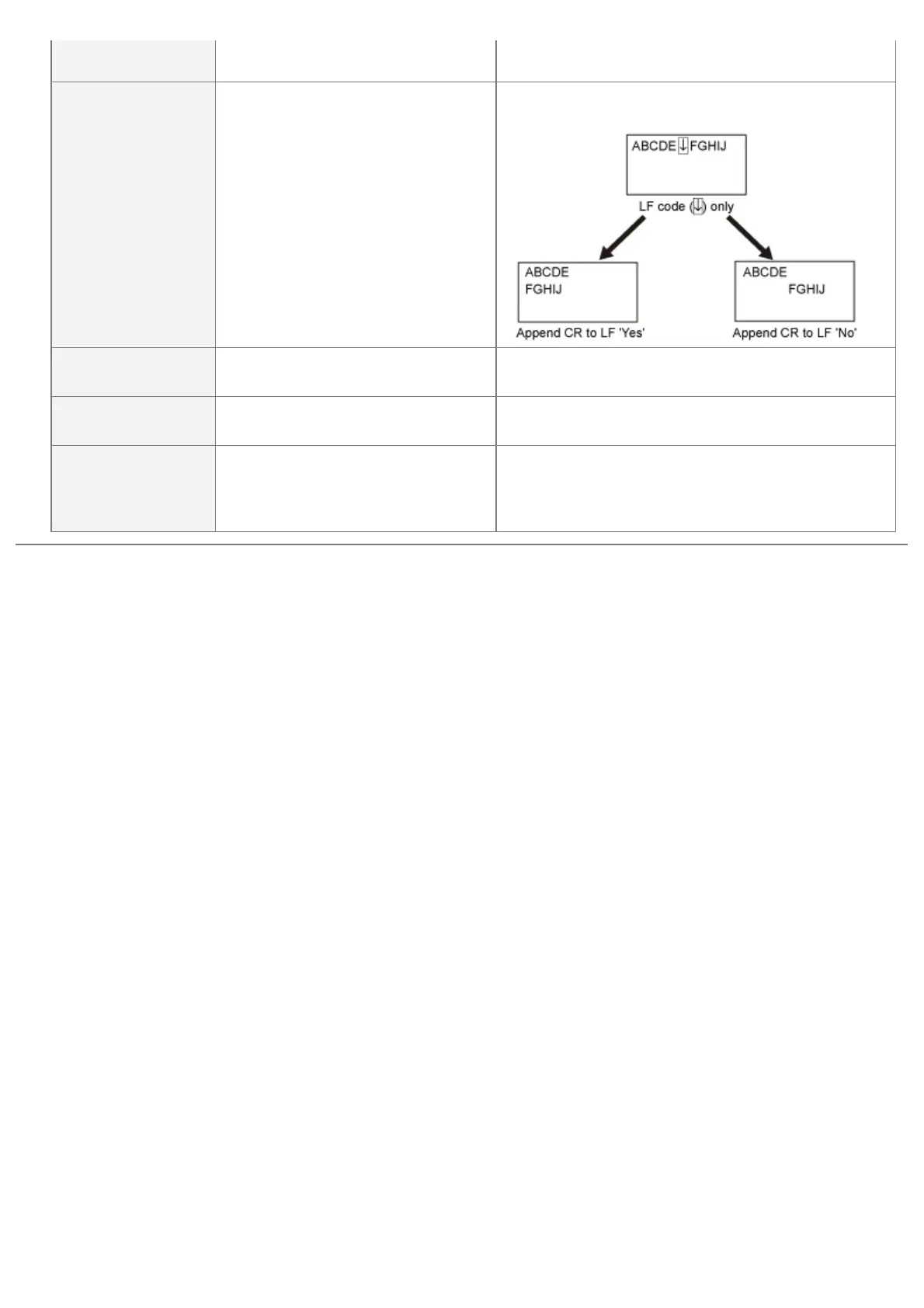
[Append CR to LF] [Yes], [No]
Enables you to specify whether to append a carriage
return (CR) when line feed code (LF) is received.
[Enlarge A4 Prt
Width]
[Off], [On]
Determines whether to expand the printable area of
A4 paper to that of Letter size in width.
[BarDIMM]
*
[Enable], [Disable]
You can enable or disable the Bar Code Printing
function of the printer.
[FreeScape]
*
[Off], [~], ["], [#], [$], [/], [\], [?], [{],
[}], [|]
You can specify the AEC (Alternate Escape Code) to
be used for bar code commands when the host
computer does not support the standard Escape
Code.
㻡㻤㻡㻌㻛㻌㻥㻣㻜



 To Next Page