5
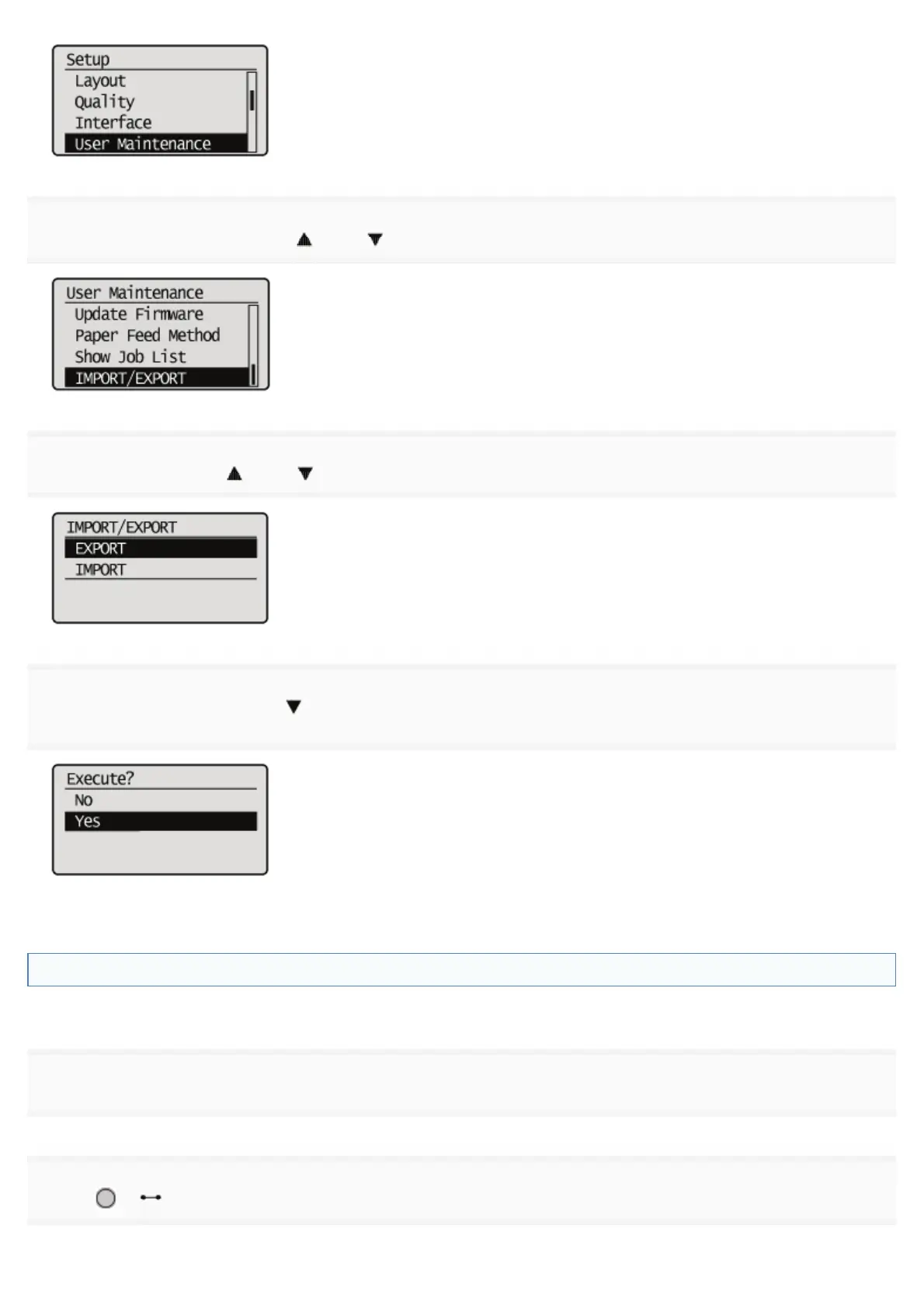
Select [IMPORT/EXPORT] with [ ] and [ ], and then press [OK].
6
Select [EXPORT] with [ ] and [ ], and then press [OK].
7
When [Yes] is selected using [ ], and [OK] is pressed, the printer's settings are saved to the targeted
saving location.
ĺ When the saving has finished, <Done.> is displayed.
Reading Printer Settings (Import)
Read printer settings that have been saved to USB memory devices or SD cards.
1
Insert the USB memory device or the SD card into the printer.
2
Press [ ] ( : Online).
㻢㻜㻝㻌㻛㻌㻥㻣㻜



 To Next Page