6
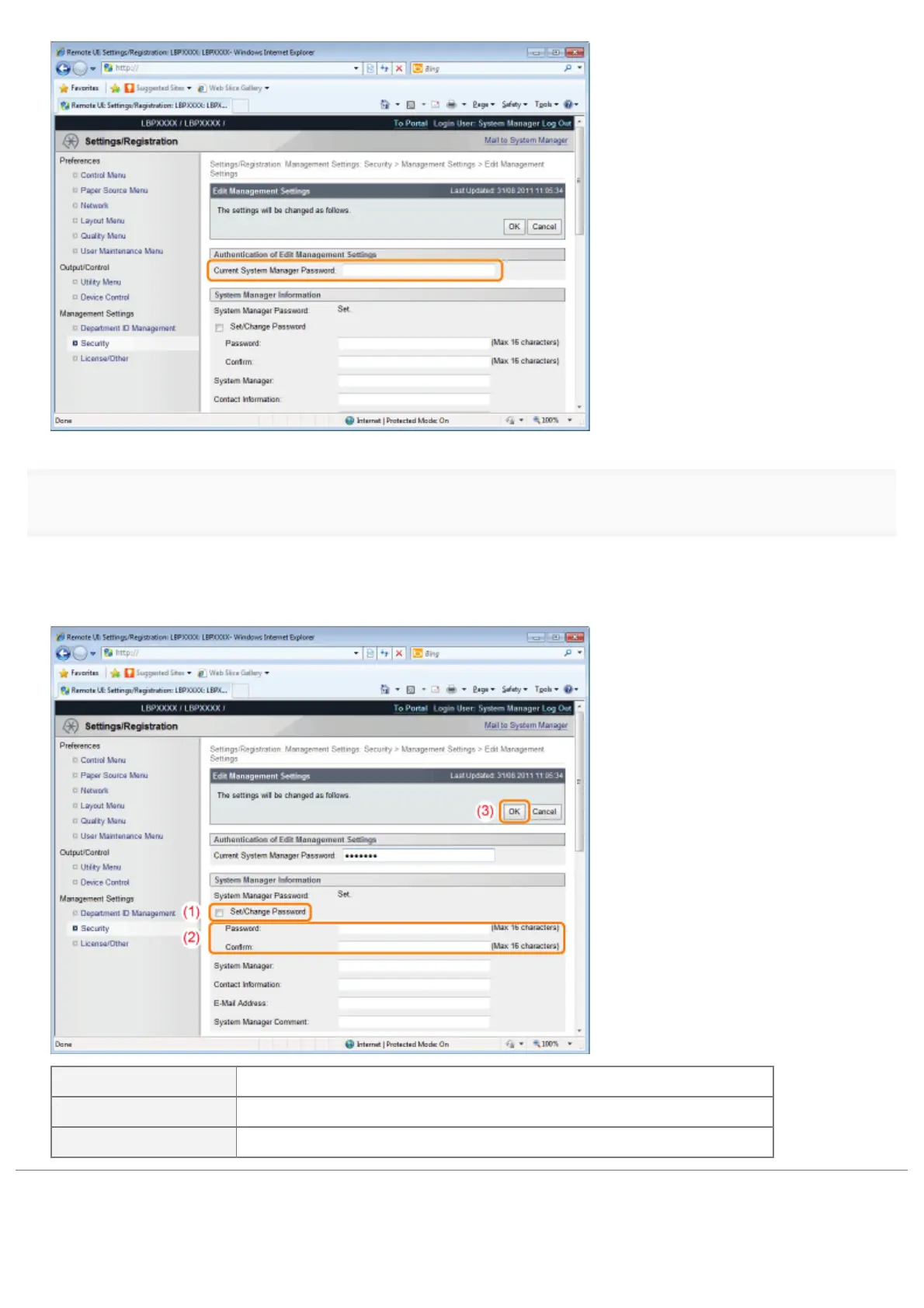
Set a new administrator password.
(1) Select the [Set/Change Password] check box.
(2) Enter the administrator password.
(3) Click [OK].
[Set/Change Password] Select the check box when setting/changing the password.
[Password] Enter a new desired password.
[Confirm] To confirm the password, enter the password entered in [Password] again.
㻢㻝㻝㻌㻛㻌㻥㻣㻜



 To Next Page