6
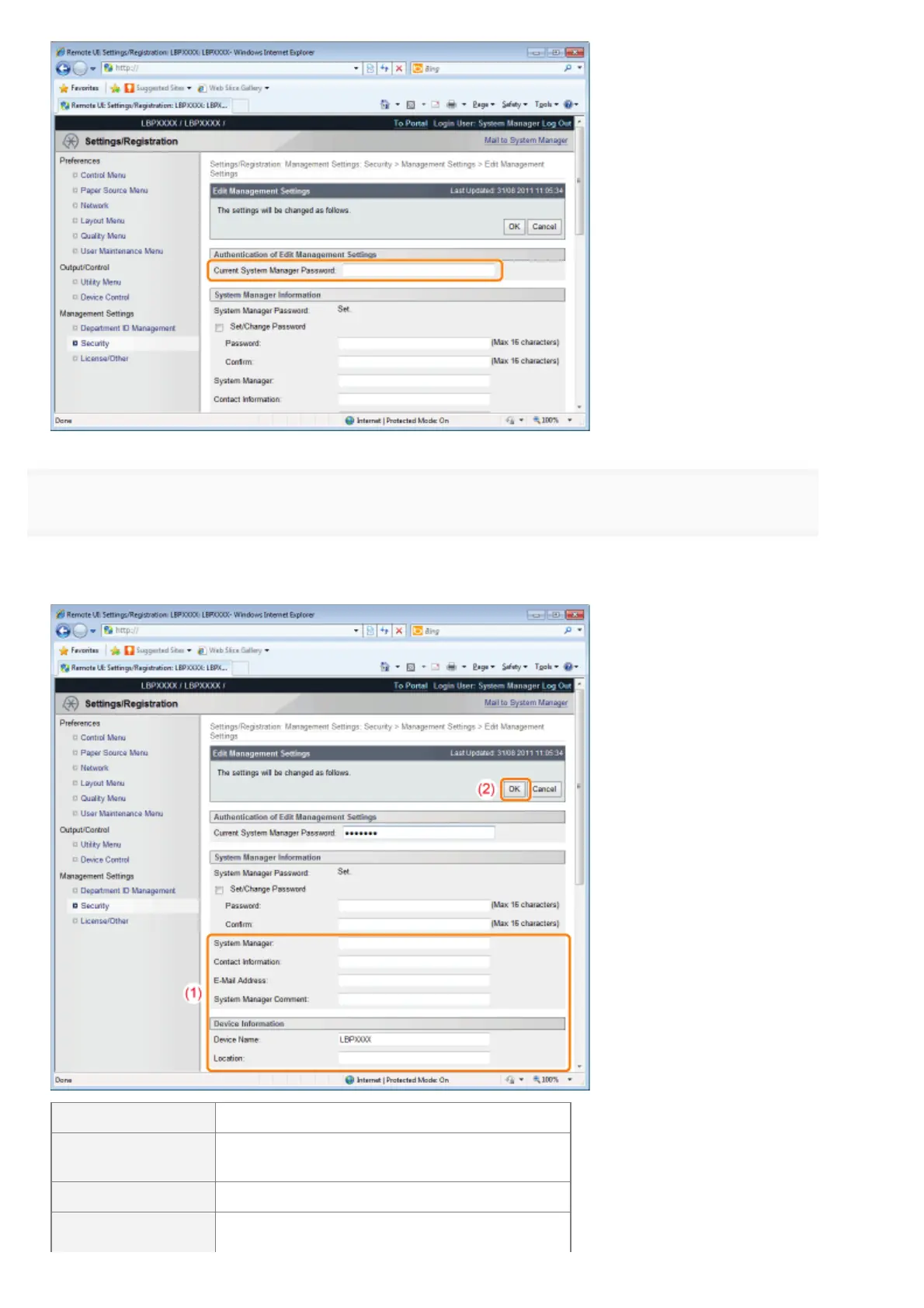
Specify the device name or administrator information.
(1) Specify the settings for each option as needed.
(2) Click [OK].
[System Manager] Enter the name of the system manager.
[Contact
Information]
Enter the system manager's contact information.
[E-Mail Address] Enter the system manager's email address.
[System Manager
Enter the system manager's comments.
㻢㻝㻠㻌㻛㻌㻥㻣㻜



 To Next Page