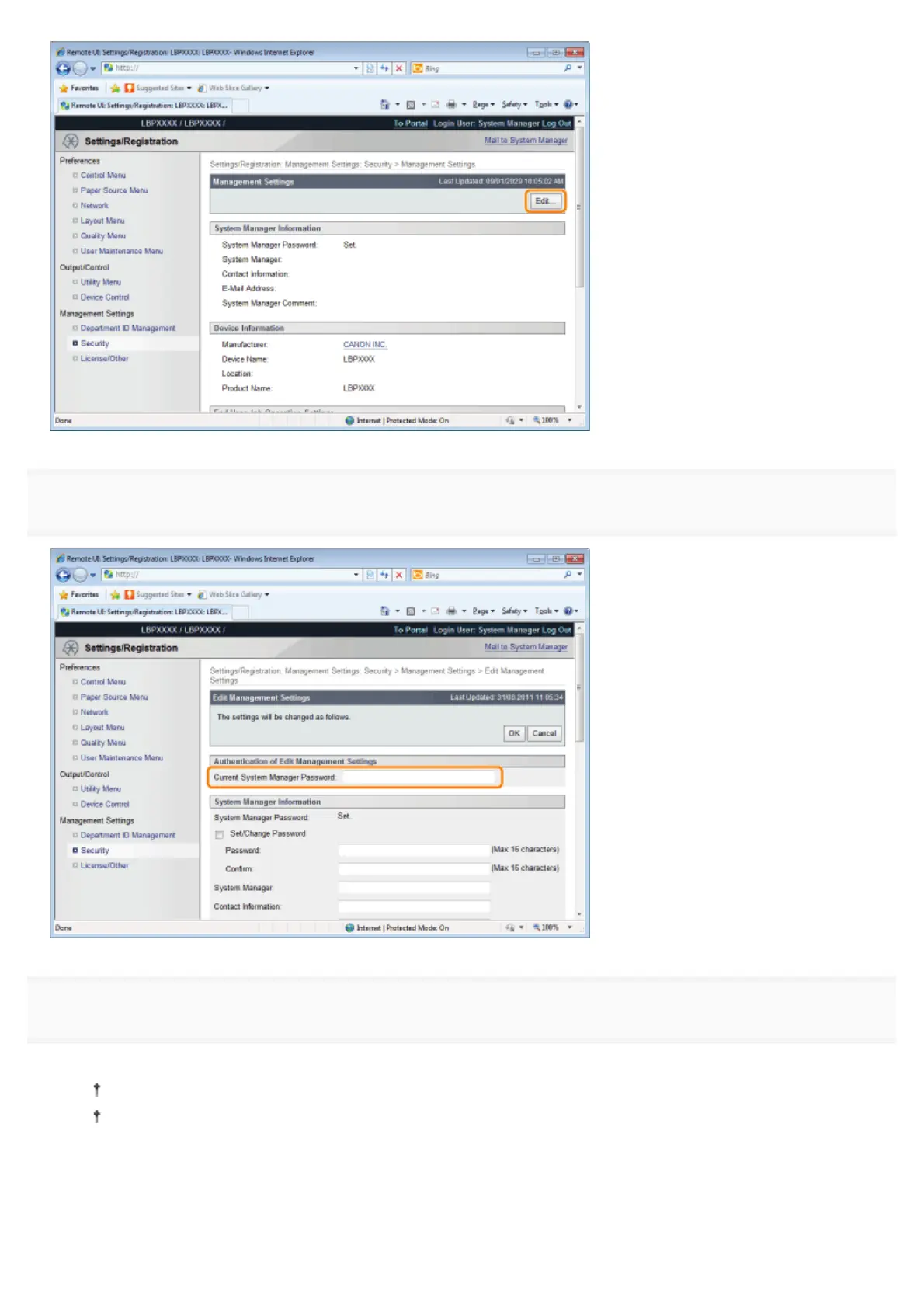
6
Enter the current password in [Current System Manager Password].
7
Set restrictions for USB Direct Print.
(1) Clear the [USB Direct Print] check box.
If the check box is selected, the USB Direct Print function is enabled.
If the [Automatically Display USB Direct Print Screen] check box is selected, the USB Direct Print screen is
automatically displayed when the USB memory device is inserted.
(2) Click [OK].
㻢㻤㻢㻌㻛㻌㻥㻣㻜



 To Next Page