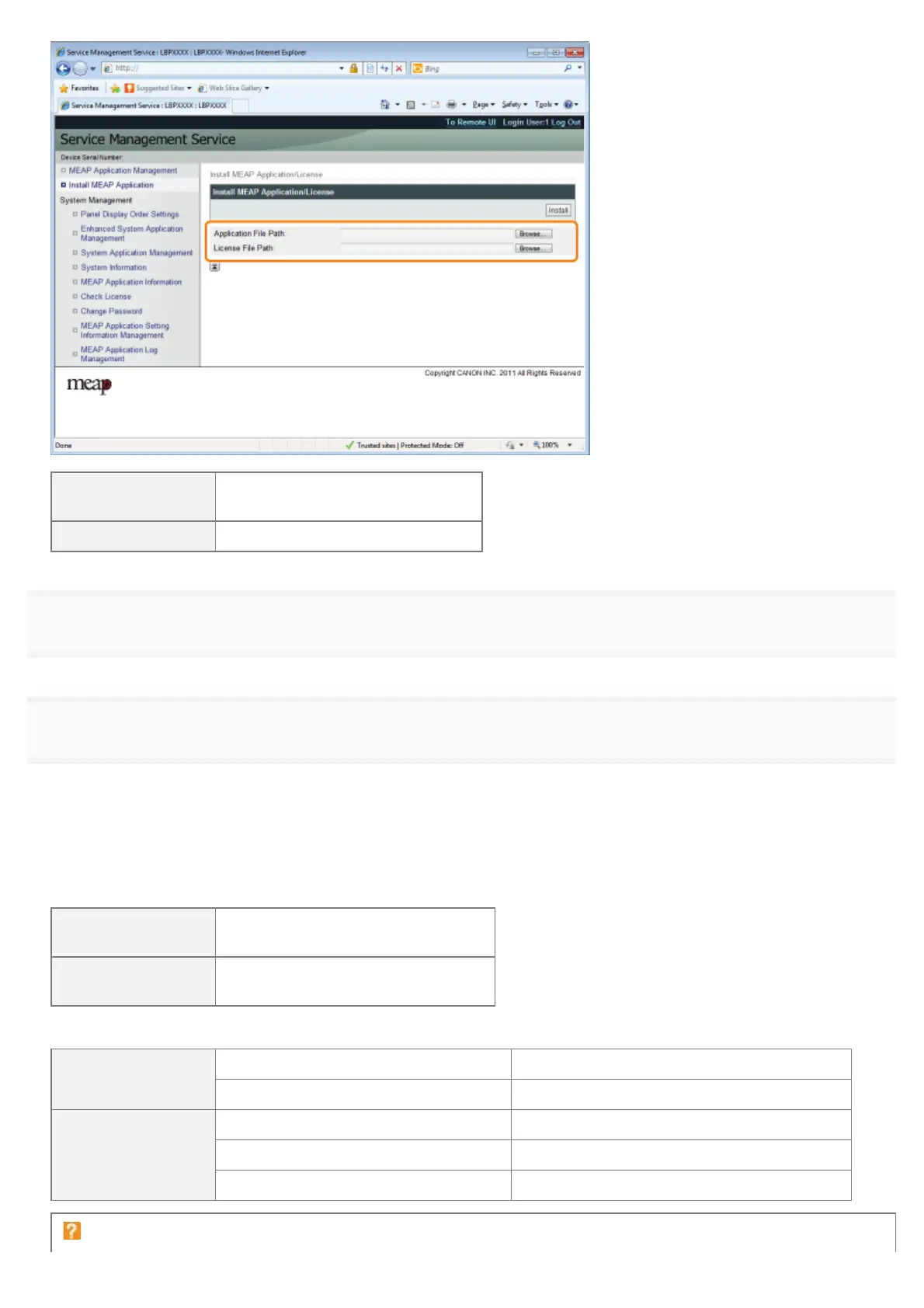
[Application File
Path]
Specify a file with a "jar" extension.
[License File Path] Specify a file with a "lic" extension.
4
Click [Install].
5
Confirm the information on the install confirmation page, and then click [Yes].
When the [License Agreement] appears, confirm the information, and then click [I Accept].
ĺ The installation begins.
<Information Displayed on the Install Confirmation Page>
If you are installing a new application
[Application
Information]
Information about the application
[License
Information]
The expiration date of the application
If you are updating an application
[Application
Information]
[Current Application Information] Information about the current application
[Application Information after Overwrite] Application information after overwrite
[License
Information]
[Expires after] The expiration date of the targeted application
[Current Counter Usage Limit] Current counter information
[Counter Usage Limit after Overwrite] Counter information after overwrite
If the install is cancelled
㻣㻡㻤㻌㻛㻌㻥㻣㻜



 To Next Page