5
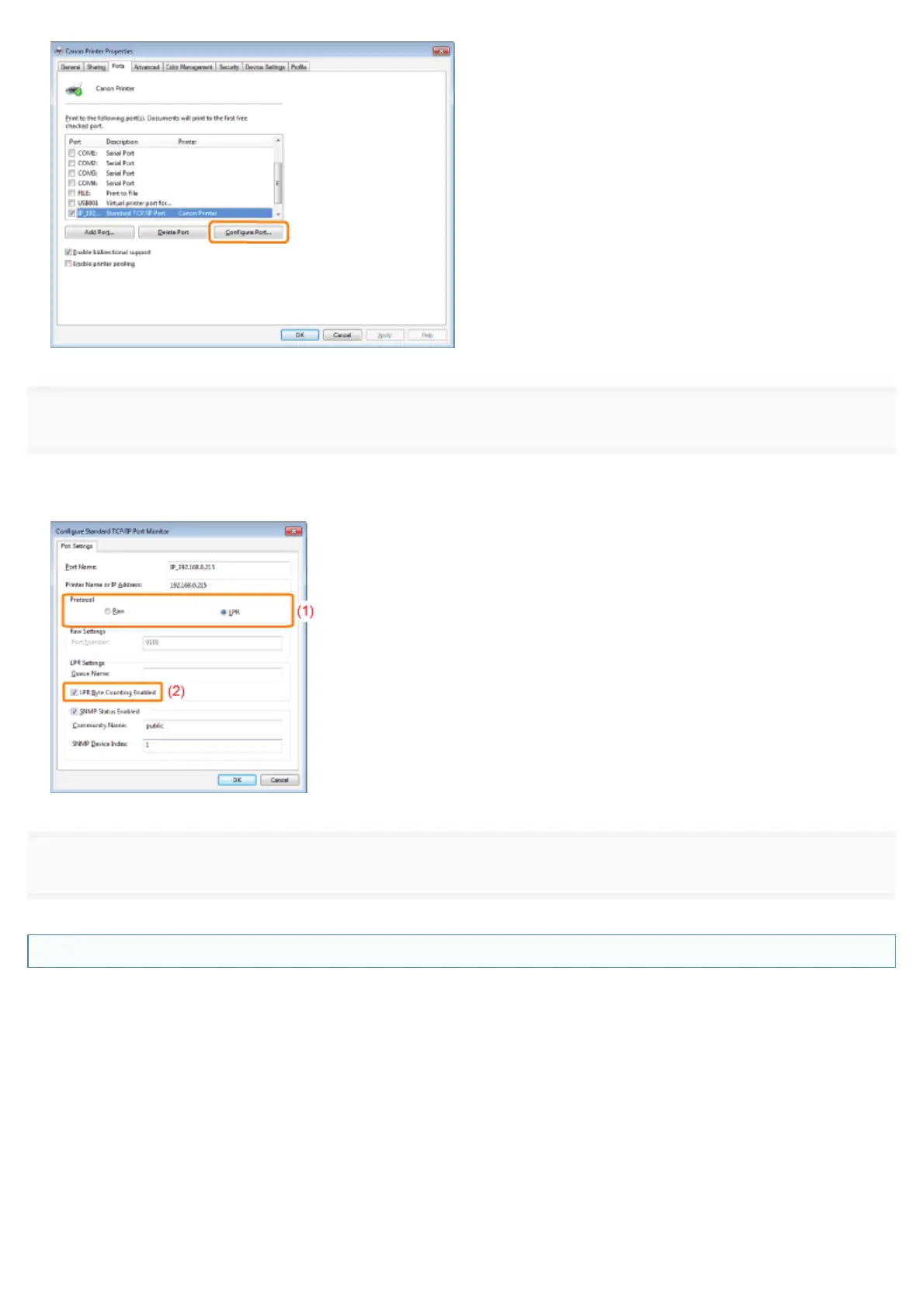
Perform the following procedure.
(1) To change the printing protocol to LPR, select [LPR] for [Protocol].
(2) To enable the LPR byte count, select the [LPR Byte Counting Enabled] check box.
6
Click [OK].
Setting for [Device Type] when Setting a Port
If the printer cannot be detected when setting a port, set [Device Type] as follows.
(1) Select [Standard], and then select [Canon Network Printing Device with P9100].
(2) Click [Next].
㻥㻡㻣㻌㻛㻌㻥㻣㻜



 To Next Page