A53 Z0 9 0020 L En Technical documentation
List of figures
Figure 1 – Panel cut-out ............................................................................................................................................. 15
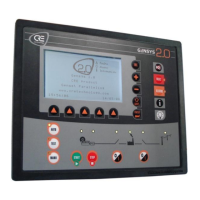
Figure 2 – GENSYS 2.0 front panel .............................................................................................................................. 18
Figure 3 – Rear panel ................................................................................................................................................. 23
Figure 4 – User interface ............................................................................................................................................ 30
Figure 5 – Default screen saver .................................................................................................................................. 30
Figure 6 – Password input mode display .................................................................................................................... 31
Figure 7 – Main menu ................................................................................................................................................ 32
Figure 8 – Browser link description............................................................................................................................. 32
Figure 9 – Contextual keys for input mode ................................................................................................................. 33
Figure 10 - CRE Config software ................................................................................................................................. 34
Figure 11 - Typical GENSYS 2.0 Web pages ................................................................................................................. 35
Figure 12 - Ethernet configuration page ..................................................................................................................... 39
Figure 13 - Assisted manual mode without main paralleling ....................................................................................... 41
Figure 14 - Assisted manual mode with main paralleling ............................................................................................ 42
Figure 15 - Semi-automatic mode .............................................................................................................................. 44
Figure 16 – Typical start sequence for fuel engines ..................................................................................................... 46
Figure 17 – Power plant in change-over mode without paralleling.............................................................................. 48
Figure 18 – Typical sequence in change-over mode on mains failure ........................................................................... 49
Figure 19 - Typical sequence in change-over mode on start request ............................................................................ 50
Figure 20 – Power plant in change-over without paralleling ....................................................................................... 51
Figure 21 - Power plant with several generators ........................................................................................................ 52
Figure 22 - Generator paralleling with parallel lines ................................................................................................... 53
Figure 23 - Static paralleling with 4 generators coupled together in emergency situation ........................................... 54
Figure 24 - Example with 4 generators paralleled together in emergency situation. .................................................... 54
Figure 25 - Paralleling with mains .............................................................................................................................. 56
Figure 26 - Typical sequence in No Break CO mode on start request ........................................................................... 57
Figure 27 - Typical sequence in No Break CO mode on mains failure ........................................................................... 58
Figure 28 - Typical sequence in permanent mode on mains failure ............................................................................. 59
Figure 29 -Typical sequence in permanent mode on start request ............................................................................... 60
Figure 30 - Power plant paralleling with mains........................................................................................................... 61
Figure 31 - GCR
GENSYS 2.0 wiring diagram .......................................................................................................... 62
Figure 32 - Power plant paralleling with several mains ............................................................................................... 63
Figure 33 - Minimum wiring diagram ......................................................................................................................... 64
Figure 34 - Complete wiring diagram ......................................................................................................................... 65
Figure 35 – Mounting kit ........................................................................................................................................... 66
Figure 36 - Mounting brackets on GENSYS 2.0 ............................................................................................................ 66
Figure 37 - Earth grounding ....................................................................................................................................... 67
Figure 38 – Power supply circuit breaker .................................................................................................................... 67
Figure 39 - Interconnection of all battery negatives .................................................................................................... 68
Figure 40 - Speed output ............................................................................................................................................ 72
Figure 41 – Connection with EFC Cummins ................................................................................................................. 75
Figure 42 - PWM dynamic .......................................................................................................................................... 76
Figure 43 - Caterpillar PEEC and ADEM connections ................................................................................................... 76
Figure 44 - Speed and voltage control with Contacts / Pulses ..................................................................................... 77
Figure 45 - Speed and voltage control pulses .............................................................................................................. 79
Figure 46 - Voltage output ......................................................................................................................................... 80
Figure 47 - Breakers wiring ........................................................................................................................................ 83
Figure 48- Undervoltage coil ...................................................................................................................................... 85
Figure 49 - Connections for water preheat, pre lubrication and pre glow .................................................................... 87
Figure 50 - Connection for air fans ............................................................................................................................. 88
Figure 51 - Connections for filling ............................................................................................................................... 89
Figure 52 - Fuel filling diagram .................................................................................................................................. 90
Figure 53 - Filling example ......................................................................................................................................... 91
Figure 54 - Wiring parallel lines ................................................................................................................................. 91
Figure 55 - Change over with one digital input setup as "Mains electrical fault" ....................................................... 114
Figure 56 - Permanent Mains paralleling with one digital input setup as "Mains electrical fault" .............................. 115
Figure 57 - Permanent Mains paralleling and generator electrical fault .................................................................... 115


 To Next Page
 Loading...