TOS93 Series User’s Manual 111
Partial Discharge Test | Set test conditions
Setting a voltage pattern
1
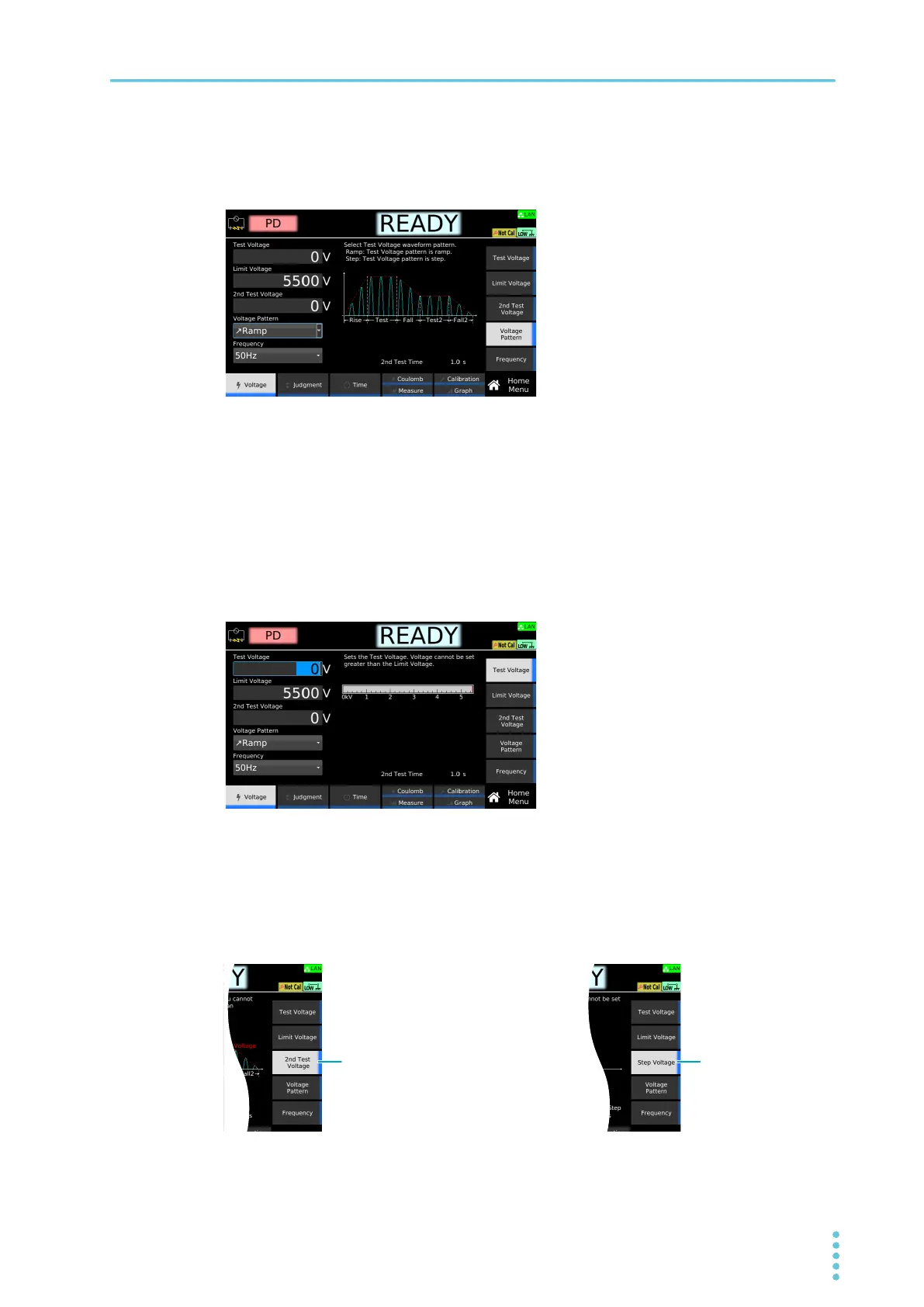
On the HOME Menu screen, press Voltage > Voltage Pattern.
2
Turn the rotary knob to select Ramp or Step.
This completes the setting.
Setting test voltages
You cannot specify the test voltage that exceeds the Limit voltage (p.113).
1
On the Home Menu screen, press Voltage > Test Voltage.
2
Use the numeric keypad or the rotary knob to enter the voltage value.
Setting range when Voltage Pattern is set to Ramp: 0 V to 5 500 V
Setting range when Voltage Pattern is set to Step: 0 V to 1 000 V
3
Press 2nd Test Voltage or Step Voltage.
If you do not need 2nd Test Voltage, you do not have to set it. Set 2nd Test Time to OFF in the
voltage application time setting.
■When Voltage Pattern is set to Step
Step Voltage2nd Test Voltage
■When Voltage Pattern is set to Rump



 To Next Page