112 User’s Manual TOS93 Series
Partial Discharge Test | Set test conditions
4
Use the numeric keypad or the rotary knob to enter the voltage value.
Setting range: 0 V to 5500 V
This completes the setting.
Setting the length of time that the test voltage is applied
1
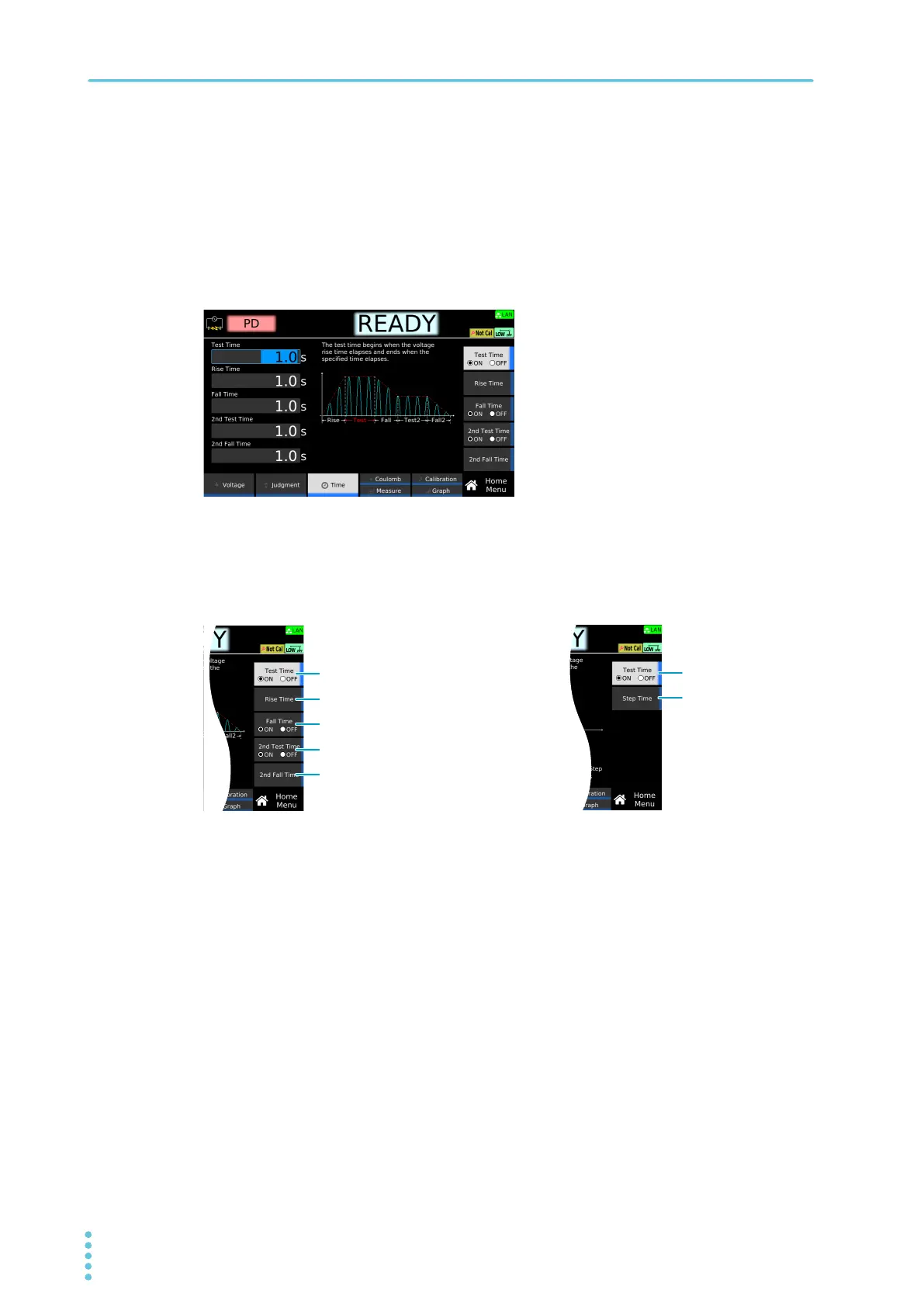
On the HOME Menu screen, press Time.
2
Press the key corresponding to the test condition you want to set.
Set each test condition according the voltage pattern you want to create by consulting. Refer to
the graph shown on the display or the graphs on
p.110 . For test conditions that have an ON or
OFF setting, the setting switches between on and off each time you press the key.
3
Use the numeric keypad or the rotary knob to enter the time.
Test Time/2nd Test Time setting range: 0.1 s to 1 000.0 s
Rise Time/Fall Time/2nd Fall Time/Step Time setting range: 0.1 s to 200.0 s
4
Repeat Step 2 and Step 3 to set an application time.
This completes the setting.
■When Voltage Pattern is set to Rump ■When Voltage Pattern is set to Step
Test Time
Rise Time
Fall Time
2nd Test Time
2nd Fall Time



 To Next Page