14 User’s Manual TOS93 Series
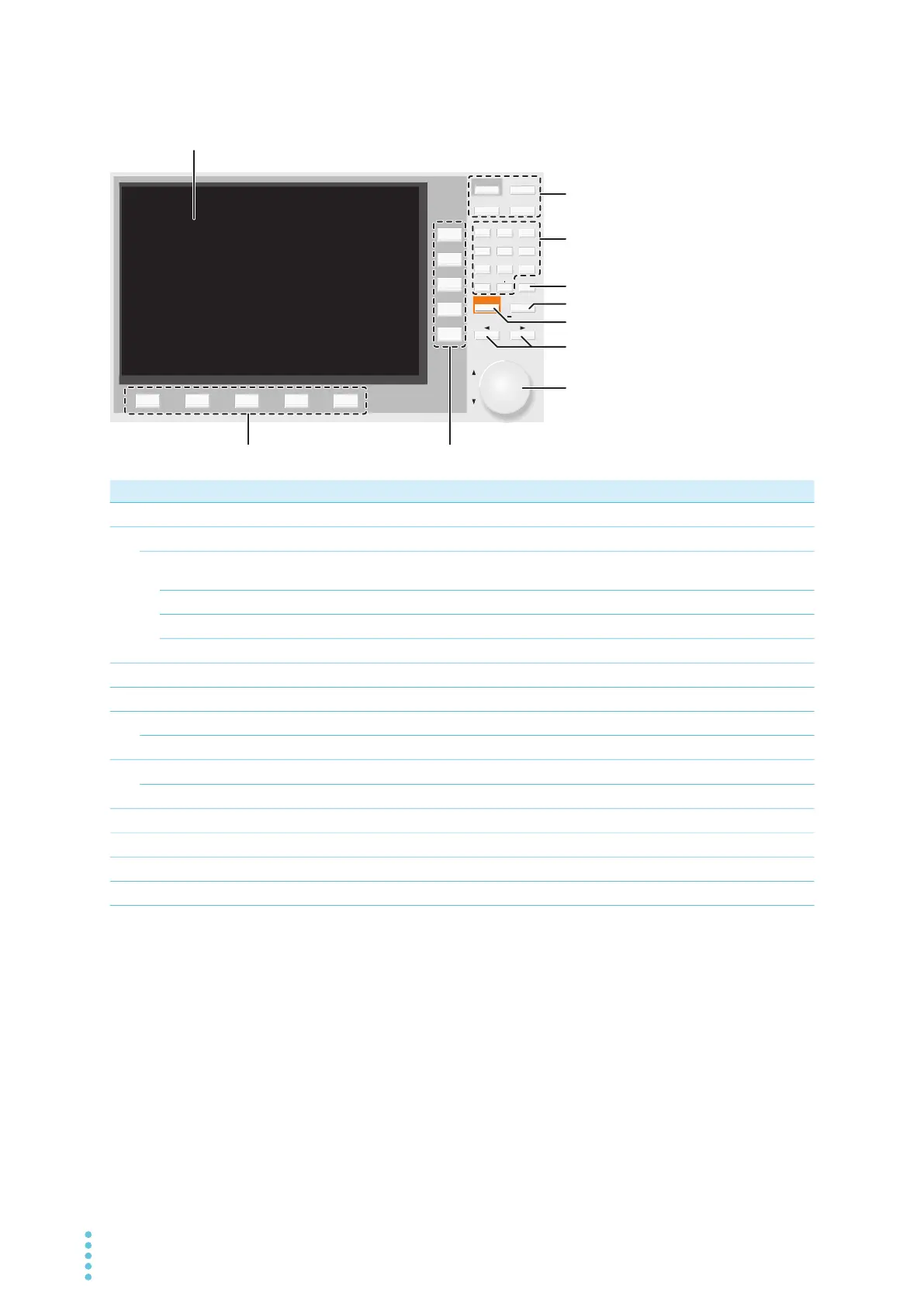
Controls
No. Name Function See
1
Display Displays the settings, measured values, and other information.
p.15
2
Menu keys Switch the display.
p.46
HOME/FUNC key Switches between the test setup screen (Home menu) and test selection
screen (Function menu).
p.46
AUTO key Displays the auto test screen.
p.215
MEMORY key Displays the memory function screen.
p.249
SYSTEM key Displays the system setting screen (System Menu).
p.258
3
Numeric keypad Enters values.
p.49
4
CLEAR key Deletes numbers/characters.
p.49
5
ENTER key Confirms numeric keypad input. Confirmation after selection of setting item.
p.49
KEYLOCK key Hold down to lock the keys. Hold down when key lock is enabled to unlock.
p.262
6
ESCAPE key Cancels numeric/character input. Closes windows.
p.49
LOCAL key Returns remote control to panel operation.
p.335
7
←/→ keys Move the cursor left and right. Select the left or right item.
p.49
8
Rotary knob Selects an item. Enters numbers and characters.
p.49
9
Function keys Executes the item that is displayed above each key (function area).
p.47
10
Sub-function keys Executes the item that is displayed to the left of each key (sub-function area).
p.47
AUTO
MEMORY
SYSTEM
ENTERESCAPE
879
546
213
0CLEAR
LOCAL
KEY LOCK
HOME
/
FUNC



 To Next Page