TOS93 Series User’s Manual 15
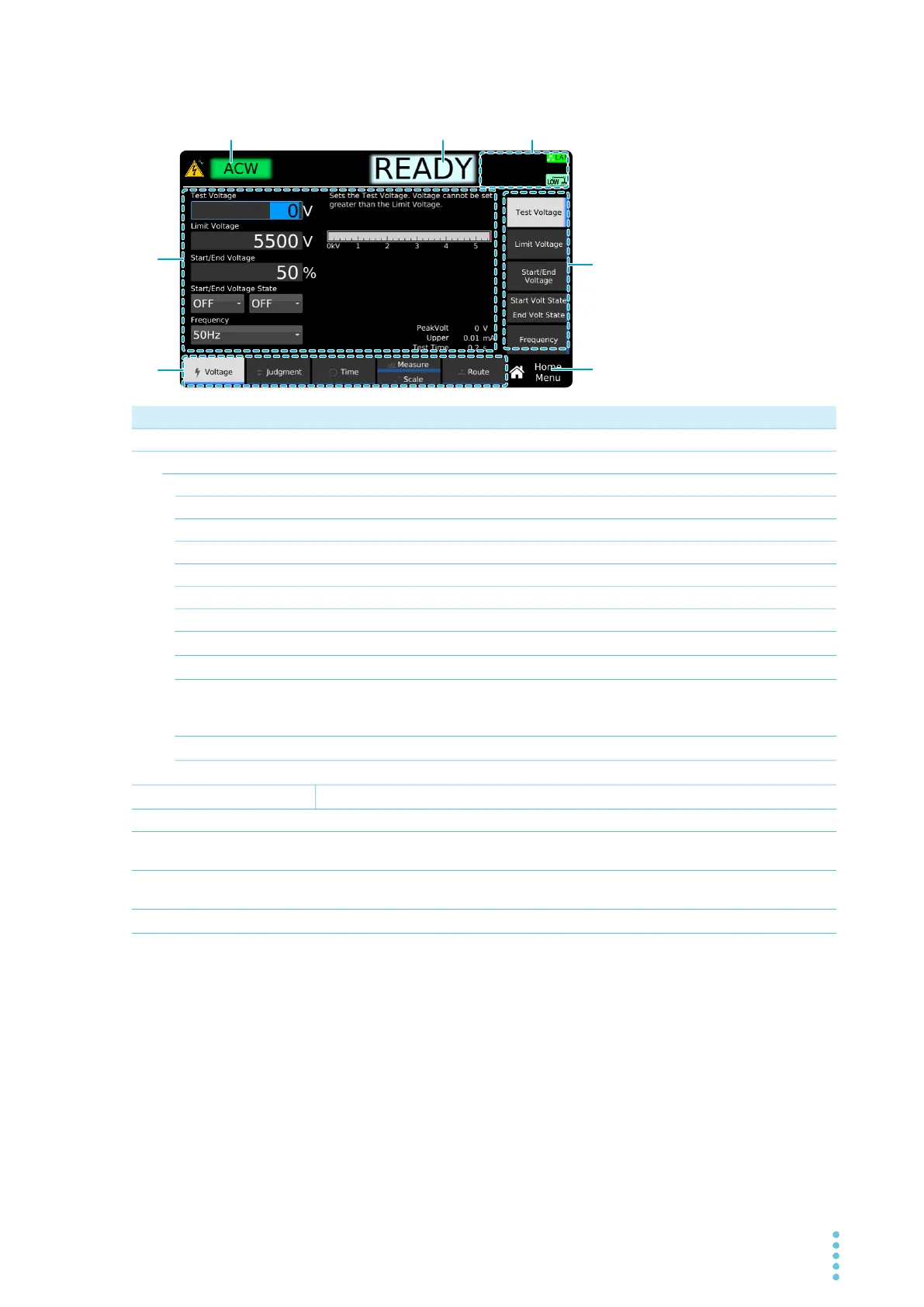
Display
No. Name Function See
1
Test mode Selected test type. –
2
Test status – –
READY Ready to start test. –
RISE Voltage or current rising. –
FALL Voltage or current falling. –
TEST Testing. –
PASS Test successful. –
Upper-FAIL
Tes
t failed because a value greater than or equal to the upper limit was detected.
–
Low
er-FAIL Test failed because a value less than or equal to the lower limit was detected. –
Upper-FAIL (dV/dt) In a DCW test, the voltage rise rate (dV/dt) is less than approximately 1 V/s.
p.89
Lower-FAIL (dV/dt) In an IR test, the voltage rise rate (dV/dt) is less than approximately 1 V/s.
p.89
Contact-FAIL The continuity between the scanner and EUT cannot be verified.
(TOS9303LC only) The test leads are grounded when the touch current test
c
ond
ition “Probe” is set to Enc-Liv or Enc-Neu.
p.79
p.153
Calibration-FAIL (TOS9301PD only) The test has started with no precalibration performed.
p.127
CHECK Contact check in progress.
p.98
3
Status display icon area
Dis
plays a product status using icons.
p.18
4
Settings area
Displays settings and descriptions. Displays measured values during testing.
–
5
function area Indicates that execution is possible with the keys (function keys) at the bottom
of the display.
p.47
6
sub-function area Indicates that execution is possible with the keys (sub-function keys) in the
right side of the display.
p.47
7
Menu name Name of the menu currently displayed.
p.46



 To Next Page