101
you in case of status events, alarm events, or all events. Additionally, you
can specify these events in the drop-down menu to the right. These
additional filters are active as soon as you have selected at least one alarm
or event. Then, you will only be notified about the alarms or events you have
manually selected. If you do not set any additional filters, you will be notified
according to the general settings (all events, alarm events, status events).
Please note:
Most mobile phones allow you to set the ring tone for text messages, the volume,
as well as, the number of repetitions of the ring tone. Make sure to set it up
accordingly that you do not miss any notification.
In case of a power failure, it takes at least three minutes until the alarm panel will
notify you.
The time between sending and receiving an e-mail depends upon external factors
(e.g. speed of the internet connection, current capacity of the internet provider)
and, hence, can vary.
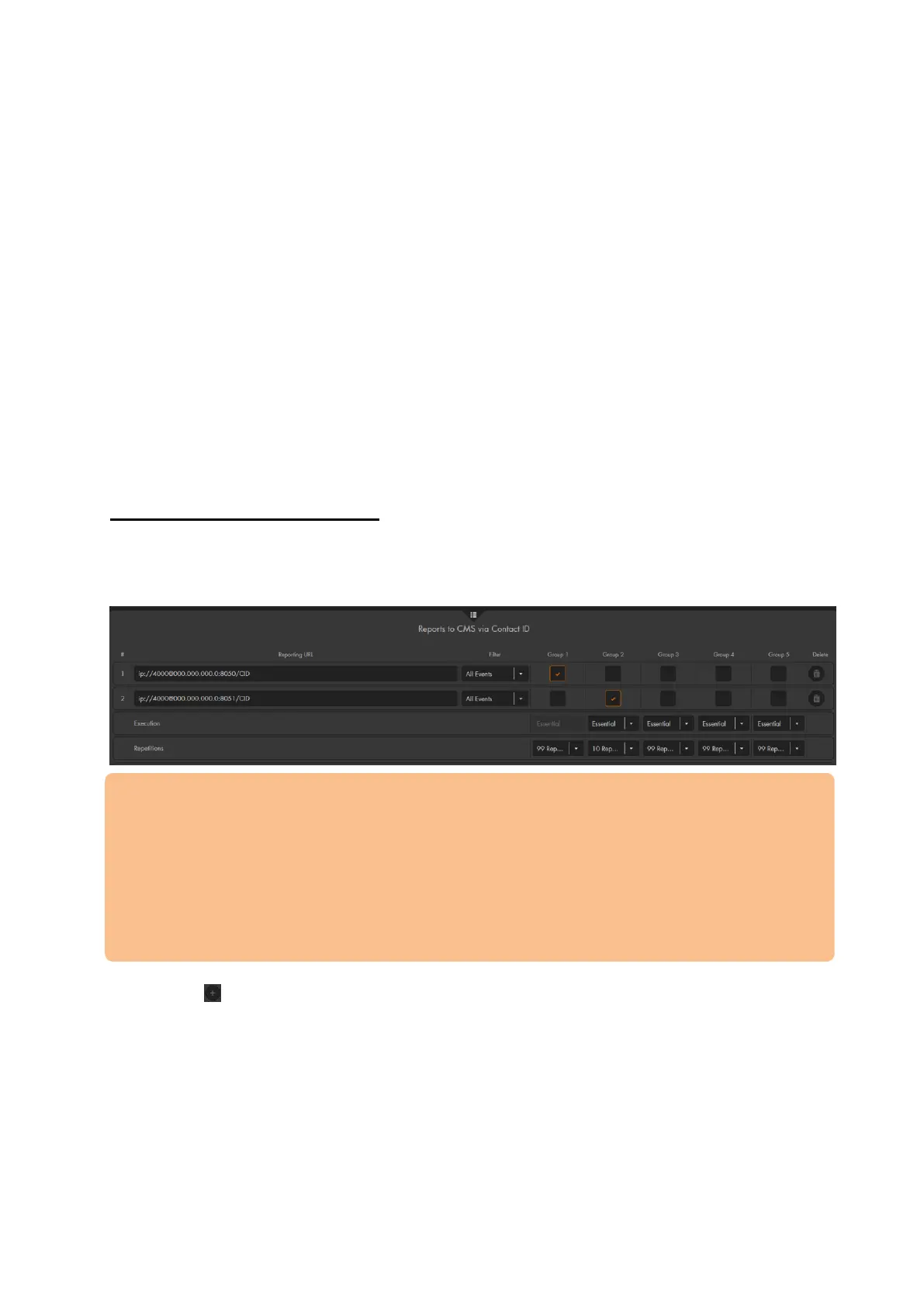
Reports to CMS via Contact ID
To use the “Contact ID” menu, you must make use of a third party security service. The
security firm connected via Contact ID to the alarm panel, will be informed about any
important status changes and can react immediately.
Please note:
Security service centers are not operated by LUPUS-Electronics. These are
independent companies that charge for their service.
The alarm panel uses the standardized “contact ID over IP” protocol CID SIA DC
09.
The security service center requires a software to receive this protocol. In case
the service center of your choice does not support this protocol or needs specific
information, feel free to contact us.
Use to add a security service center (up to 20 are possible).
Reporting URL
Enter the Contact ID information according to the following syntax:
ip://ACCT@server:port/CID
ip://ACCT@server:port/SIA (Standard Contact ID Protocol)
gsm://ACCT@phoneno (report via GSM)
mailto:user@example.com (sends an e-mail)
o ACCT
ID or customer number with which the alarm panel is registered at the
security service



 To Next Page