206
Keypad
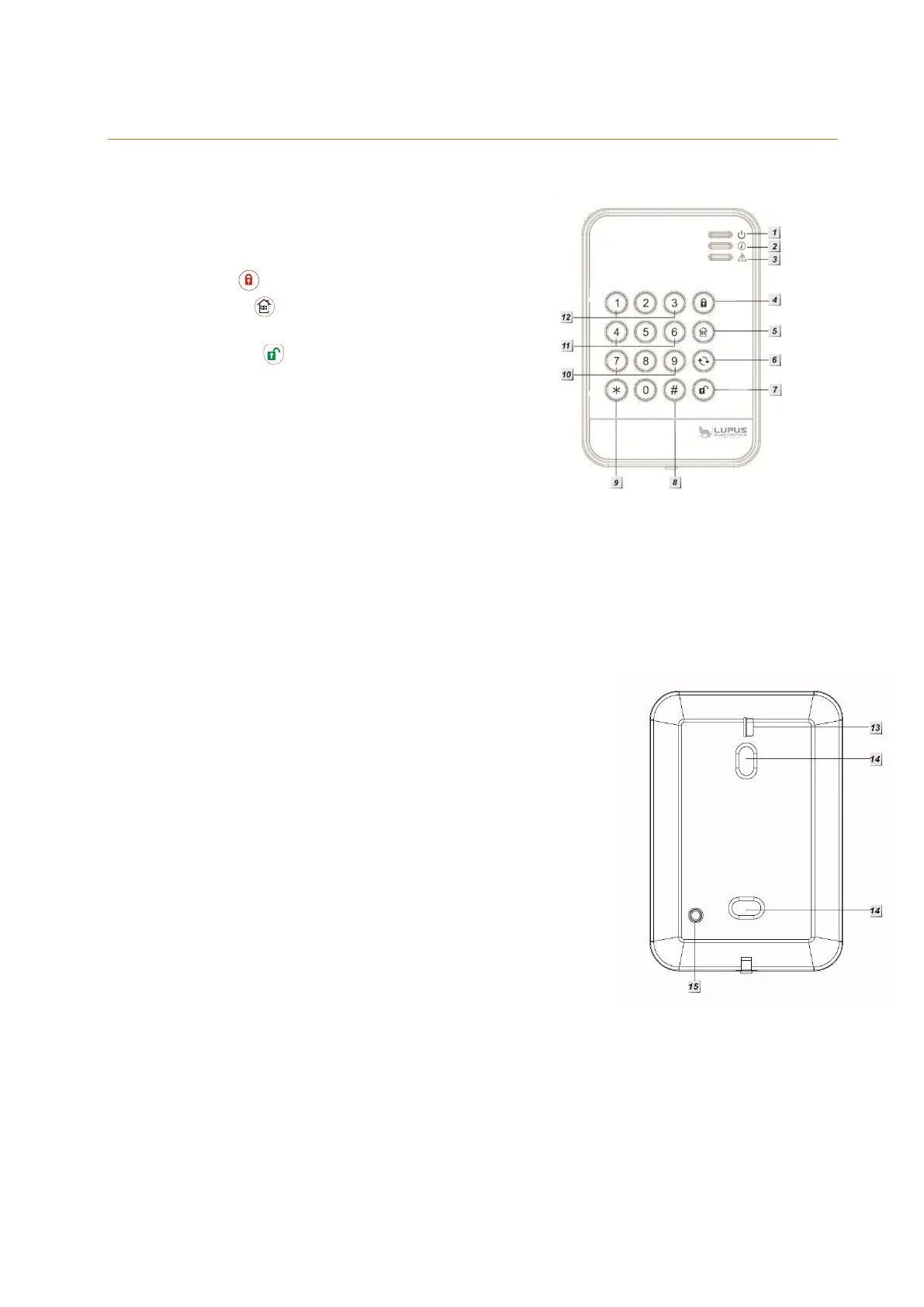
Product description:
1. Power LED
2. Status LED
3. Error LED
4. Arm
5. Home
6. System status
7. Disarm
8. Pound key #
9. Star key *
Installation mode = Installation PIN + *
10. Emergency alarm: 7 + 9 (simultaneously)
11. Fire alarm: 4 + 6 (simultaneously)
12. Panic alarm: 1 + 3 (simultaneously)
13. Battery breaker (delivery status)
14. Mounting holes
15. Tampering contact
Please note:
The dual-key commands 1+3 (12.), 2+6 (11.), 7+9 (10.) are disabled by default.
To use dual key functions, only press the two corresponding buttons on the keypad.
Do not press any other buttons.
LED indicators:
Power LED:
o LED lights up orange: test mode is active
o LED flashes orange: test mode is active + low
battery
o LED lights up blue for approx. five seconds:
System status is normal
o LED flashes blue: Low battery
Note:
Normally all LEDs are off.
If you press any key, the power LED will light up blue
for five seconds. This signals that the keypad is
operational.
Status LED (allows you to check the status of the alarm panel):
If you press the status button of the keypad, the status LED will display the
current status of the alarm panel:
LED lights up red: alarm panel is in arm mode
LED flashes red: alarm panel is in home mode
LED lights up blue: alarm panel is in disarm mode
LED flashes blue: an error occurred, e.g.:



 To Next Page