211
Light sensor
Attention:
This product is not compatible with the XT1 or XT2 without “Upgrade dongle to XT2
Plus.”
Product description:
Use the light sensor to determine the brightness of the room in which it is installed. This
allows you to set up automation rules, e.g. that the light is turned on automatically at night.
The latest version (sold since the end of 2017) also features a temperature and humidity
measurement.
Sensor data:
Place of installation: Indoors
Operating temperature: -10 °C to +45 °C (14F to 113F)
Humidity: Maximum 85% (non-condensing)
Alarm system frequency: 2.4 GHz
Battery: CR123 A 3 V lithium battery
Dimensions: 74 x 46 x 22 mm (2.91 x 1.81 x 0.86 inches)
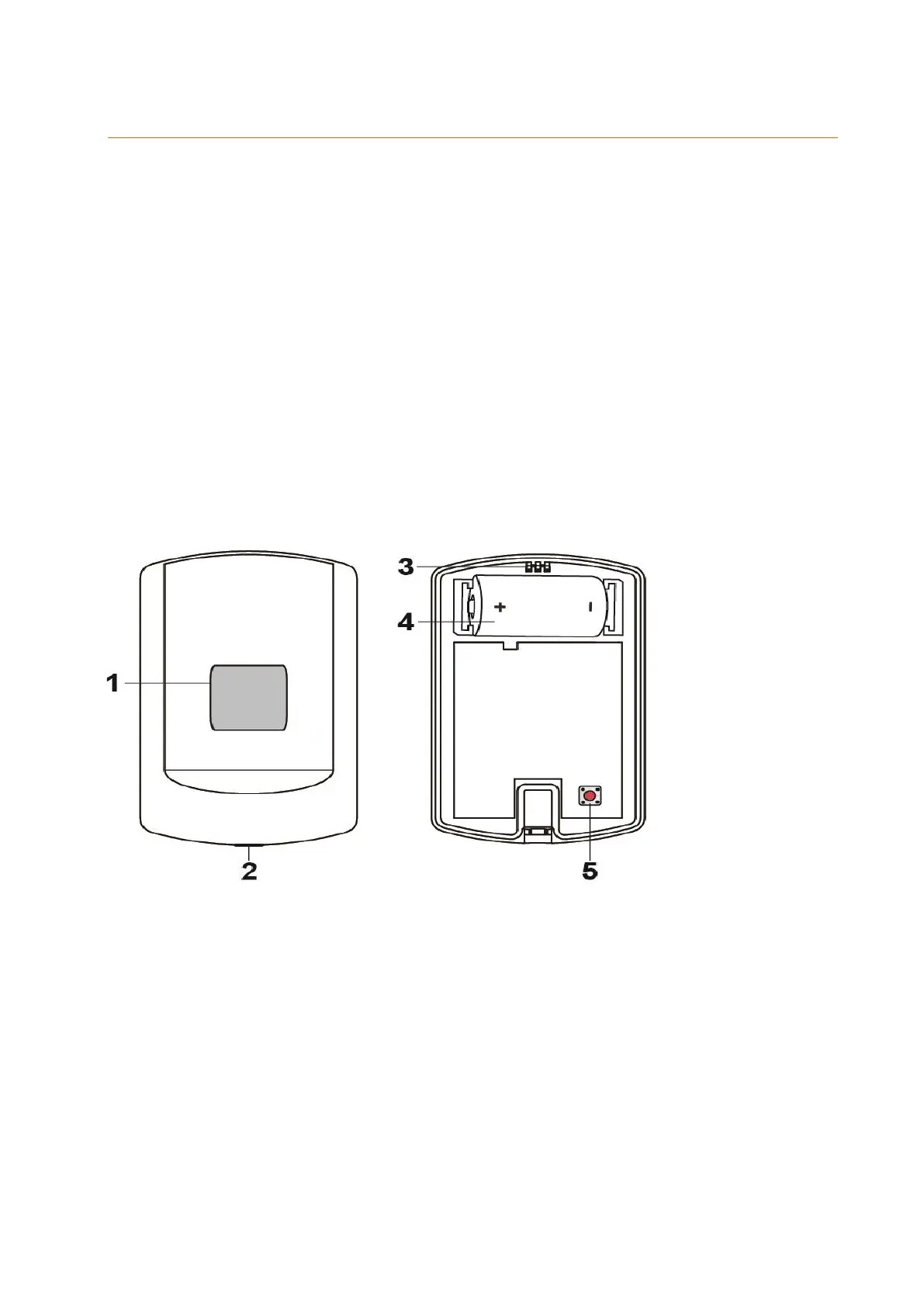
1. Light sensor / LED indicator
Lights up once:
Reset of light sensor
Lights up twice:
Light sensor was successfully added to the alarm panel
Lights up every 20 minutes:
Light sensor has lost contact to alarm panel.
2. Mounting screws
3. Attachment hook
4. Battery compartment
The light sensor requires a CR123A 3V lithium battery, which operates the light
sensor for about two years.
The alarm panel displays a message, when the battery runs low.



 To Next Page