281
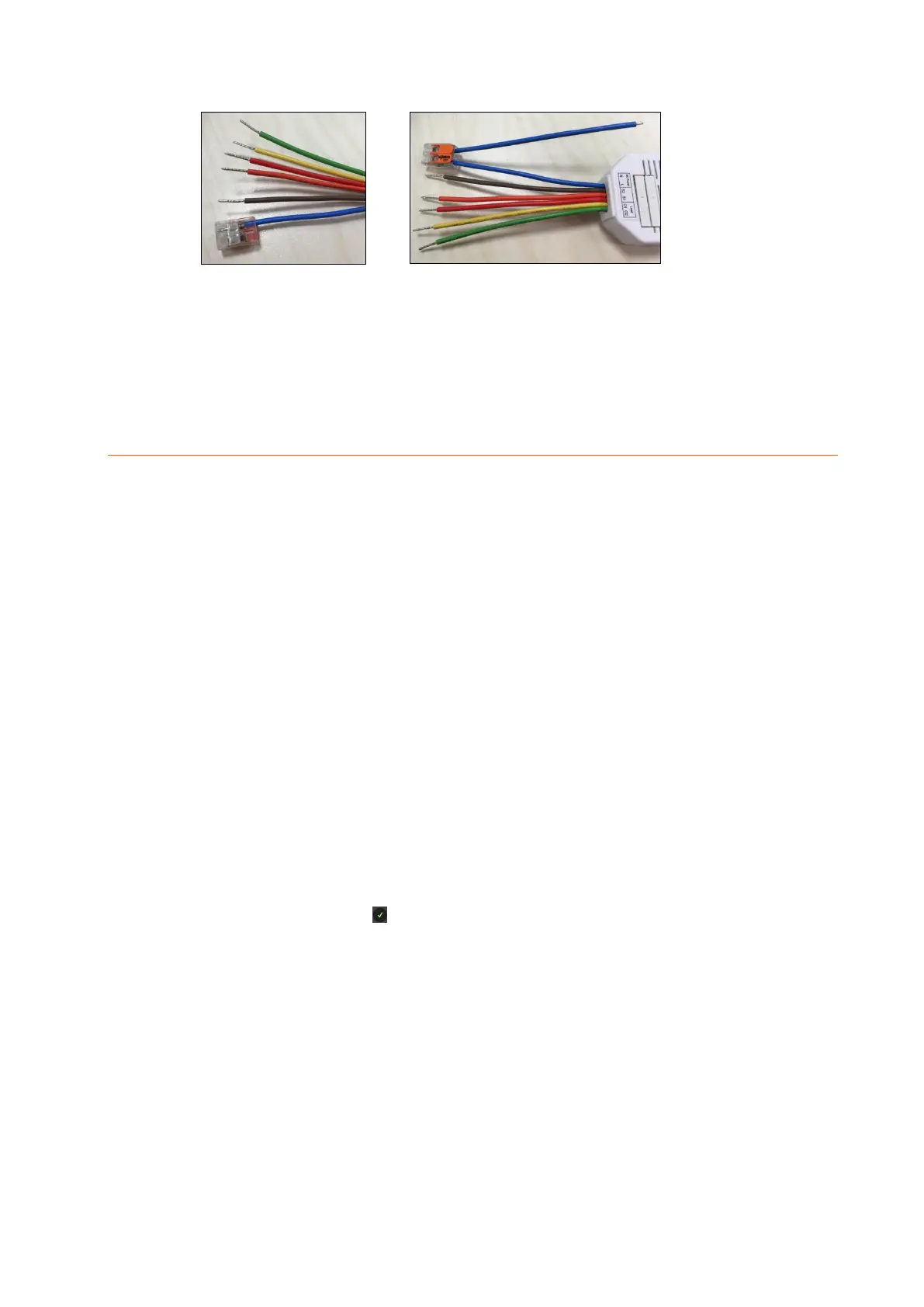
Connect the other wires according to the same principle with the Wago terminals.
Depending on the used devices (motor, push buttons, etc.) additional Wago terminals
might be necessary.
If you do not use a push button, we advise you to use Wago terminals on the wires of
S1 and S2 in order to prevent a short circuit.
Connecting the shutter relay V2 and putting it into operation
Ideally, you install the shutter relay V2 in the wall behind the shutter control push button.
Use deep built-in boxes for this purpose to get sufficient space for the shutter relay V2
behind the push button. Alternatively, you can also install the relay in a second built-in
box next to it.
1. Deactivate the power supply during the installation to prevent short circuits.
2. Connect the 230 V power supply cable coming from the control cabinet to the input
(3 + 4) and the two power wires of the shutter motor (up/down) to the 230V outputs
(7 + 8).
3. To be able to control the relay externally, connect the up and down outputs of the
shutter push buttons to the inputs (5 + 6).
4. Reconnect the 230V power supply.
5. You can add the shutter relay V2 to the alarm panel only within the first three
minutes after having connected the relay to the power grid!
6. Open the menu “Sensors” “Add” and press “Start” in the web interface of the
alarm panel.
7. Press the Learn button (2) for approx. ten seconds. The LED lights up briefly,
release the Learn button. A connection request is sent to the alarm panel, the LED
flashes twice.
8. As soon as the alarm panel has received the connection request, the sensor list
shows the sensor. Press to add the shutter relay to the alarm panel.
Range test:
1. Open the alarm panel menu “Sensors” “Range” and press “Start”.
2. Press the learn button.
3. The sensor and the signal strength should be indicated. The higher the indicated
number the better the reception (1-9).
Please note:
If the signal strength at the place of installation is below 4, we advise to use a ZigBee
repeater, since it is normal that the signal strength may fluctuate for 2-3 points, thus,
a signal loss is possible.



 To Next Page