33
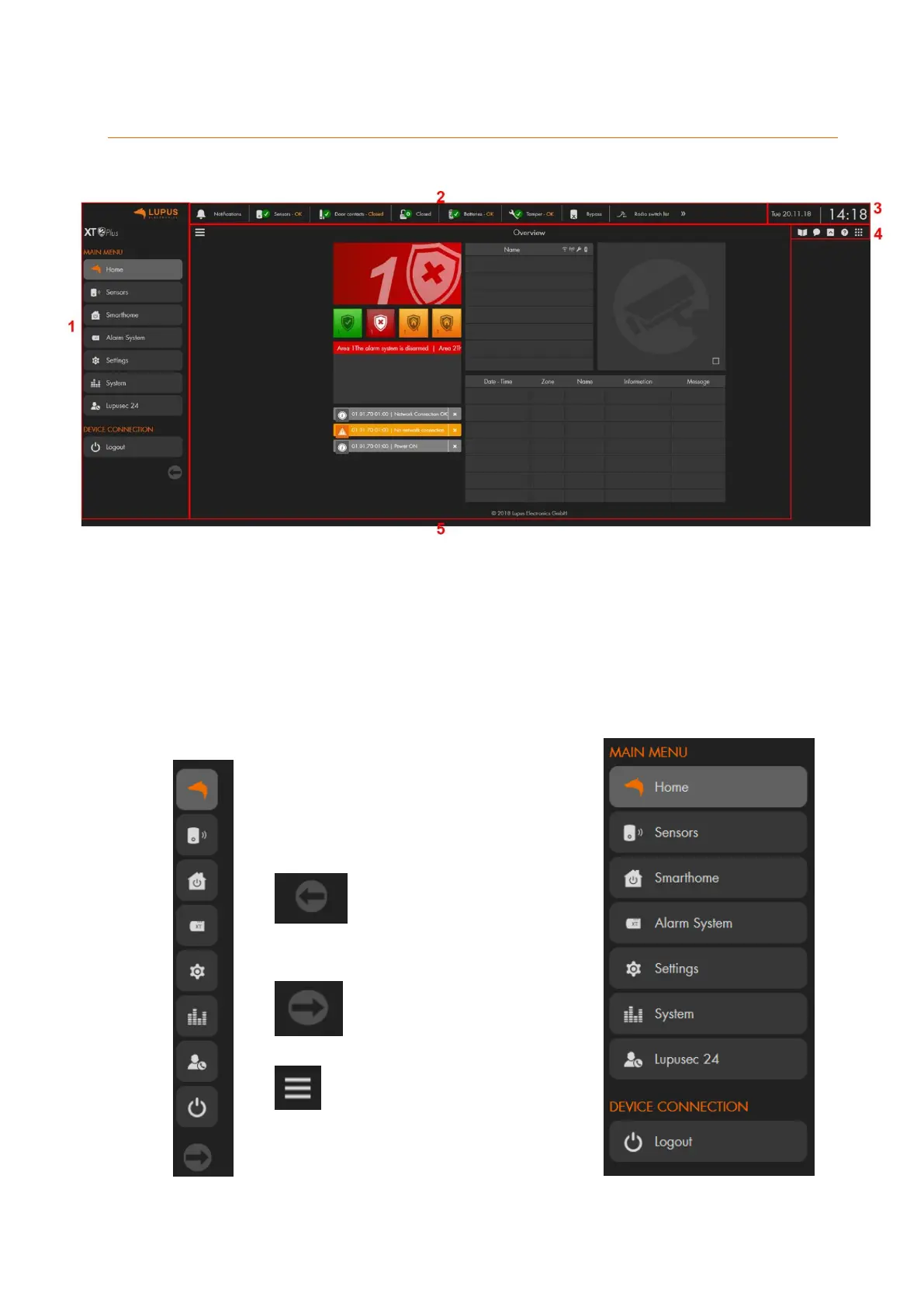
User interface of the alarm panel
The user interface consists of 5 elements:
1. Main menu
The main menu contain the sub-menus to control the alarm panel and consists
of: “Home”, “Sensors”, “Smarthome”, “Alarm system”, “Settings”, “System”,
“LUPUSEC 24”, and “Logout”. You can change the menu by left clicking on the
menu you want to access. Depending on the menu you choose, additional sub-
menus appear. The menu you have currently open is highlighted.
The arrow headed to the
left allows you to minimize
the menu.
The arrow headed to the
right allows you to
maximize the menu.
This button allows you to
completely hide or show the
menu.



 To Next Page