263
Remote control V2
The remote control allows you switch between the different modes of the alarm panel
(arm, disarm, home), as well as, to trigger a panic alarm.
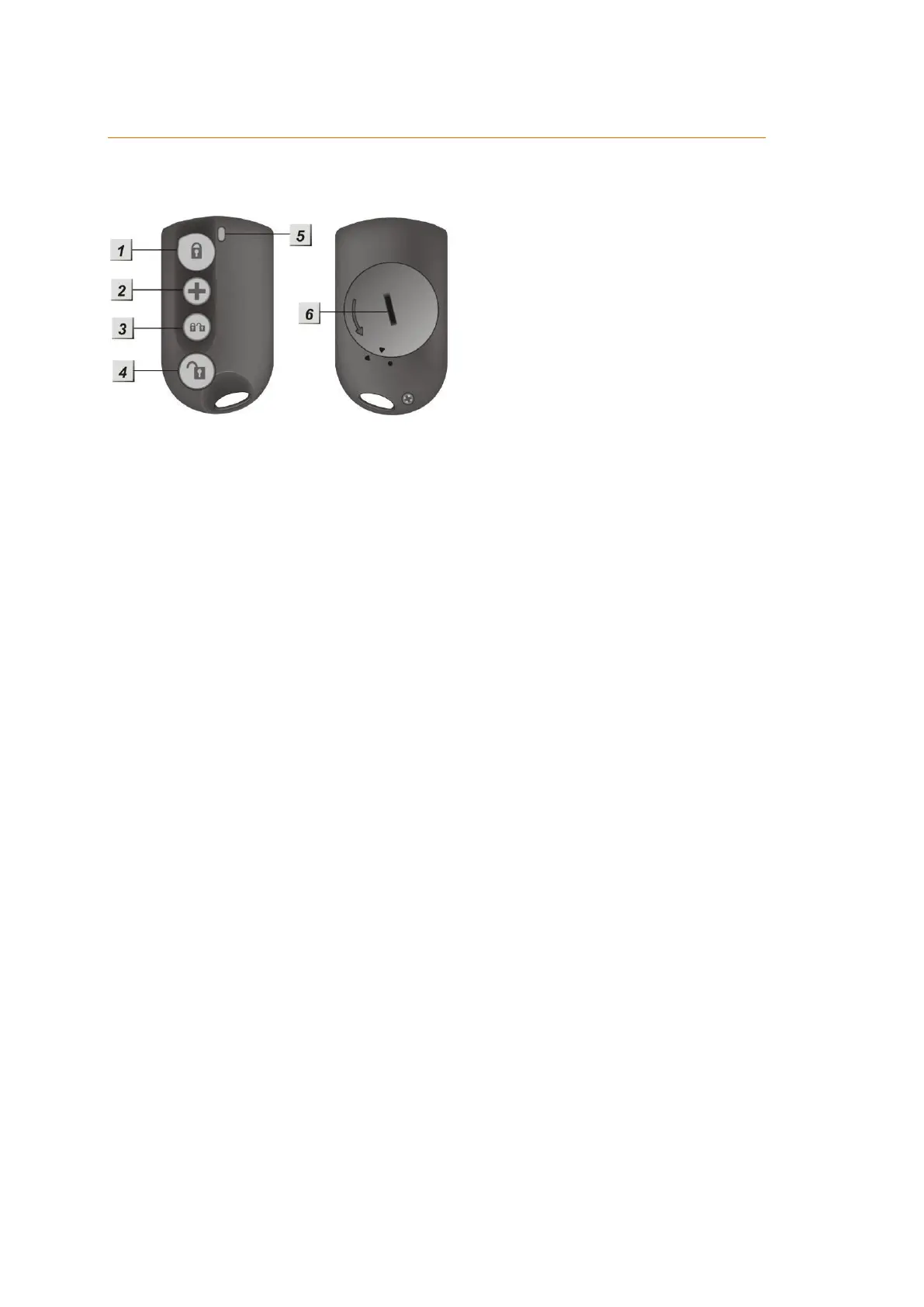
Product description:
1. Arm-button
By pressing this button for approx. three seconds, you arm the alarm panel.
This will be signalled by a long tone of the alarm panel. After you have pressed
the button, the selected exit delay will begin and you can leave your home.
If e.g. a window / door contact or a tampering contact is still open when you
press the arm button, the alarm panel cannot switch to the arm mode – this is
signalled by two short tones. By pressing the button again, you can force the
alarm panel to ignore the open contact and arm anyway.
2. (+)-button
By pressing this button for more than three seconds, you will trigger a panic
alarm. This alarm will be triggered irrespective of the mode of the alarm panel.
3. Home-button
This button features, both, the arm and disarm symbol. By pressing this button,
you activate the home mode 1 of your alarm panel.
4. Disarm-button
By pressing this button, you disarm your alarm panel.
If an alarm is currently active, the alarm, as well as, any sirens will be
deactivated. It is not possible to deactivate a panic alarm by means of this
button – this has to be done via the web interface.
5. LED-indicator
The LED will flash any time you press a button and attempt to transmit a signal
to the alarm panel. In case of a panic alarm, the LED flashes five times and
afterwards the panic alarm is transmitted.
6. Battery compartment
The remote control runs on a 3V 230mAh CR2032 lithium battery. The average
battery life is approx. two years.
The remote control automatically transmits the current battery status to the
alarm panel when any other action is transmitted.



 To Next Page