296
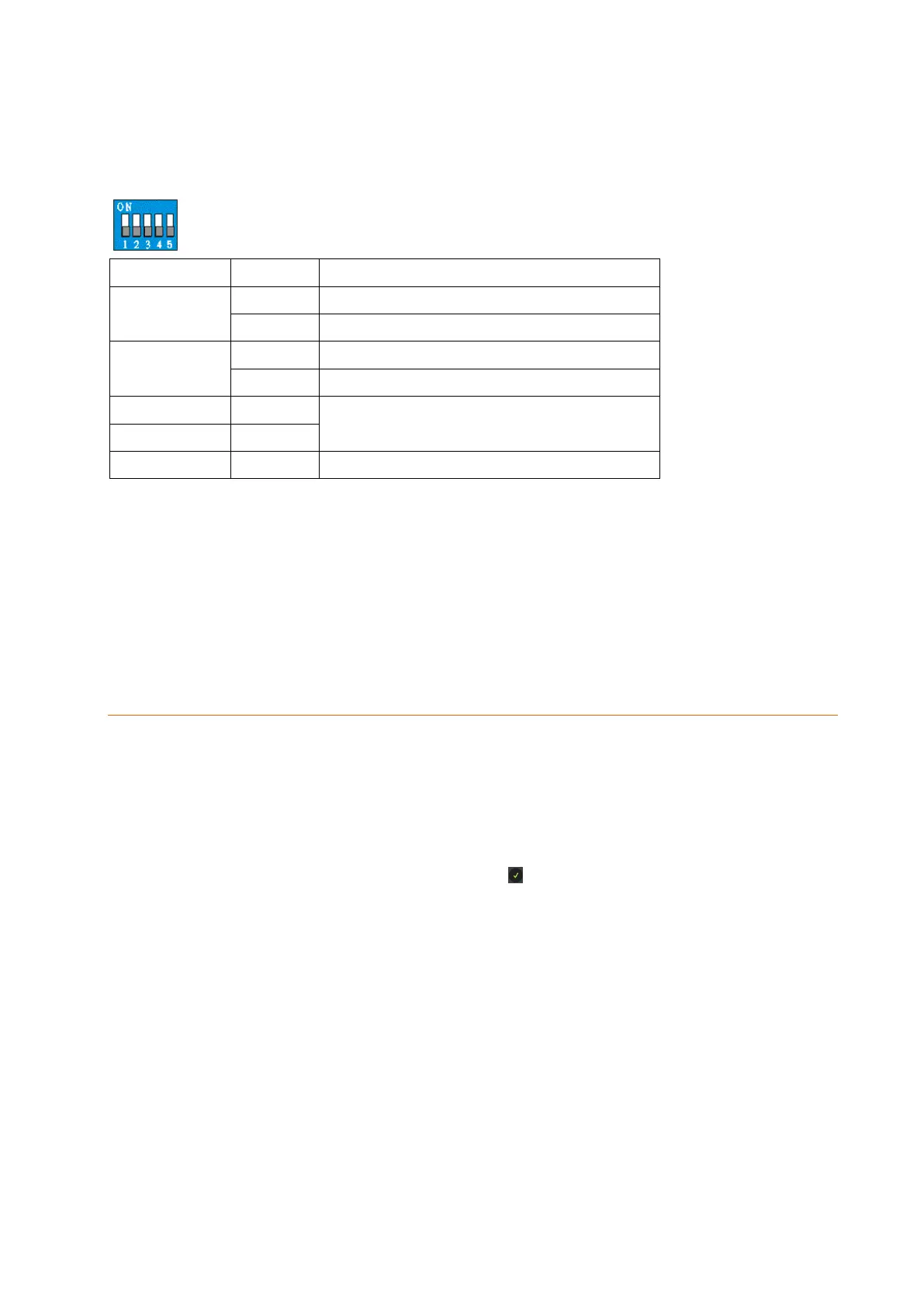
Function switches:
If the tag reader’s housing is open, you will see the function switch block with five
switches. These switches are all set to OFF by default.
Normal Operation (default)
Normal operation (default)
System settings
MUST be OFF, as otherwise no function
Must be OFF, as otherwise no function
Installation of the tag reader:
1. Install the tag readers only indoors.
2. Remove the front of the tag reader by unscrewing the lower screw.
3. Use both screw holes to mark the drill holes at the wall.
4. Make sure that the tampering contact of the tag reader lies flat on the ground.
5. Tighten the tag reader.
6. Insert the batteries. The Power LED goes on for a few seconds and a signal
sounds.
Connecting the tag reader V2 and putting it into operation
1. Open the menu “Sensors” “Add” and press “Start” in the web interface of the
alarm panel.
2. Start the installation mode of the Tag Reader by pressing the Arm or Disarm button
and then promptly setting switch 1(SW1) to ON. The Status LED starts flashing
and one long signal is followed by two short signal sounds.
3. Press the Disarm button of the tag reader.
4. Add the tag reader to the alarm panel via .
5. End the installation mode of the tag reader by setting SW1 to OFF again, which is
acknowledged with four short signals.
Note:
The installation mode ends automatically after five minutes. To restart the
installation mode, you need to set SW1 to ON again.
Make sure that the tampering contact of the tag reader is not pressed in
during the add process!
Add a tag to the tag reader V2:
1. Start the installation mode by pressing the Arm or Disarm button and then promptly
setting switch 1 (SW1) to ON. The Status LED starts flashing and one long signal
is followed by two short signal sounds.
2. Press the Arm button once to start the tag learn mode. The Status LED lights up
for five seconds and one signal sounds.
3. During this time, hold a tag in front of the tag reader. The Status LED flashes fast



 To Next Page