15
Connecting the XT1 Plus alarm panel
1. You need to install the XT1 Plus at a wall. For the mounting, screws, dowels, and a
wall mount are included. Screw the wall mount unto a wall and observe the
information given in the chapters “important safety information” and “place of
installation”.
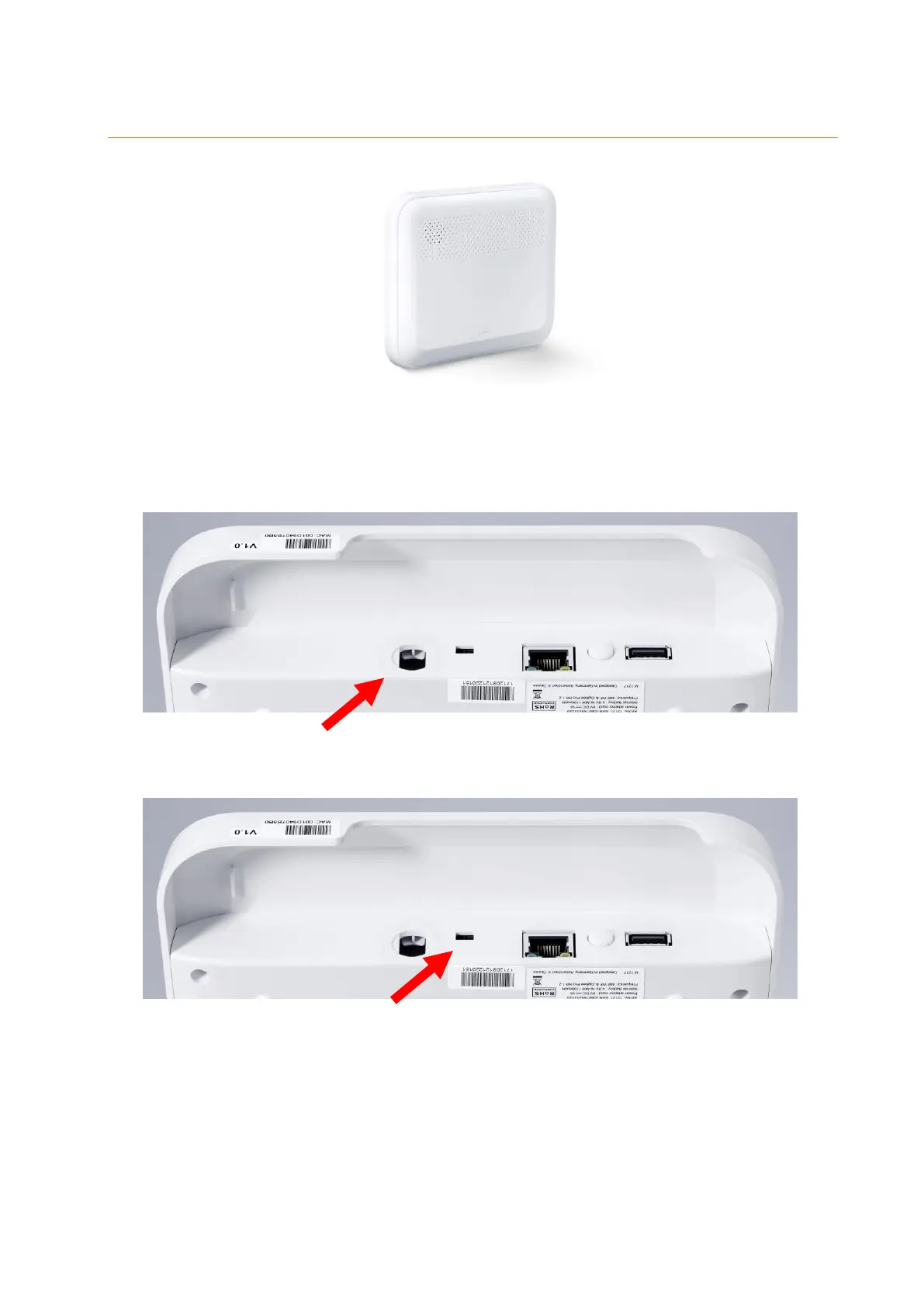
2. Insert the included mains adapter into the XT1 alarm panel and twist the plug by 90°.
This protects the mains adapter against removal.
The alarm panel requires approx. 30 seconds to boot.
3. Turn the emergency battery on by moving the switch to the “ON” position (towards
the mains adapter input).
Please note:
In case of power failure, the internal battery can supply the alarm panel with
power for approx. 21 hours.
It takes approx. 6 to 9 hours to fully charge the emergency battery!
In case of a power failure, it takes at least three minutes until the alarm panel will
notify you.



 To Next Page