165
360° PIR motion detector
Product description:
The 360° PIR motion detector alarms you dependably about any movements in your
rooms. You simply need to install the 360° PIR motion detector at the location that you
want to secure. The 360° PIR motion detector works by means of passive infrared
monitoring in a 360° radius.
Sensor data:
Dimensions (without mount) Ø 10.6 x 3.1 height (4.17 x 1.22 inches)
Weight: 115 Gramm (0.25 pounds)
Place of installation: Only indoors
Working environment: -10°C to 45°C (14F to 113F)
Humidity: Maximal 85% (non-condensing)
Radio frequency: 868.35 MHz
Detection method: Thermal field measurement up to 8m (8.7 yards)
1. Learn button with LED indicator
The learn button is used to connect the sensor to the
alarm panel or to perform a range test.
The LED will only light up under the following conditions:
Low battery: The LED lights up for two seconds
after a motion was detected.
Tampering: The LED lights up for two seconds
after the alarm signal was transmitted.
Test mode: If you press the learn button for 5 seconds, the sensor enters a
test mode for three minutes. During the test mode, the LED flashes every
time a movement is detected.
2. IR Sensor
3. Jumper (JP3) to increase the sensitivity
By default, the two pins are not connected. Thus, the sensor is set to the “normal”
sensitivity. In order to increase the sensitivity, you need to connect the two pins
with the jumper.
4. Tampering contact
When installing the sensor, make sure that the
tampering contact is closed. Only if the tampering
contact is closed, any attempt to manipulate the
sensor is transmitted to the alarm panel.
5. Battery compartment
The 360° PIR motion detector uses a 3V CR 123
lithium battery. In case the battery runs low, the
sensor sends a signal to the alarm panel.
6. Mounting holes
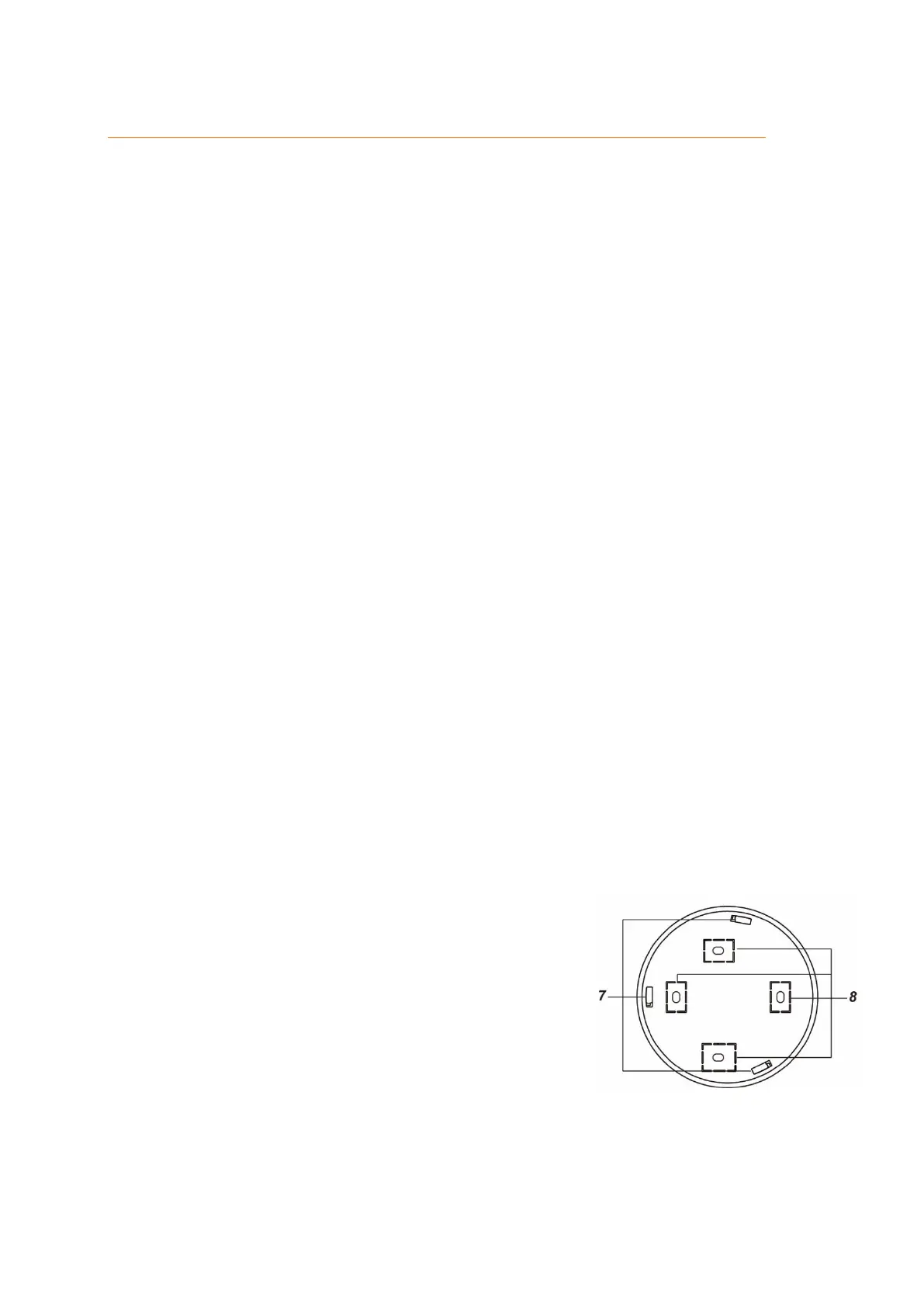
7. Installation hooks
8. Drill holes



 To Next Page