112
SMS account
In case of an alarm, the alarm panel is able to send a text messages to your mobile
phone. (see chapter “Alarm system” “Report”). In this chapter the gateway
configuration for “SMS via Internet” is explained.
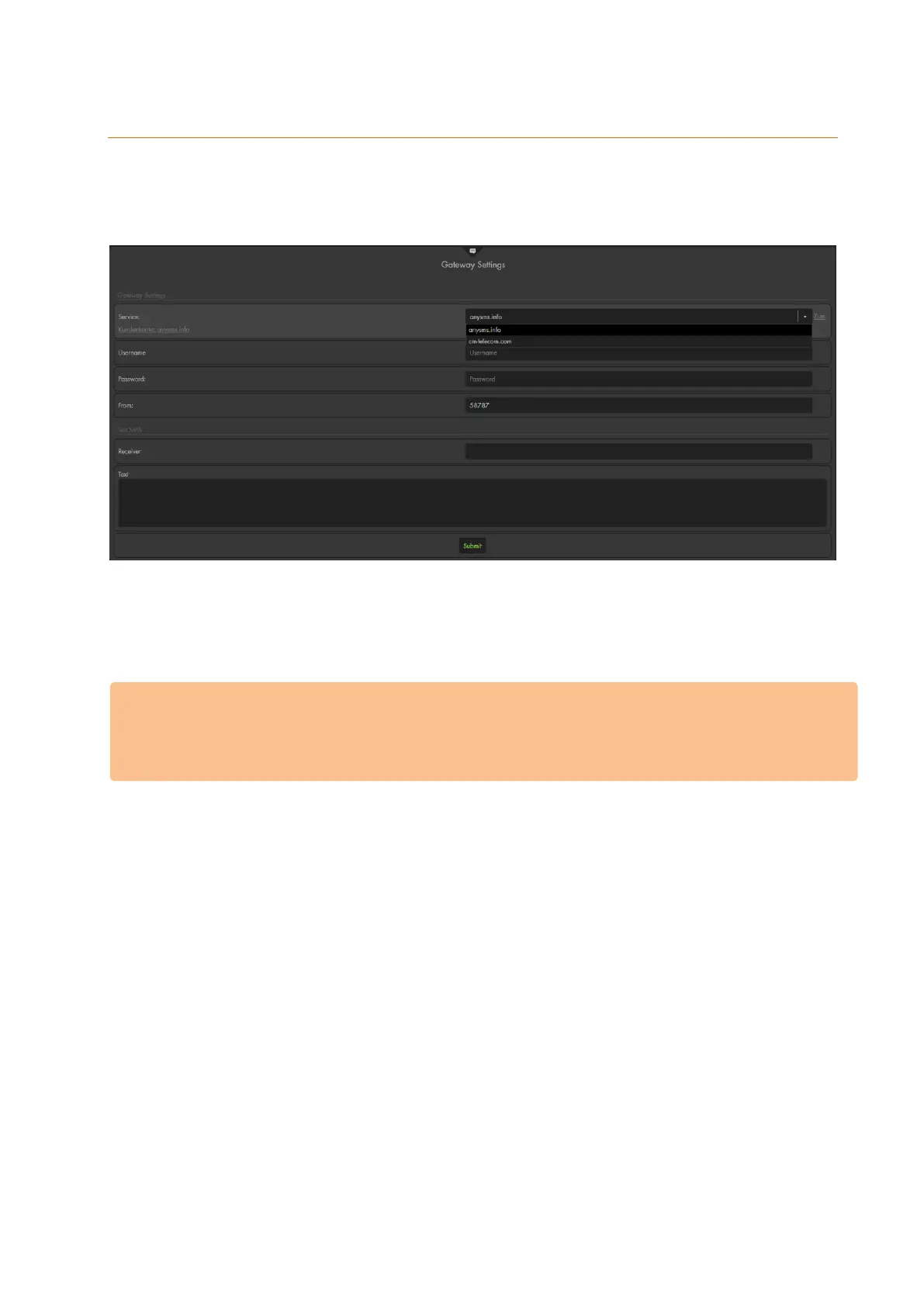
GATEWAY settings
Service:
You can select between three third-party providers: “anysms.info” and “cm-
telecom.com”.
Attention:
To use the text alert function of the alarm panel via the internet, simply go to the
website of the provider and open a free account by clicking on the link next to the
selected provider. Each send SMS will be charged by the provider.
Username (only anysms):
Enter your username / account ID. This can be found in in the anysms portal of the
mail you received upon registration
Password (only anysms):
Enter your gateway key.
Please note:
There are two different passwords: one for the login in the portal, the other
Token (only cm-telecom)
From
Enter a word or number of your choice. This will be displayed as sender in your
smartphone.
Please note:
Only numbers and letters are allowed
No special characters
No blanks
Up to 11 characters



 To Next Page