320
Connecting the water sensor V2 and putting it into operation
1. Remove the screw from the housing bottom.
2. Install the supplied batteries.
3. You can add the water sensor V2 to the alarm panel only within the first three
minutes after having connected it to its power supply!
4. Open the menu “Sensors” “Add,” and Press “Start” in the web interface of the
alarm panel.
5. Keep the Learn button (2) pressed for approx. ten seconds; the water sensor will
beep briefly at the beginning and longer after approx. ten seconds. Release the
Learn button. The water sensor transmits the connection request and the LED (1)
flashes twice.
6. The configuration menu of the alarm panel should indicate the water sensor.
7. Add the water sensor via .
Range test:
1. Open the alarm panel menu “Sensors” “Range” and press “Start”.
2. Press the test button.
3. The sensor and the signal strength should be indicated. The higher the indicated
number the better the reception (1-9).
Please note:
If the signal strength at the place of installation is below 4, we advice to use a
ZigBee repeater, since it is normal that the signal strength may fluctuate for 2-3
points, thus, a signal loss is possible.
Installation:
You can install the water sensor either to the wall or on the floor.
Wall mounting:
1. Remove the screw from the housing bottom.
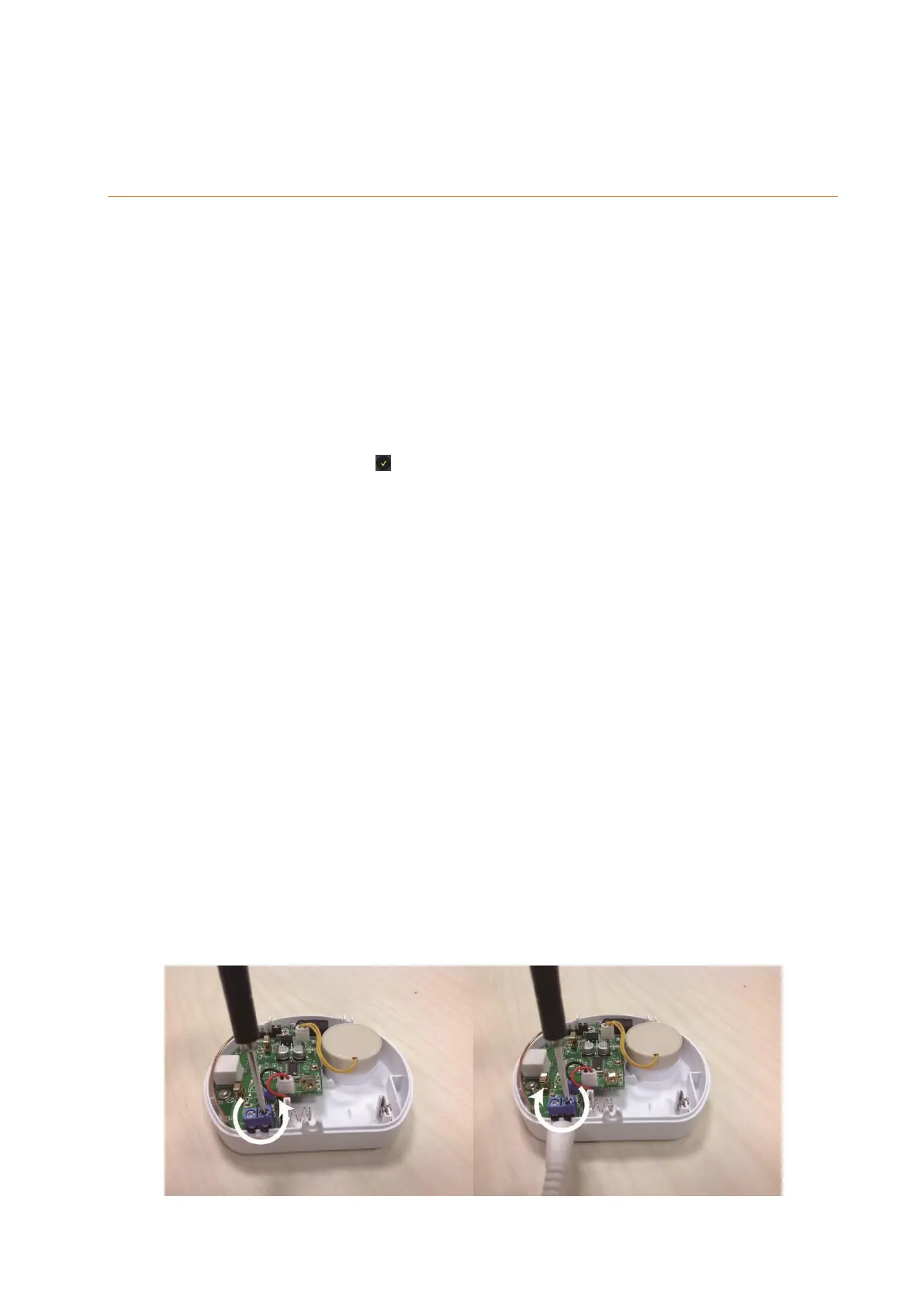
2. Use a slim screwdriver to open the screws of the external water probe port
counterclockwise.
3. Plug one side of the external water probe into the water probe port and fix it by
tightening the screws clockwise.



 To Next Page