224
Mechanical lock
Product description:
The mechanical lock is used to lock doors mechanically with a bolt, thus, you can only
open the door when the alarm panel is disarmed. This prevents false alarms. The
mechanical lock this is part of a mechanism to fulfil inevitability.
The mechanical lock locks only after the door was closed. Depending on the doorframe
stability, the mechanical lock can withstand a weight of up to 600 kg.
We advice that the installation of the mechanical lock should be performed by an
experienced installer with the correct tools.
The mechanical lock is combined with the wireless relay and, thus, can be connected to
the alarm panel (wireless relay is included). Please refer to the manual of the wireless
relay for the set up of the wireless relay.
The mechanical lock is supplied with electrical power by a 12 V 1 A mains adapter, which
is connected to the wireless relay. The mechanical lock must be connected to the wireless
relay to be supplied with power. Connect the black cable to pin 2 (GND) and the red cable
to pin 5 (relay - NO).
Please note:
The two white cables have no function an can be ignored.
Depending on the switch settings of the wireless relay (see manual of wireless relay), the
wireless relay switches at different times. The DIP switches SW3+4 are deactivated by
default, hence, the mechanical lock is activated when the alarm panel is armed and
deactivated, when the alarm panel is disarmed. Therefore, you can only pass through the
door with a mechanical lock installed if the alarm panel is disarmed.
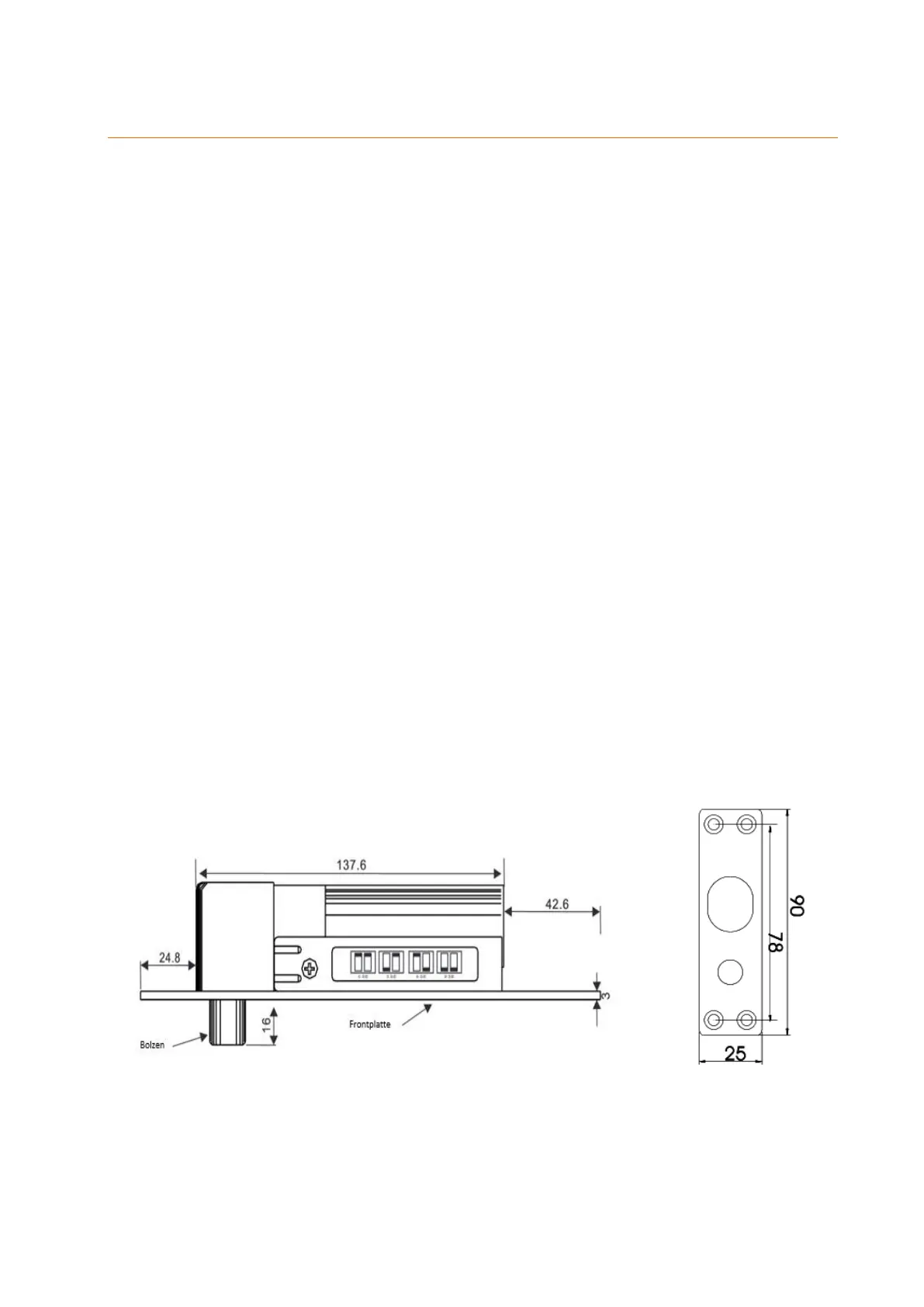
Dimensions (in mm):



 To Next Page