38
Home menu
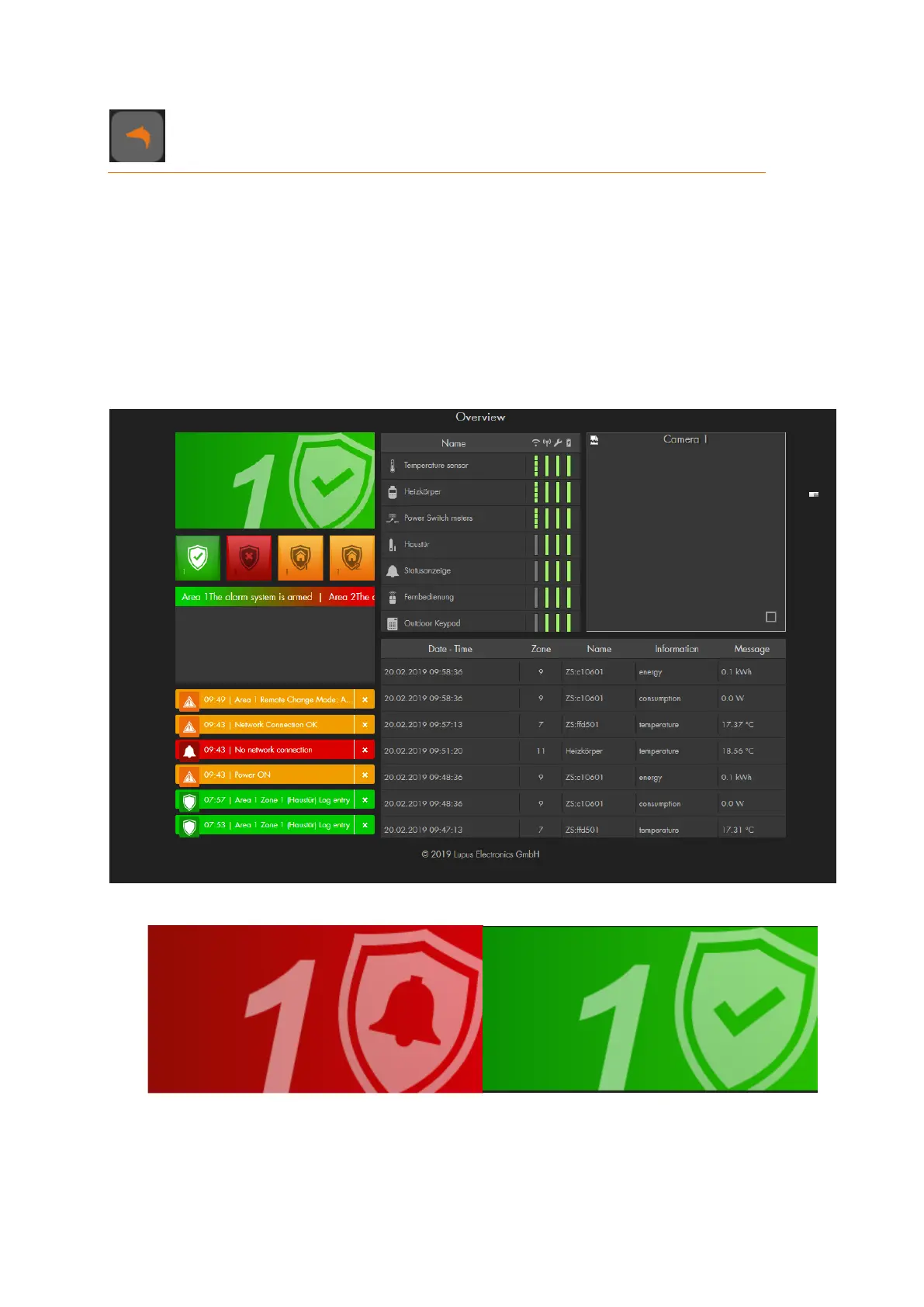
The home menu features the GRID interface of your alarm panel. Use the LUPUS GRID
to personalize the user interface of your XT alarm panel in your browser. You define which
indication and information, which functions, and which switches and buttons you want to
display.
There are as many options as there are individual needs.
Configure the grid as follows:
Standard configuration
This is the default GRID interface of your alarm panel. It consists of ten apps:
1. Status indicator app
This app shows only the status of the alarm system, currently of area 1. It is merely
a display function, not an interactive click function. The next paragraph explains how
to change the status.



 To Next Page