192
Glass breaking sensor
Product description:
The glass breaking sensor detects the sound of breaking window glass and notifies the
alarm panel. In order to avoid false alarms, two inputs are required to trigger an alarm:
First, the sensor registers the breaking of glass and, then, the pieces of glass falling to
the ground.
Sensor data:
Dimensions (without mount) 10.8 x 8 x 4.3cm (4.23 x 3.14 x 1.69 inches)
Weight: 140 gram (0.3 pounds)
Place of installation: Only indoors. Ideally, opposite of the secured window.
Working environment: -10°C to 55°C (14F to 131F)
Humidity: Maximal 85% (non-condensing
Radio frequency: 868.6625 MHz
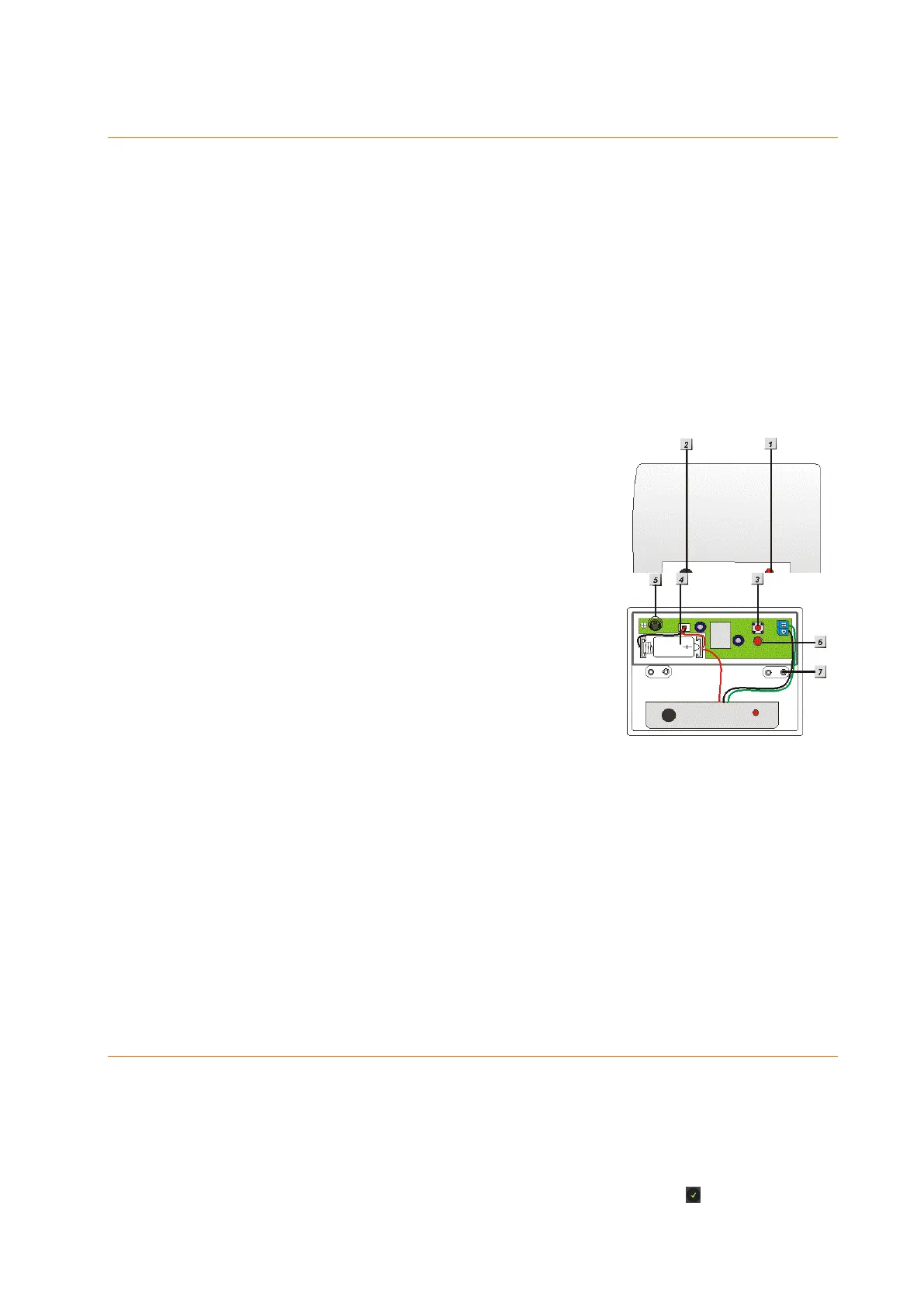
1. LED indicator (outside)
2. Microphone
3. Learn button
4. Battery
5. Tampering contact
6. LED indicator (inside)
7. Mounting holes
LED indicator (outside):
The LED indicator will flash every time a sound is detected.
In case of an alarm (detection of broken glass or tampering), the LED will light
up.
The LED flashes during the test mode.
Battery:
The glass breaking sensor requires a 3.6 V CR2 lithium battery. The average battery life
is approx. three years. The alarm panel will inform you when the battery is running low.
Connecting the glass breaking sensor and putting it into operation
1. Open the housing of the glass breaking sensor.
2. Insert the battery.
3. Open the configuration menu of the alarm panel and then the menu
“Sensors” “Add”. Press “Start”.
4. Press the Learn button of the glass breaking sensor once. The menu should
list the glass breaking sensor after a short while. Press to complete the



 To Next Page