268
Scenario switch V2
Attention:
This product is not compatible with the XT1 or XT2 without “Upgrade dongle
to XT2 Plus!”
Product description:
The scenario switch V2 features four buttons. Each button allows you to trigger a scenario
or home automation rule.
Sensor data:
Place of installation: Only indoors
Operating temperature: -10°C to +45°C (14F to 113F)
Humidity: Maximum 85 % (non-condensing)
Alarm system frequency: 2.4 GHz
Battery: 2 x 1.5 V AAA alkaline battery
Dimensions: 83 x 83 x 19 mm (3.26 x 3.26 x 0.74 inches)
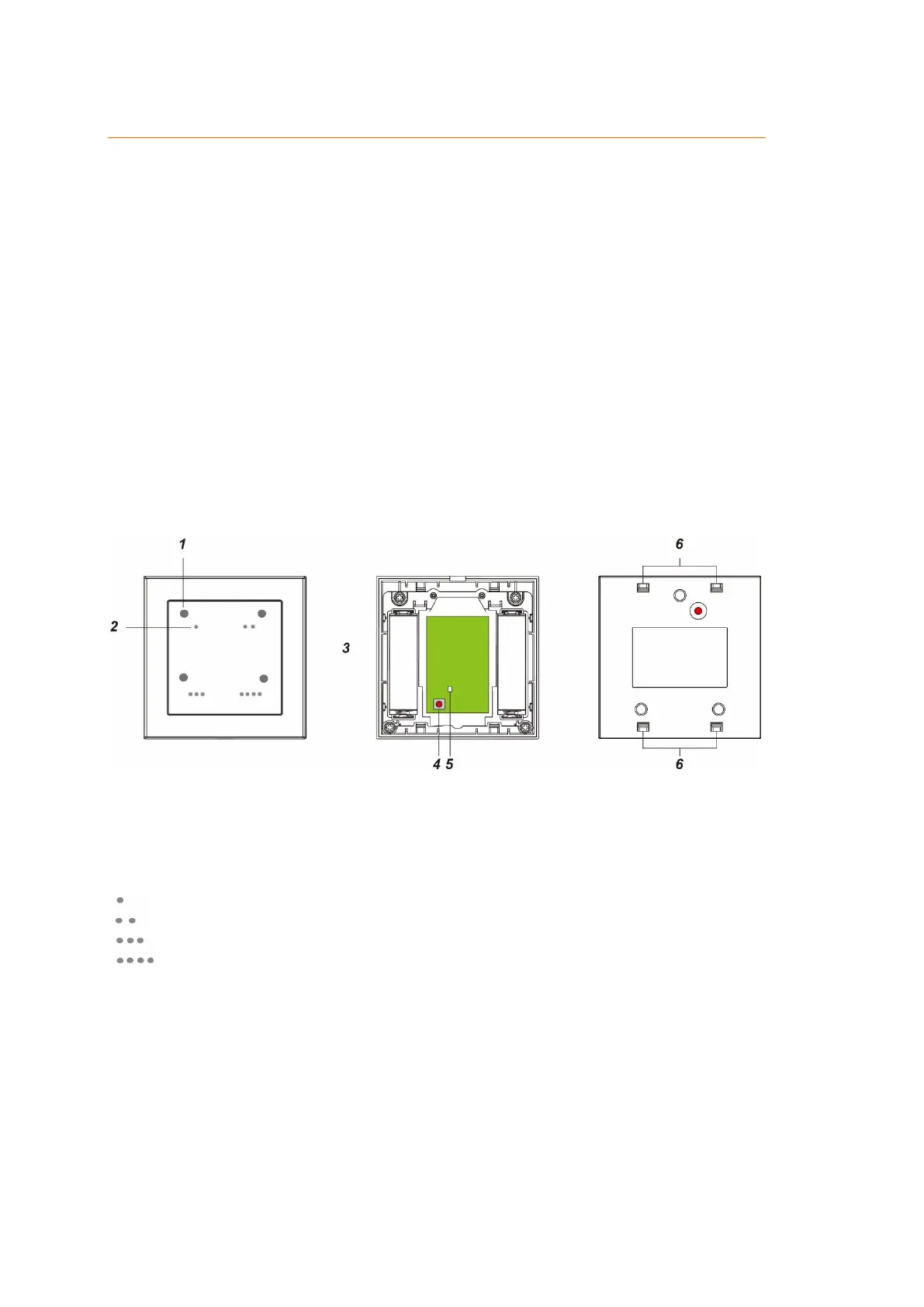
1. Confirmation LED
Each button features an integrated LED. The LED flashes anytime the corresponding button is pressed.
2. Button 1 – 4
Briefly pressing on one of the buttons triggers the corresponding scenario or
home automation rule.
3. Battery compartment
The scenario switch V2 requires two 1.5 V AAA alkaline batteries.
The alarm panel is informed in time when the batteries are running low.
4. Learn button
Press the learn button for ten seconds in order to reset the scenario switch V2 and send out a new
connection request to the alarm panel.
5. ZigBee LED
Flashes once:
A signal is send to the alarm panel.



 To Next Page