229
Outdoor keypad
Product description:
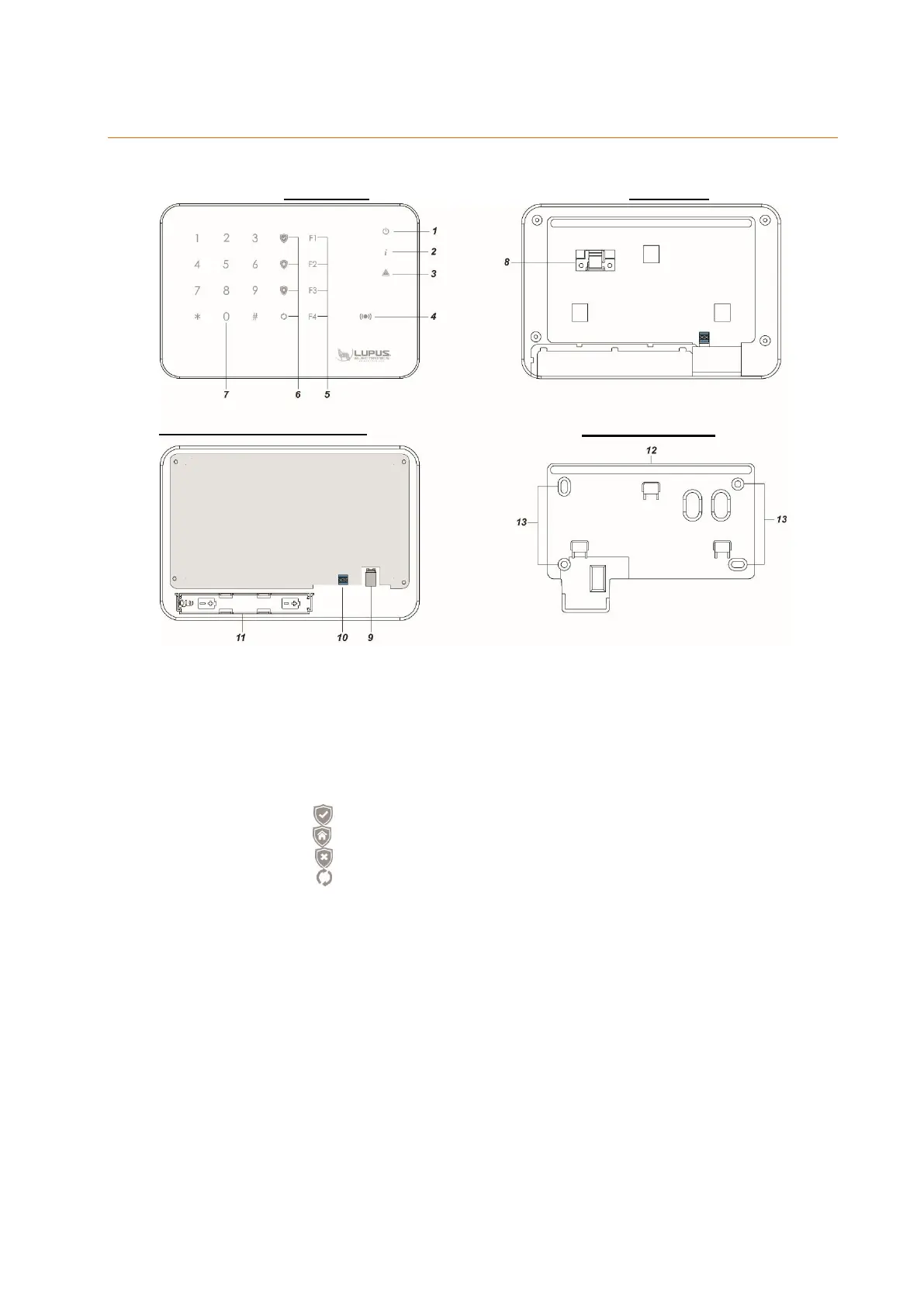
1. Power LED
2. Status LED
3. Error LED
4. Tag reader
5. F1 – F4 buttons
6. Arm button
Home button
Disarm button
Status button
7. Keypad including hash key (#) and asterisk key (*)
8. Tampering contact
9. Power input
10. Relay output
11. Battery compartment
12. Water protection (do not remove the rubber lining!)
13. Attachment notches
LED indicators:
Power LED (1):
If the keypad is not used for more than ten seconds, it goes into standby mode to
save energy. If the outdoor keypad is connected to a mains adapter, the Power
LED will be dimmed. When battery-operated, the LED will go off to save energy.
To activate the keypad in battery mode, touch the keypad’s front with your palm.



 To Next Page