55
Add device
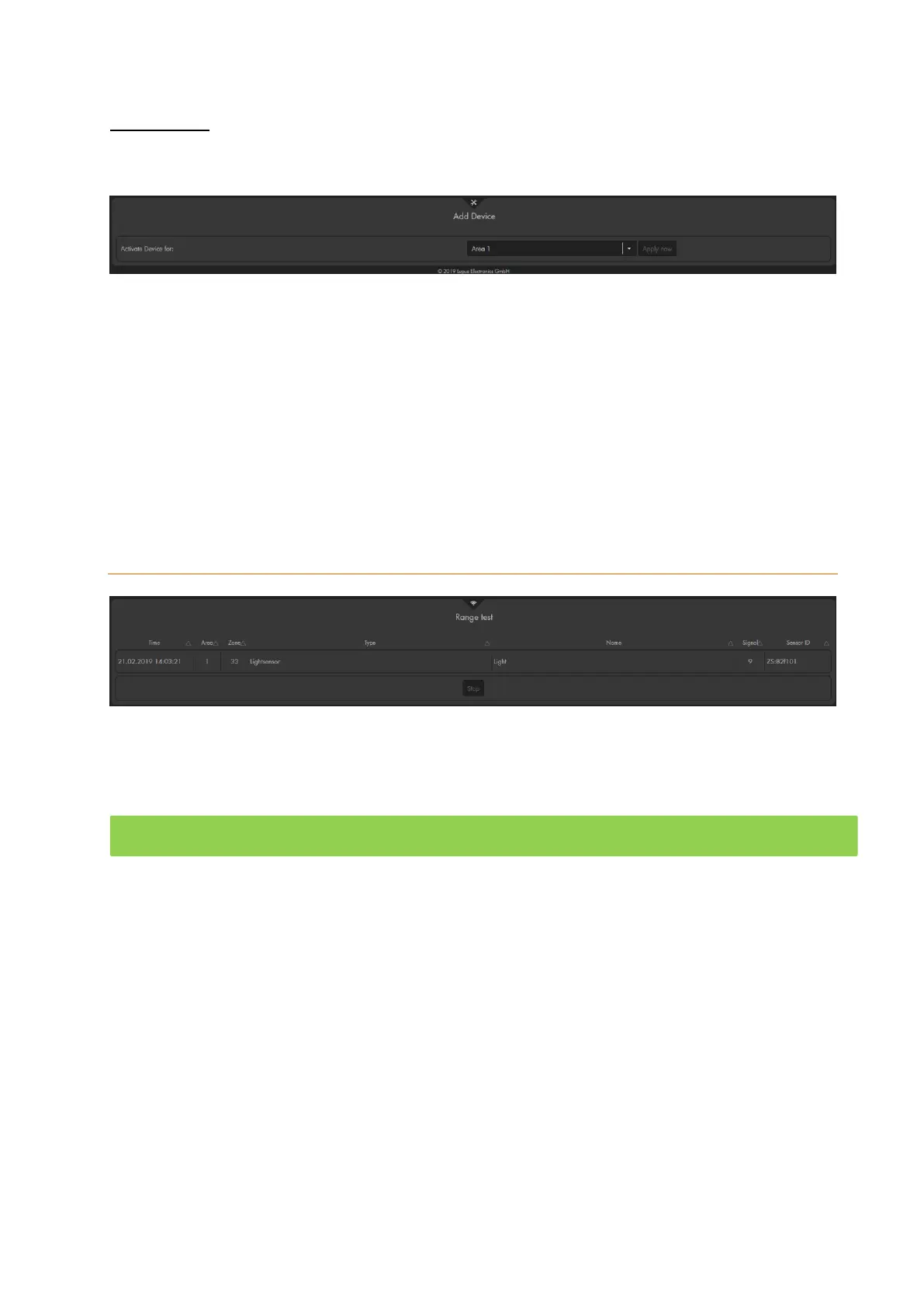
In this menu, you can add devices to the alarm panel. Devices are wireless repeaters
(item no. 12016) and wireless relays (item no 12014).
Select area 1 or 2 from the drop-down menu next to “Activate device for”, to define the
area to which a device should be added (both areas is not possible). Activate the add
mode of the device and click on “Apply now” to add the device to the alarm panel.
You find step-by-step guides to add the wireless repeater and wireless relay in the
corresponding manuals. If the device was added successfully, the alarm panel confirms
this by means of a short confirmation sound.
You can add any number of devices to the alarm panel.
Range
You can use the “range” function to check the signal strength of any added sensor at its
place of installation.
Click on “start” to start the range test mode (the LEDs of area 1 + 2 flash green).
o Older XT2 alarm panels (not Plus version), the area 1 LED flashes green
and the area 2 LED flashes red while in add or range mode.
Take the sensor to the designated point of installation.
Press the Test button of the sensor for a certain time (see sensor descriptions) to
start the sensor learn mode.
If the alarm panel detects the sensor, it will inform you with a notification sound.
The “Signal strength” in the “Range” menu shows the reception quality.
A signal strength of 9 is the best possible value and a signal strength of 1 the worst
possible. To ensure a loss-free alarm signaling, this value should be at least 3.
If a sensor loses the connection to the alarm panel frequently, you should use a
repeater.
You can find a chart with the compatibility of the various sensors and the possible
repeaters in the chapter “overview of sensor compatibility” and in the FAQs on our
homepage.
End the range test mode by clicking on “stop”.



 To Next Page