307
Universal IR controller
Attention:
This product is not compatible with the XT1 or XT2 without “Upgrade dongle to XT2
Plus.”
The universal IR controller was designed to control infrared-controllable appliances automatically
as well as manually. It learns and repeats signals of remote controls. After the respective signals
were learned, you can control the appliances with your LUPUS system without the related remote
controls. Furthermore, you can set up home automation rules to control the appliances according
to specific conditions or a schedule.
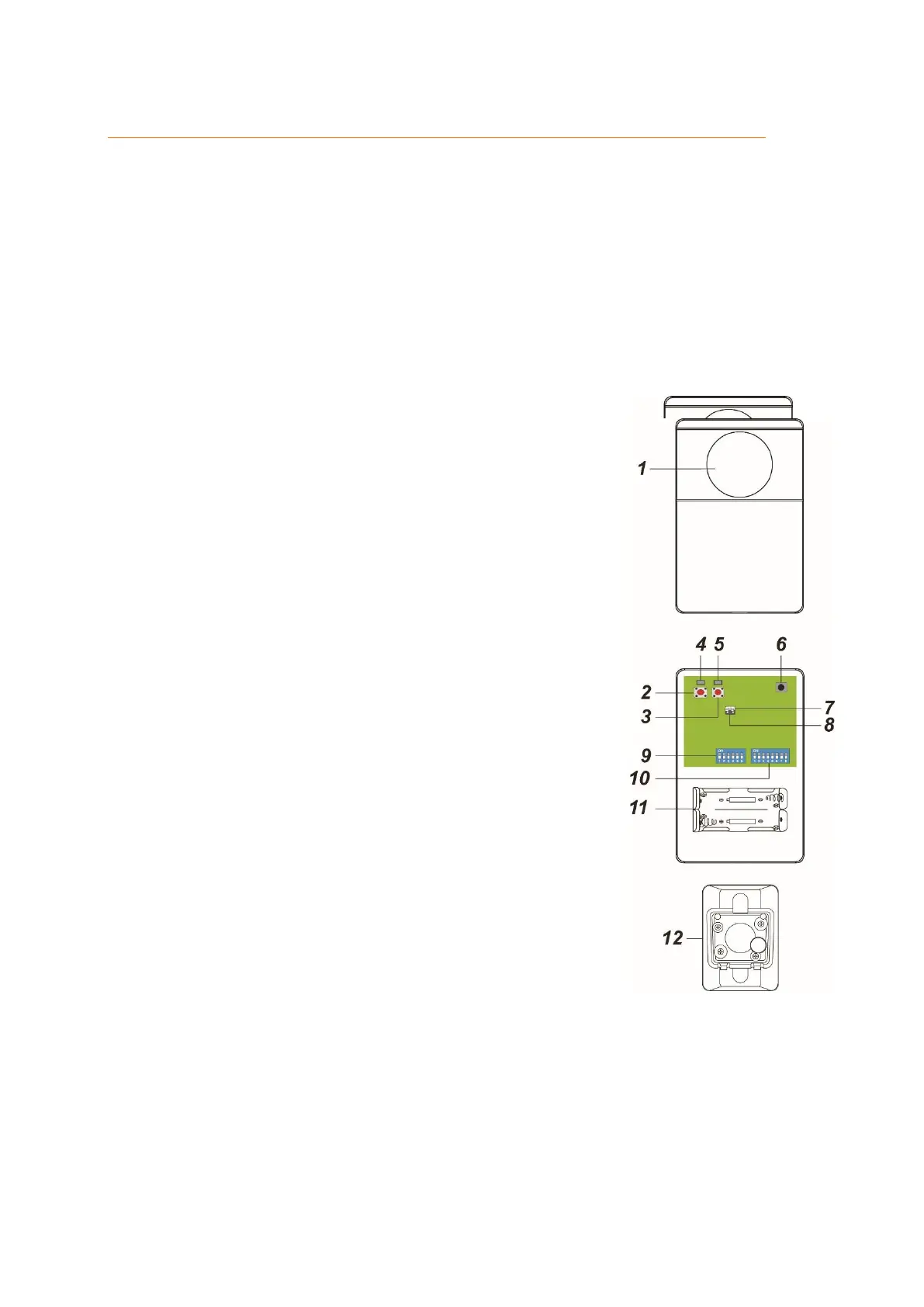
Product description:
1. IR transmitter
Transmits infrared signals to other devices
2. Learn button
3. IR button
4. ZigBee LED
Flashes twice: universal IR remote control successfully added to
network
Flashes every 20 minutes: universal IR remote control has lost
connection to network
5. IR LED
Flashes slowly: universal IR remote control in IR learn mode,
waits to receive of IR signals
Flashes fast: universal IR remote control receives IR signals in
learn mode or sends IR signals
Flashes every 30 seconds: IR data deleted
6. IR signal receiver
7. Weak transmission power jumper (JP1)
Activated (bridged) by default
8. Strong transmission power jumper (JP2)
Deactivated (not bridged) by default. If the signal strength is
insufficient, bridge jumper 2.
9. DIP switch block 1
Appliance selection
10. DIP switch block 2
IR signal selection
11. Battery compartment
Insert two 1.5 V lithium batteries.
12. Pivotable mount
Wall mounting
Scope of delivery:
The following accessories are included:
2 x 1.5 V lithium batteries
Mounting bracket
Screw kit to fix the mount
Instructions



 To Next Page