170
Curtain motion detector
Product description:
The curtain motion detector detects movements via passive infrared monitoring (changes
of the infrared wavelength radiation) in a distance of up to 10 meters (10.9 yards). The
narrow detection angle of 10° is similar to a photo-electric guard. Hence, the curtain
motion detector is perfect to secure passages.
Sensor data:
Dimensions (without mount) 7.6 x 5.6 x 4.3 cm (2.9 x 2.2 x 1.6 inches) (WxDxH)
Weight: 80 Gramm (0.17 pounds)
Place of installation: Only indoors
Height of installation: See chapter on installation
Working environment: -10°C to 45°C (14F to 113F)
Humidity: Maximal 85% (non-condensing)
Radio frequency: 868.35 MHz
Detection method: Thermal field measurement up to 10m (10.9 yards)
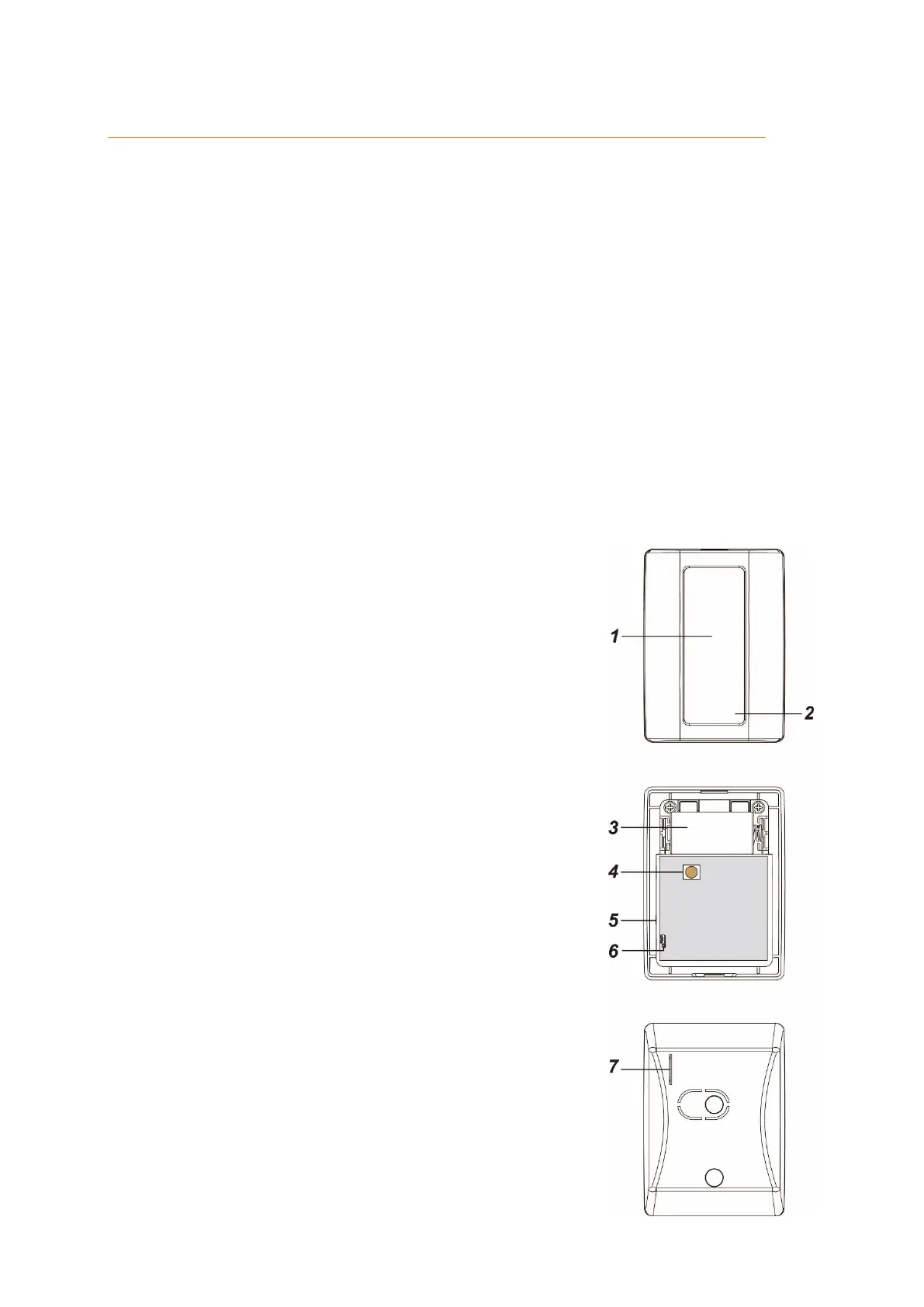
1. IR- Sensor
Detects movements.
2. LED-Indicator
Under normal circumstances the LED is off
After the power supply is established, the LED
flashes for 30 seconds (initialization).
If the battery is low, the LED lights up for 2
seconds after every detected movement.
If the tampering contact is triggered, the LED
lights up for two seconds while the alarm
signal is transmitted.
When you press the learn button briefly, a test
mode begins for approx. three minutes.
During this time, the LED flashed every time
the curtain motion detector detects a
movement.
3. Battery compartment
The curtain motion detector uses a 3V CR123 lithium
battery. In case the battery runs low, the curtain
motion detector sends a signal to the alarm panel.
4. Tampering contact
Make sure that the tampering contact presses
against a hard surface and is closed. If someone
attempts to manipulate the curtain motion detector,
the tampering contact opens and a signal is send to
the alarm panel. In arm mode, opening the
tampering contact triggers an alarm.
5. Learn button
The learn button is located at the side of the curtain
motion detector. You can use this button to add the
curtain motion detector to the alarm panel, perform a



 To Next Page