163
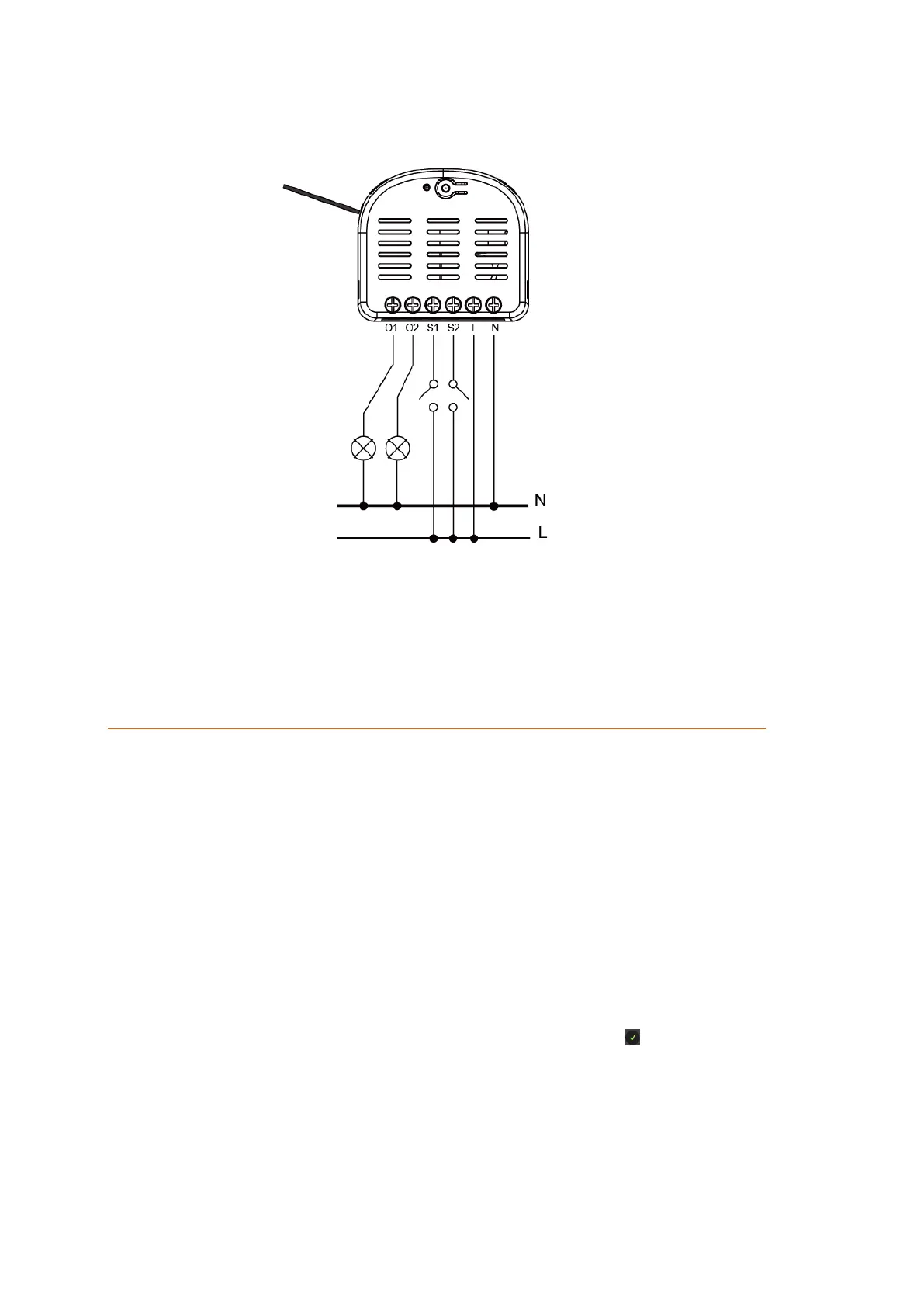
Wiring diagram:
Connect the double channel relay according to the following diagram:
You can use an external switch (see figure) to switch the double channel relay on
or off. It is not possible to use a push-button switch instead of a switch!
It is common to use wago connectors to connect the 230V neutral conductor input
and output (4 + 9).
Connecting the double channel relay and putting it into operation
10. Deactivate the power supply during the installation to prevent short circuits
11. Connect the 230V AC power supply with the 230V AC input (8 + 9).
12. Please refer to the wiring diagram to connect one or two power circuits to the relay.
13. Reestablish the power supply.
14. You can only add the double channel relay to the alarm panel within the first three
minutes after the power supply was established.
15. Open the main menu of the alarm panel.
16. Open the menu “Sensors” “Add”.
17. Click “Start”.
18. Keep the learn button pressed for approx. ten seconds; the LED lights up briefly.
Release the learn button. The relay transmits the connection request and the LED
flashes twice.
19. The alarm panel will confirm the successful addition with a brief signal tone and
display the sensor in the menu “Sensors” ”Add”. Click on next to the listed sensor
to finish the connection process.
Range test:
4. Open the alarm panel menu “Sensors” “Range” and press “Start”.
5. Press the learn button.
6. The sensor and the signal strength should be indicated. The higher the indicated
number the better the reception (1-9).



 To Next Page