251
Connecting the PIR network camera V3 und putting it into operation
1. Open the housing of the PIR network camera V3.
2. Insert the battery. The PIR network camera V3 can only be connected during the
first three minutes after the battery is inserted.
3. Open the main menu of the alarm panel.
4. Open the menu “Sensors” “Add”.
5. Click “Start”.
6. Press the learn button of the PIR network camera V3. After 10-20 seconds, the
flash flashes. Release the learn button.
7. The LED flashes twice
8. The alarm panel will confirm the successful addition with a brief signal tone and
display the PIR network camera in the menu “Sensors” ”Add”. Click on next
to the listed sensor to finish the connection process.
Range test:
1. Open the alarm panel menu “Sensors” “Range” and press “Start”.
2. Press the learn button for ten seconds.
3. The sensor and the signal strength should be indicated. The higher the indicated
number the better the reception (1-9).
Please note:
If the signal strength at the place of installation is below 4, we advise to use a ZigBee
repeater, since it is normal that the signal strength may fluctuate for 2-3 points, thus,
a signal loss is possible.
Installation:
Please be aware of the following hints and recommendations about the right place of
installation:
Choose a place a burglar has to pass in any case.
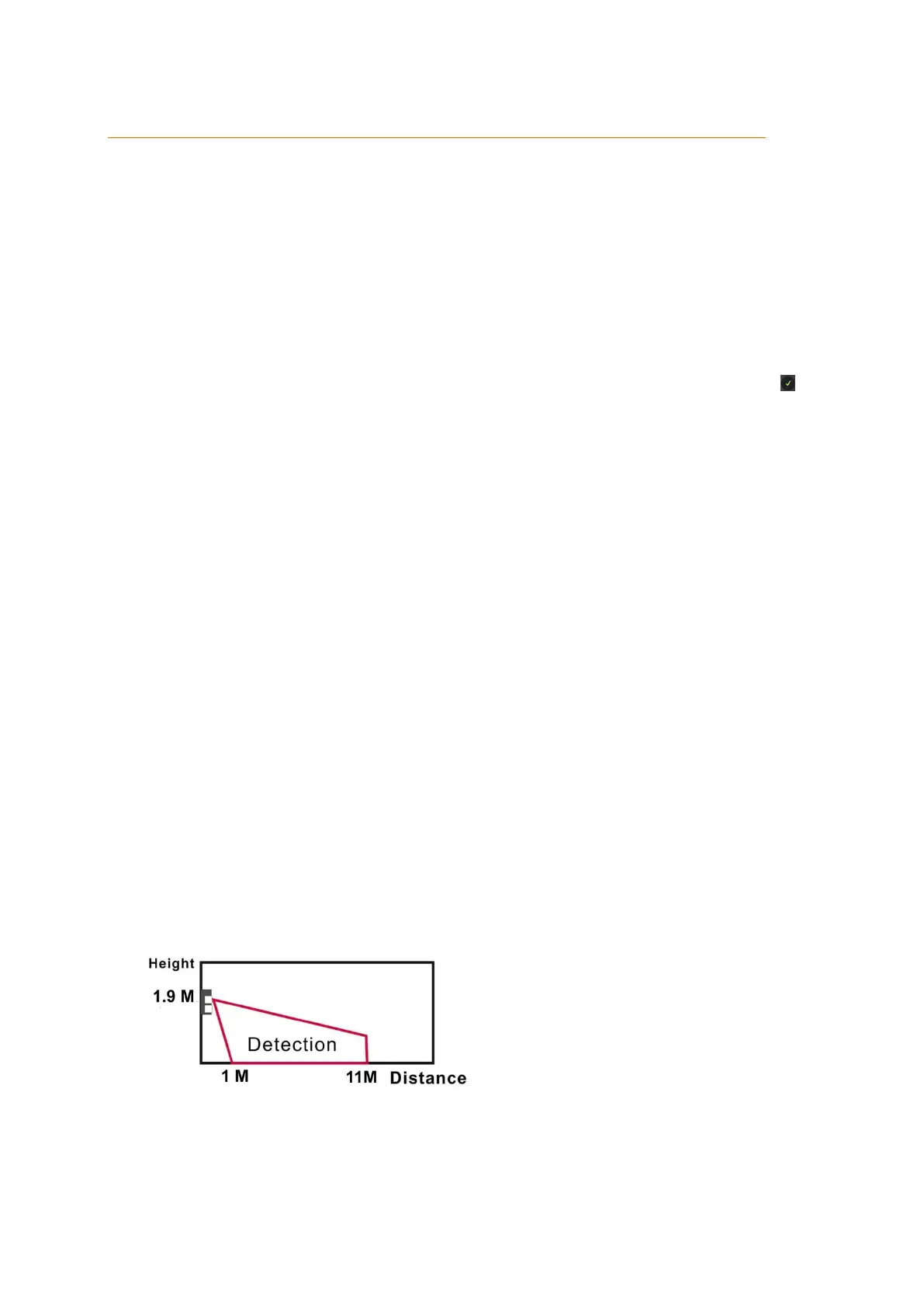
Install the PIR network camera in height of 1.9 to 2 meters (2.07 to 2.18 yards).
If installed in a corner, the PIR network camera has an optimal overview.
Make sure that the field of vision is unobstructed.
If installed in a height of 2 meters, the detection range is approx. 11 meters (12
yards)
Be aware of the blind spot underneath the PIR network camera V3. We advice to
use a second sensor to secure this area.



 To Next Page