110
E-mail account
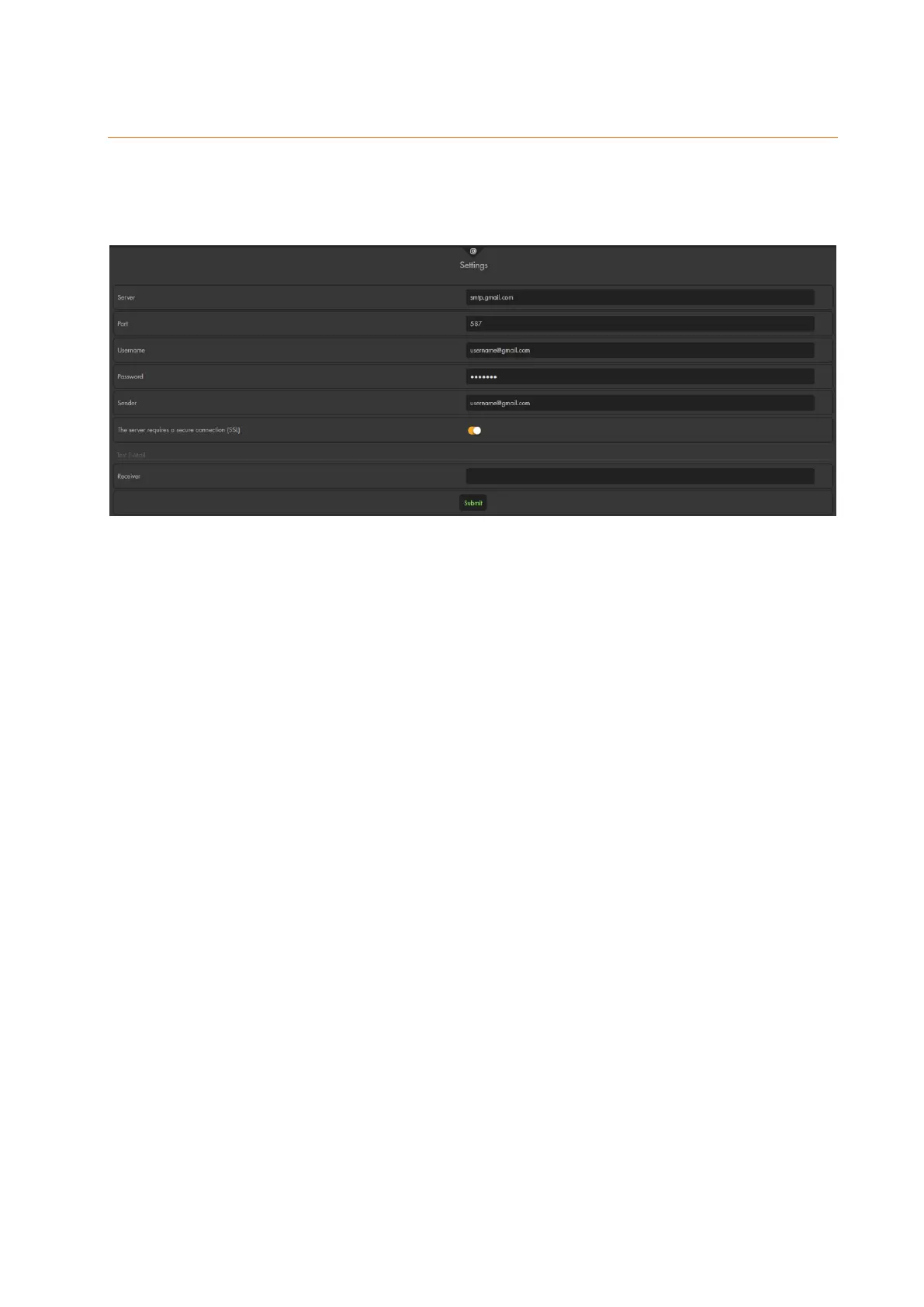
In order to send e-mails it is necessary to have an e-mail account with an e-mail
provider. In this menu, you need to enter the specific information of your e-mail provider.
You can find these information on the website of your e-mail provider or by means of
the common search engines.
Server
Enter the SMTP settings (e.g. smtp.gmail.com / smtp.mail.yahoo.com) of the used
e-mail provider.
Port
Enter the port of your SMTP server (standard port SSL: 465 / TLS: 587).
Username
Enter your e-mail user name (e.g. myname). Often, you need to enter the complete
e-mail address.
Password
Enter the password for your e-mail account.
Note:
The following special characters are not permitted: €´°ßäöü‘µ²³'^\<>
Sender
Enter your complete e-mail address.
The server requires a secure connection (SSL)
Most e-mail providers use Secure Sockets Layer (SSL). In that case, enable this
option. Please note that the port changes as well (usually to 465 or 587).
Test e-mail:
Use this function to verify the correctness of your account details. The e-mail address is
not permanently stored. The e-mail is sent by pressing “submit.”
Example for a T-Online account:
SMTP settings
Server securesmtp.t-online.de
SMTP port 465
User name Your T-Online e-mail address
Password Your T-Online e-mail password (not the password for the
customer center!)
Sender Your T-Online e-mail address
SSL enable



 To Next Page