212
5. Control button
Hold the control button pressed for ten seconds to reset the light sensor and
to send a connection request to the alarm panel.
Pressing the button briefly transmits a supervisor signal and the current lux
value to the alarm panel.
Connecting the light sensor and putting it into operation
1. Insert the battery into the battery compartment of the light sensor.
2. You can add the light sensor only within the first three minutes after having
connected it to the power grid to the alarm panel!
3. Open the menu “Sensors” “Add” and press “Start” in the web interface of the
alarm panel.
4. Press the control button (5) for approx. ten seconds. The LED lights up briefly.
5. If the alarm panel recognizes the light sensor, the LED briefly lights up twice.
6. As soon as the alarm panel has received the connection request, the sensor list
shows the sensor. Click to add the light sensor to the alarm panel. Assign an
optional name.
Range test:
1. Open the alarm panel menu “Sensors” “Range” and press “Start”.
2. Press the learn button.
3. The sensor and the signal strength should be indicated. The higher the indicated
number the better the reception (1-9).
Please note:
If the signal strength at the place of installation is below 4, we advice to use a ZigBee
repeater, since it is normal that the signal strength may fluctuate for 2-3 points, thus,
a signal loss is possible.
Assembly:
You can mount the light sensor either by means of the provided adhesive tape or with two
screws. Do not use the adhesive tape on rough and/or dirty surfaces or on paint that peels
of easily.
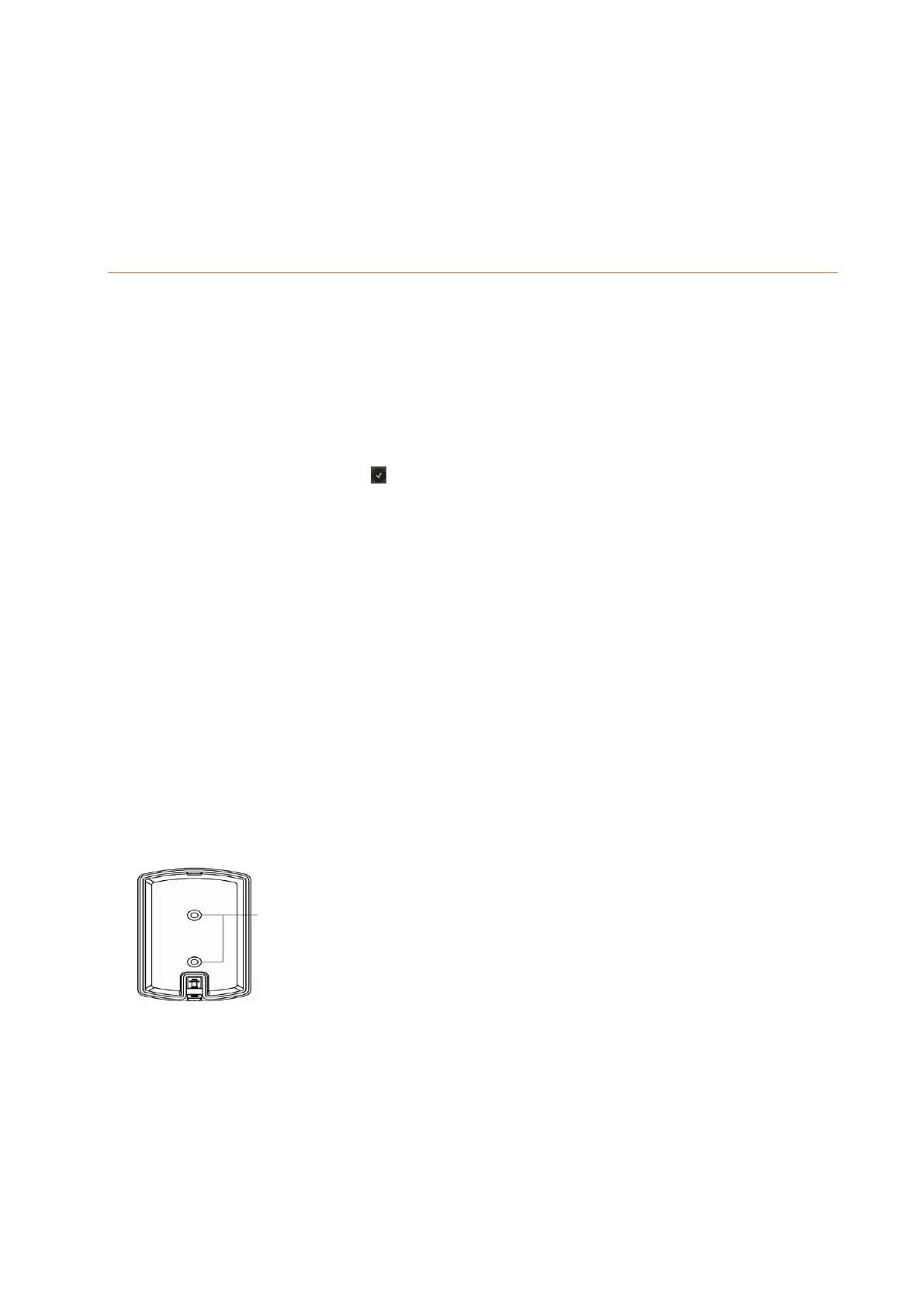
Screw openings
Assembly with screws:
1. Open the housing by unscrewing the mounting screw (2).
2. Two openings are located on the back of the light sensor. You can screw through
them to mark the attachment points at the wall.
3. Screw the back tight to the wall.
4. When you close the housing, make sure that the front of the sensor locks in place
with the attachment hook and the housing is closed completely.
5. Then, tighten the mounting screw (2).



 To Next Page