213
Operation:
The sensor checks the brightness every minute and transmits it to the alarm panel every
30 minutes. If the currently measure lux value is ten percent above or below than the last
value, this is reported immediately to the alarm panel and shown as lux level in the sensor
list.
The following table shows, which level is assigned to which lux range:
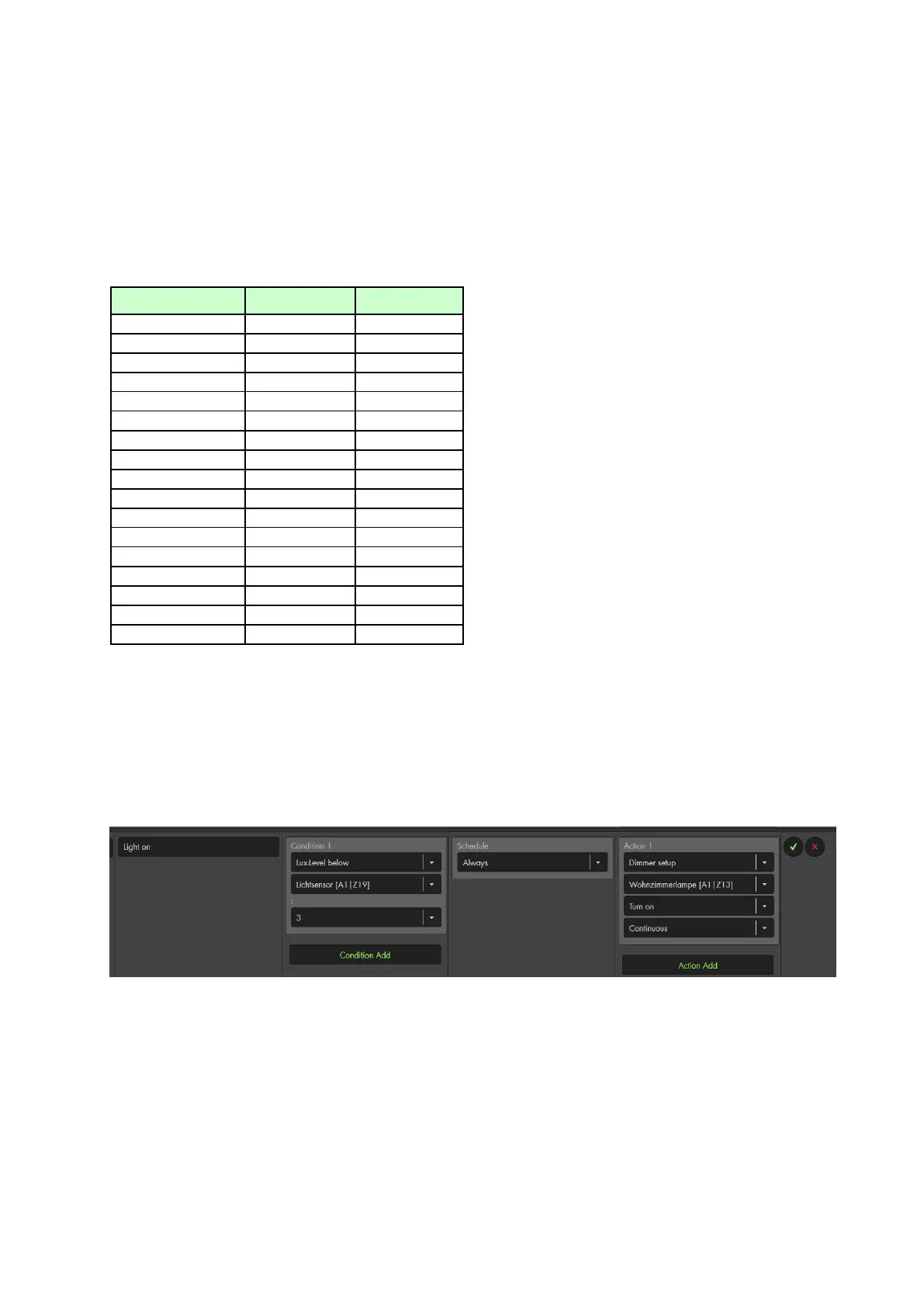
Example for an automation
You can set up rules in the automation menu of the alarm panel to perform automations
at specific lux levels.
In the following example, the integrated light sensor will activate a dimmer relay at lux
level below 3. If a lamp is connected to the relay, this lamp is switched on.
Of course you can set up other rules, e.g. to automatically switch the light off again.
Note:
The light sensor is not compatible with the wireless repeater and cannot be saved
in the backup file of the alarm panel.
Older light sensors (without temperature and humidity sensor) have an IPx4
protection class.
The current version does not have a protection class.



 To Next Page