317
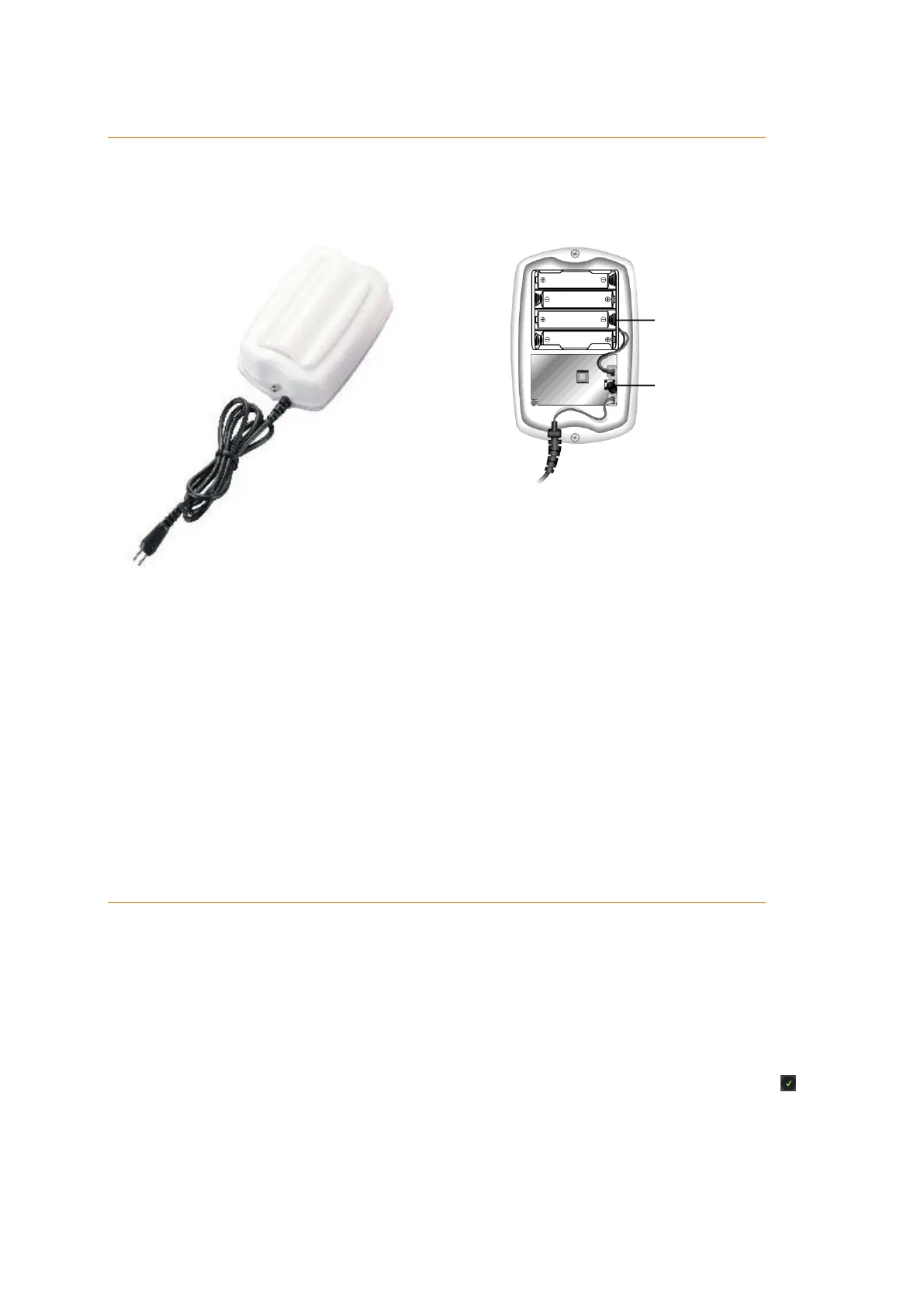
Water sensor
Product description:
The water sensor allows you to be alarmed about imminent flooding and to react in time.
Sensor data:
Dimensions (without mount): 7 x 3 x 12cm (4.7 x 2.7 x 1x1 inches)
Kable length: 40 cm (15.7 inches)
Weight: 160 Gramm (0.35 pounds)
IP protection class: IP 56
Working environment: -20°C to 50°C (-4F to 122F)
Radio frequency: 868.6375 MHz
1. Battery compartment
2. Test button
Connecting the water sensor and putting it into operation
1. Open the housing by unscrewing the screw from the bottom of the housing.
2. Insert the included batteries.
3. Open the web interface of your alarm panel and go to the menu “Sensors”
“Add”.
4. Click on “Start”.
5. Press the test button of the water sensor.
6. The alarm panel will confirm the successful addition with a brief signal tone
and display the water sensor in the menu “Sensors” ”Add.” Click on next
to the listed sensor to finish the connection process.



 To Next Page