312
IR LED selection and operation
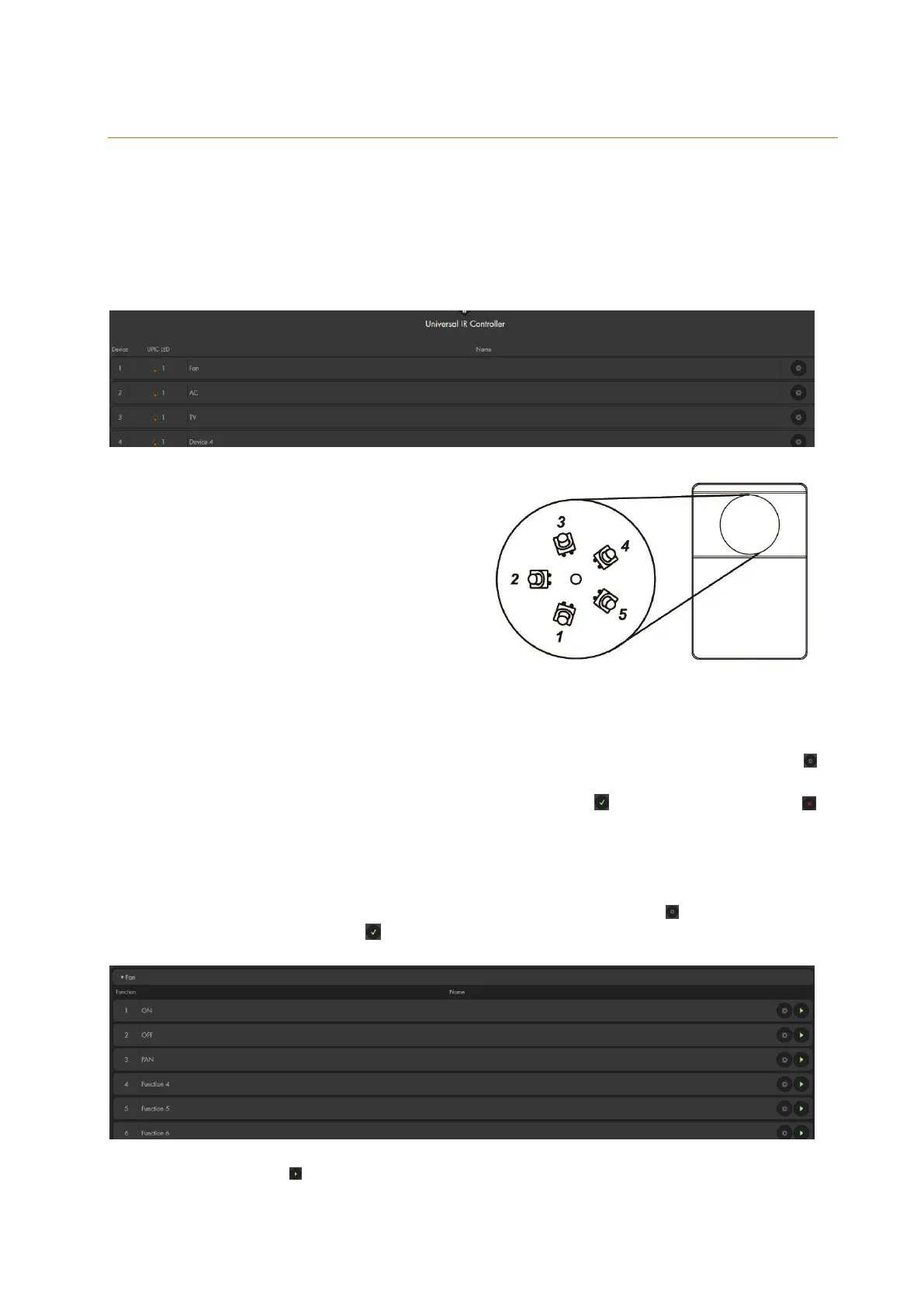
Via the menu “Smarthome” “Universal remote control”, you can assign names to the IR devices
and signals, as well as, trigger the IR signals.
As long as you do not have a universal remote control connected to your alarm panel, this menu
is empty.
You can assign names to the devices that are controlled by your universal remote control
The IR transmitter is equipped with six
LEDs, sending the IR signal. One LED is
in the center, the other five are arranged in
a circle. The five outer LEDs are 45°
offset.
Each LED transmits the signal in a cone-
shaped way. The LED in the middle
always transmits the signal. The
surrounding LEDs transmit the signal depending on the selection in the LUPUS alarm
panel. The LED facing towards the appliance should be selected for the appliance when
assigning them.
In the example, appliance 1 is a fan installed below the universal IR controller. Press to
open the labeling of the appliance, select LED 1 (the bottom one of the universal
controller’s IRs) and name the appliance 1 “Fan”. Press to apply the input, press to
neglect the input.
For more clarity, you can label the signals and the appliances that you have already learned
to the universal IR controller. To do so, click on the appliance, in the example “Fan”. A
selection of functions of the appliance opens. Then press the button to assign a name and
save the name by pressing .
Press the button to repeat the saved signal, e.g. to switch the fan on or off.



 To Next Page