274
Sensor input (9 fold)
Attention:
This product is not compatible with the XT1!
CAUTION:
Only certified electricians or persons instructed in electrical engineering
with knowledge and understanding of electric current and the inherent risks
are allowed to execute the installation.
Product description:
The sensor input (9 fold) connects wirelessly to the alarm panel and features nine dry
contact (potential free) inputs for wired sensors. You can set the inputs to either normally
open (NO) or normally closed (NC). The sensor input (9 fold) allows you to connect
already existing sensors of other manufacturers to the alarm panel (e.g. door contacts,
motion detectors, admission control, fingerprint identification, photo electric guard, etc.).
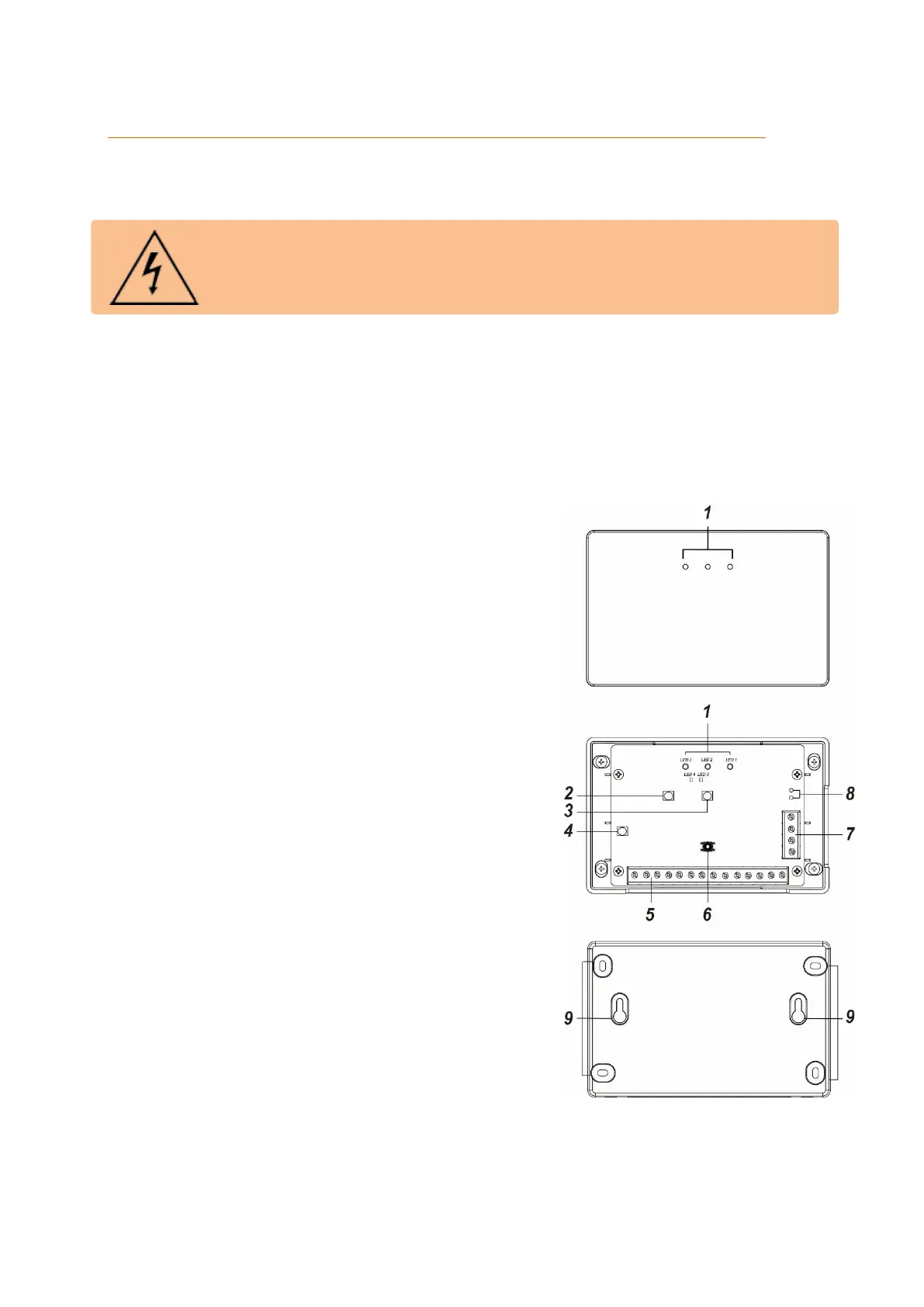
1. LED
Transmission LED
Lights up to indicate a signal
transmission.
Status LED (yellow)
ON = battery low or not connected to
the alarm panel
OFF = working as intended
Flashes = Error while charging the
battery
Power LED (green / red)
Green = Operating
Red = No Power
Calibration LED (green)
This LED is located in the interior of the
sensor input. It lights up when the
sensor input is successfully calibrated.
Calibration LED (red)
This LED is located in the interior of the
sensor input.
If this LED flashes, a calibration is
necessary. The LED also flashes every
two seconds during calibration.
2. Learn button
3. Calibration button
4. Restart button
5. Connectors
These are the nine available connectors (Z1 – Z9) for wired sensors.
6. Tampering contact
This contact triggers a tampering alarm if someone opens the chassis of the
sensor input. Only the sensor connected to Z1 indicates the status of the
tampering contact.



 To Next Page