220
Connecting the lockswitch contact and putting it into operation:
1. Insert the supplied battery.
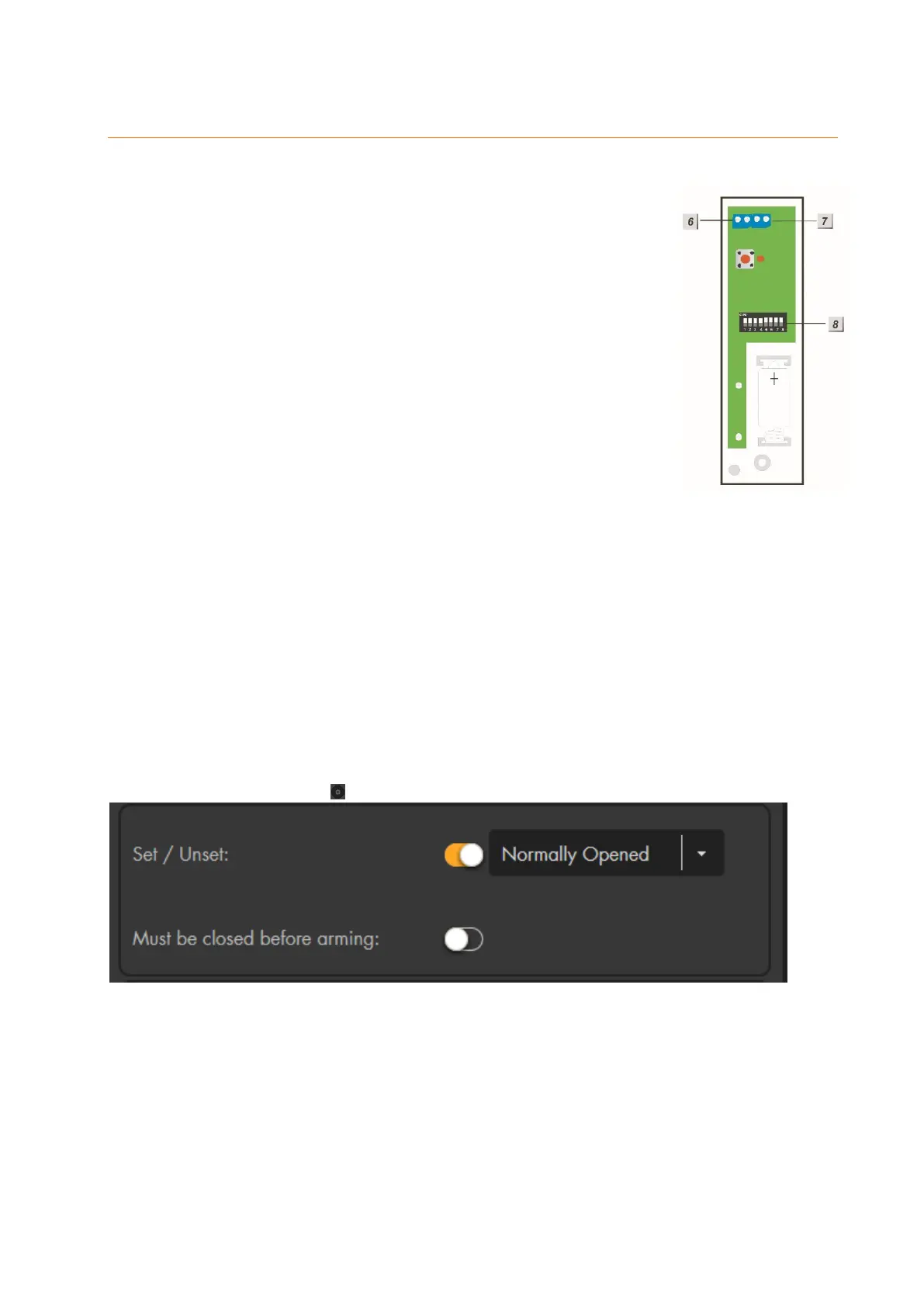
2. Set the DIP switch 1 to ON.
3. Connect the contacts of the lockswitch contact to terminal 6.
4. Switch SW5 to “ON”. This is necessary in order to allow the
sensor input to transmit a regular status signal to the alarm
panel. If SW 5 is not switched to “ON”, the sensor input will
be listed as “out of order” during the next supervision check.
5. Close the housing.
6. Open the web interface of the alarm panel, open the menu
“Sensors” “Add”. and press “Start”.
7. Press the Learn button of the sensor input.
8. The web interface of the alarm panel should list the lockswitch
contact.
9. Add the lockswitch switch contact to the alarm panel.
Range test:
1. Open the alarm panel menu “Sensors” “Range” and press “Start.”
2. Press the learn button of the sensor.
3. The sensor and the signal strength should be indicated. The higher the indicated
number the better the reception (1-9).
Please note:
If the signal strength at the place of installation is below 4, we advice to use a wireless
repeater, since it is normal that the signal strength may fluctuate for 2-3 points, thus,
a signal loss is possible.
Configuration of the alarm panel (not available for XT1):
In order to arm the alarm panel when you lock your door, you need to check the “set/unset”
box (”Sensors” “List” ) and choose “normally opened”.
Report
If this function is active and you use this sensor to change the mode of the alarm
panel (Set/Unset), you receive a notification. Depending on your set-up, this
notification is send via contact ID to an alarm service centre, e-mail, push-
notification, or SMS. If this option is not activated, you do not receive a notification
if you change the mode of the alarm panel with this sensor.
This option does not influence any other alarm or status notifications!
Set/ Unset
Door contacts and sensor inputs feature this function. By means of this function,



 To Next Page