119
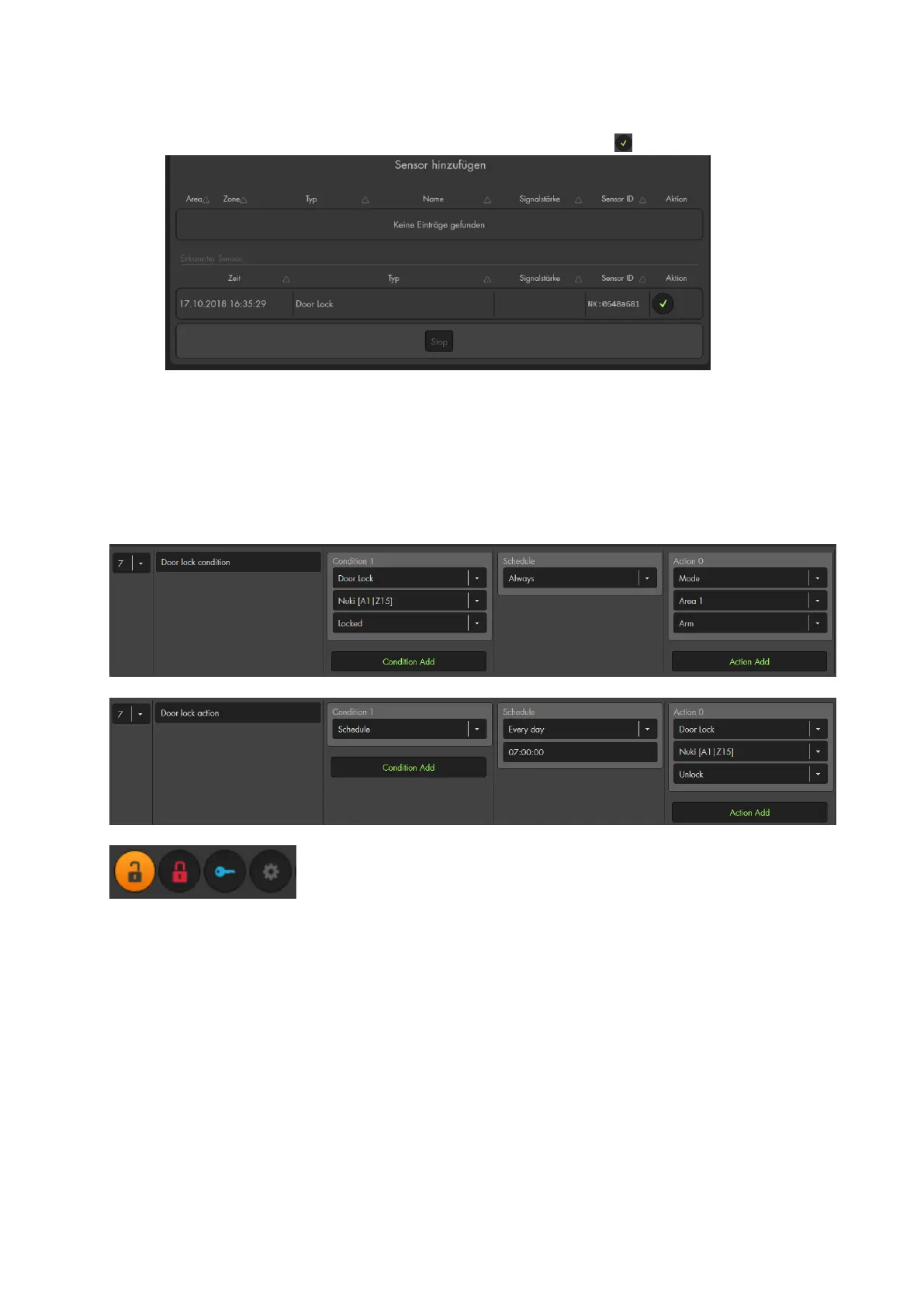
Go to the menu “Sensors” “Add” “Add Sensors” and click on “start”.
Add the Nuki door lock (Door Lock) to the alarm panel .
Please note:
As long as the information in the Nuki menu are correct and the Nuki bridge is
connected to your network, the door lock is displayed in your sensor list.
You can change the name of the door lock in the Nuki app.
A connected Nuki door lock allows you to create home automation rules with the
condition door lock (locked, unlocked).
Furthermore, you have access to door lock actions (unlock, lock, unlatch)
Additionally, you can control you Nuki door lock via the wireless plugs menu.
(unlock, lock, unlatch)



 To Next Page