124
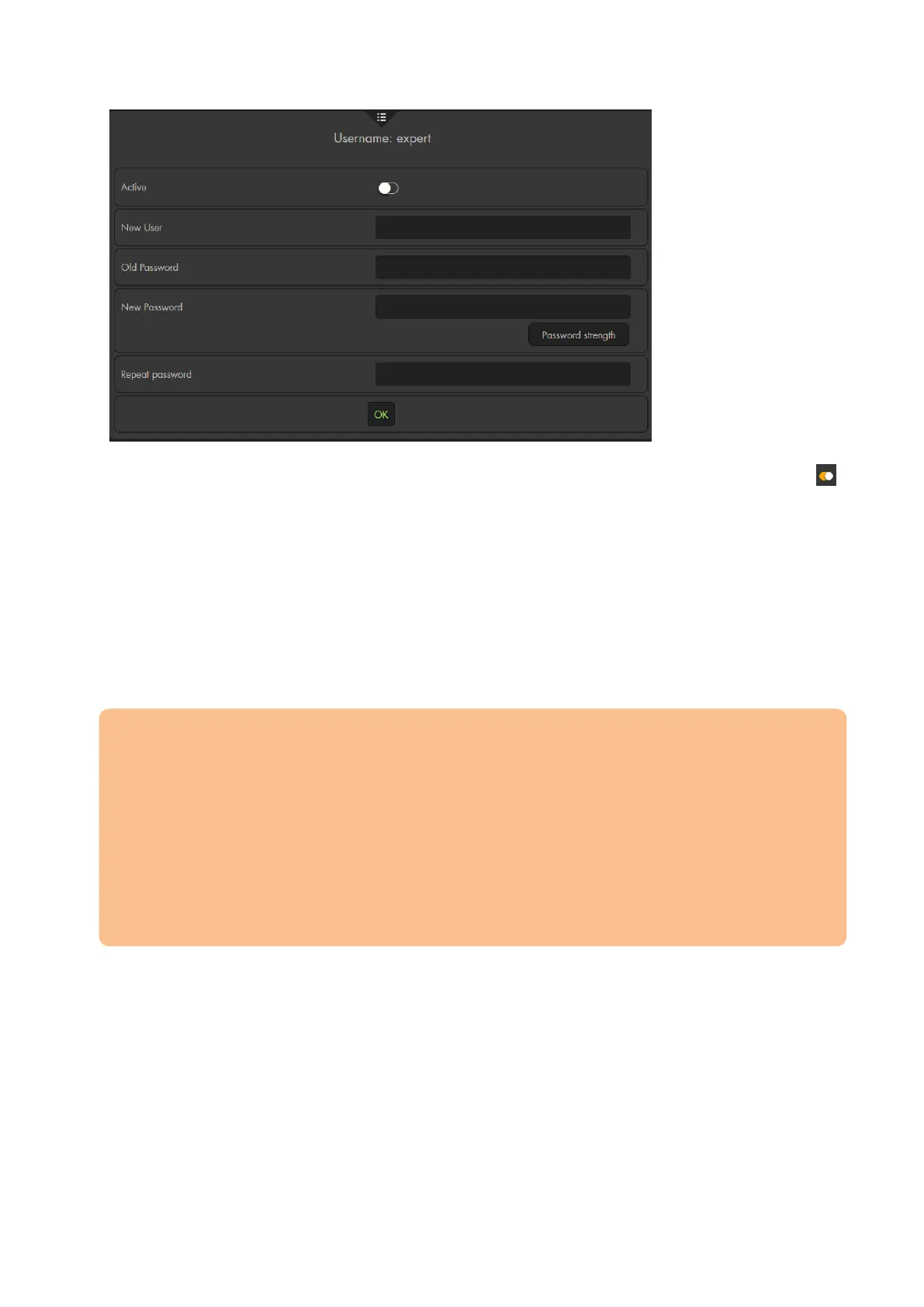
Active:
In order to use the “expert” or “user” account, you first need to activate account
New user:
Assign a new name for the account or continue using the current name.
Old password:
Enter the admin password or the current password of the account you want to
change.
New password:
Enter a new password.
Repeat password:
Repeat the new password.
Important:
You can only change username and password of an account that is active.
The password may only consist of ASCII (33-126) characters and need at least a
medium strength. It may not consist exclusively of characters of one type
(numbers, major or minor characters, special characters).
o The minimum length is 8 characters.
o The maximum length is 127 characters.
o Blank spaces are not allowed!
The username may only consist of major and minor characters and numbers.
o The minimum length is 5 characters.
o The maximum length is 127 characters.



 To Next Page