139
Using expert mode
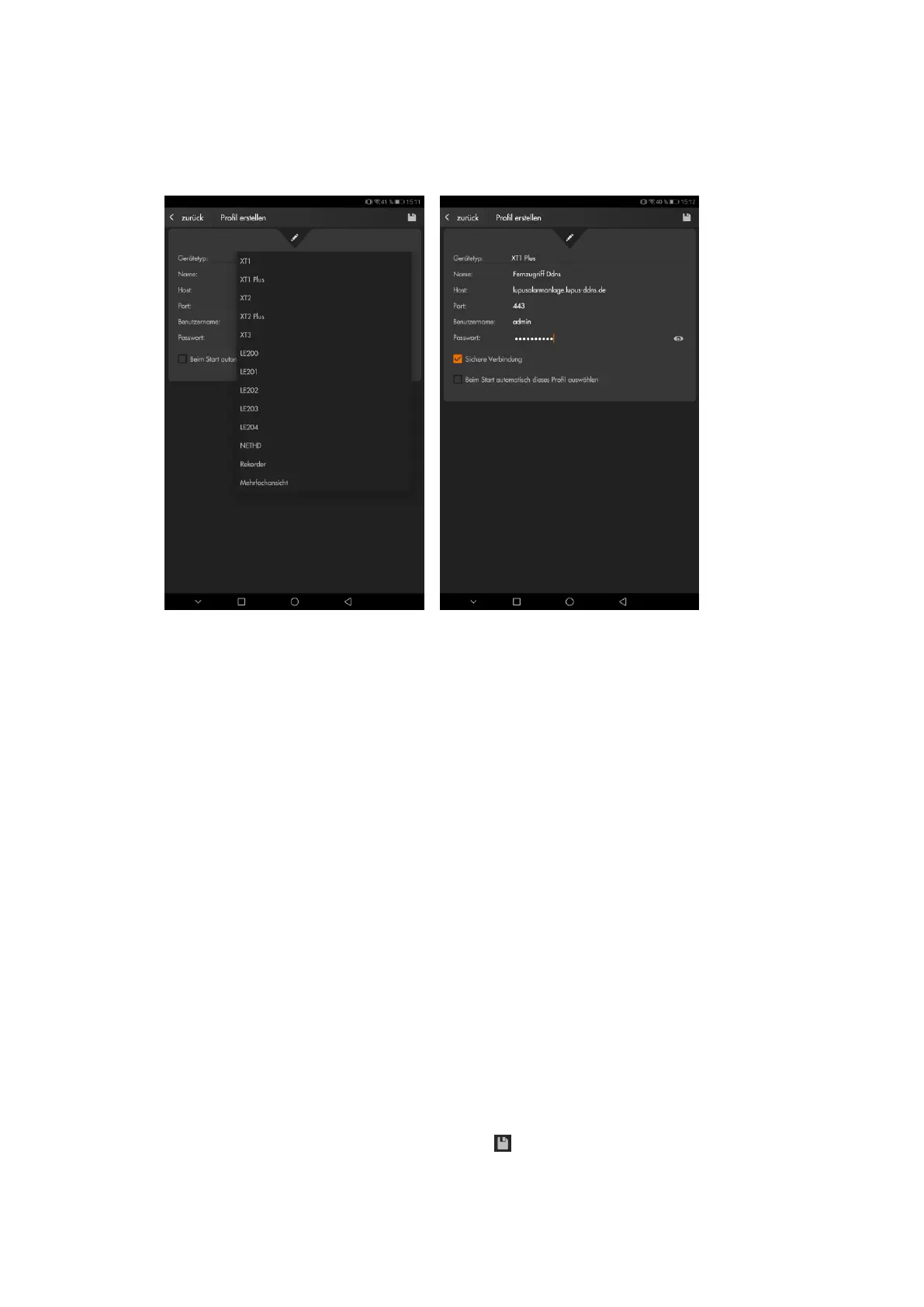
If you are already experienced in creating new profiles and know all login information, you
do not need to use the assistant every time.
Device
Chose the type of device you want to connect from the drop-down menu.
Name
Enter a name for the new profile. You can choose any name. This name is
displayed in the profile list of your app.
URL or IP address
Enter the IP or URL address of the device you want to connect (e.g.
“myname.lupus-ddns.de” or “192.168.178.10).
Port
Enter the port number of the device. Port 443 is the default port for the encrypted
connection in your local area network. For the remote access you need to enter
the external port you defined in your router.
Username
Enter the username of your alarm panel (default: admin).
Password
Enter the password of your alarm panel (default: admin1234). If you have not
changed the default password, you are asked to change if when you connect with
the alarm panel.
Secure connection
Check this option to use the encrypted connection.
Automatically connect with this profile on app start
This profile is automatically opened when you start the app.
After you have entered all information, click on to save your settings or on “back” to go
back to the profile list.



 To Next Page