79
Groups
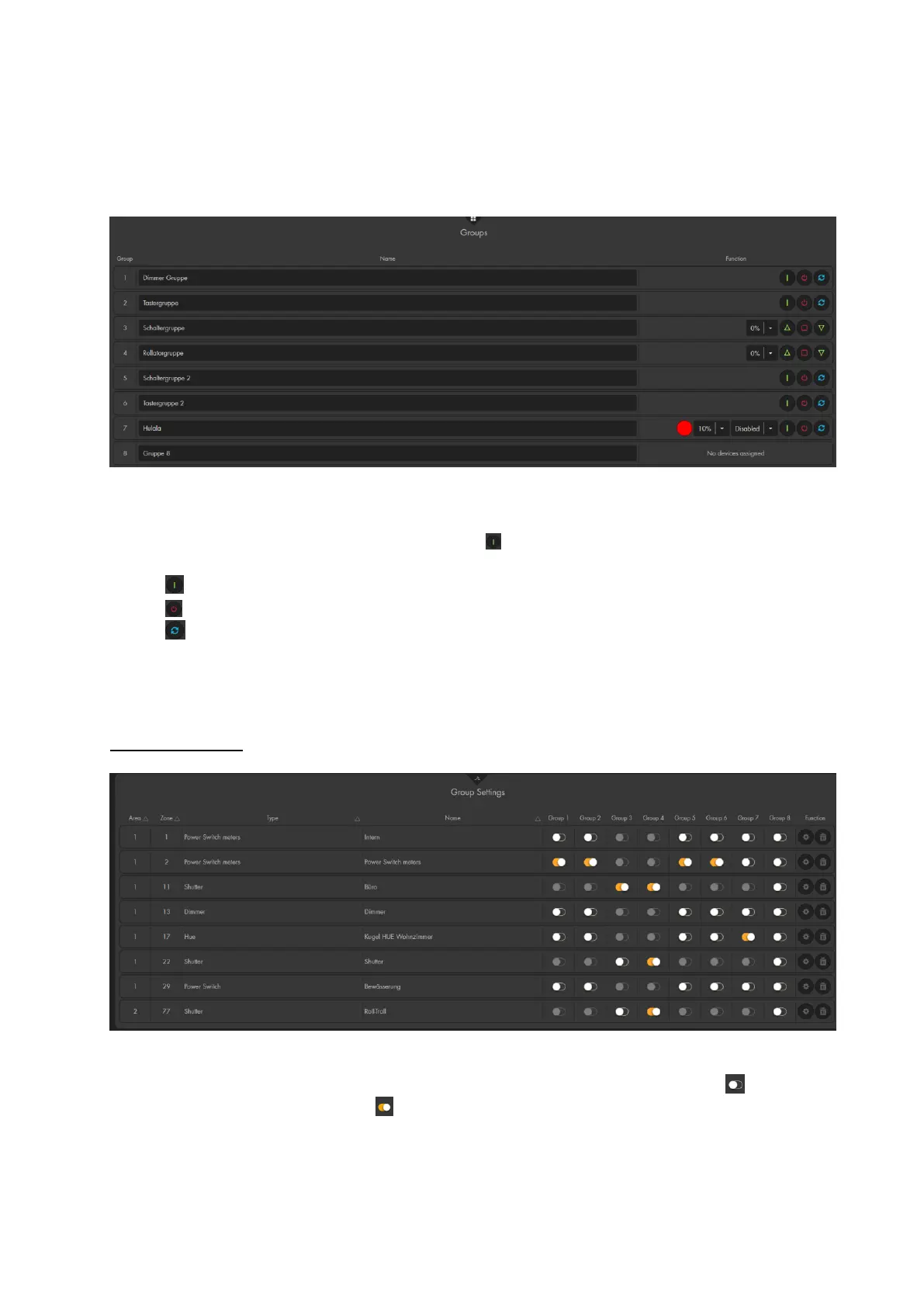
In the group settings, you can summarize wireless power supply devices and relays in a
maximum of eight groups and manually activate or deactivate them, activate them for a
specific period or activate/deactivate them in an automated manner.
Dropdown menu: When the PSS group switched off, you can select from the
drop-down menu, for how long the selected PSS device is to be switched on.
Select the required time and press the . If the PSS is switched on, this
dropdown menu has no function.
/ On: Switches the PSS group on.
/ Off: Switches the PSS group off.
/ Switch: Changes the status of the PSS group. If a PSS devices is switched
on, this button switches it off and vice versa.
Percent drop-down menu: Dims the group of relays with dimmer or Smarthome
lights.
Group settings
The group settings allow you to assign your PSS devices to 8 groups.
Group 1-8
In order to assign a device to a group, left click on the slider symbol . The
slider symbol changes to . If you click the symbol again, it changes to the initial
state and the device is no longer assigned to this group.



 To Next Page