11-17
(2) [Tool]
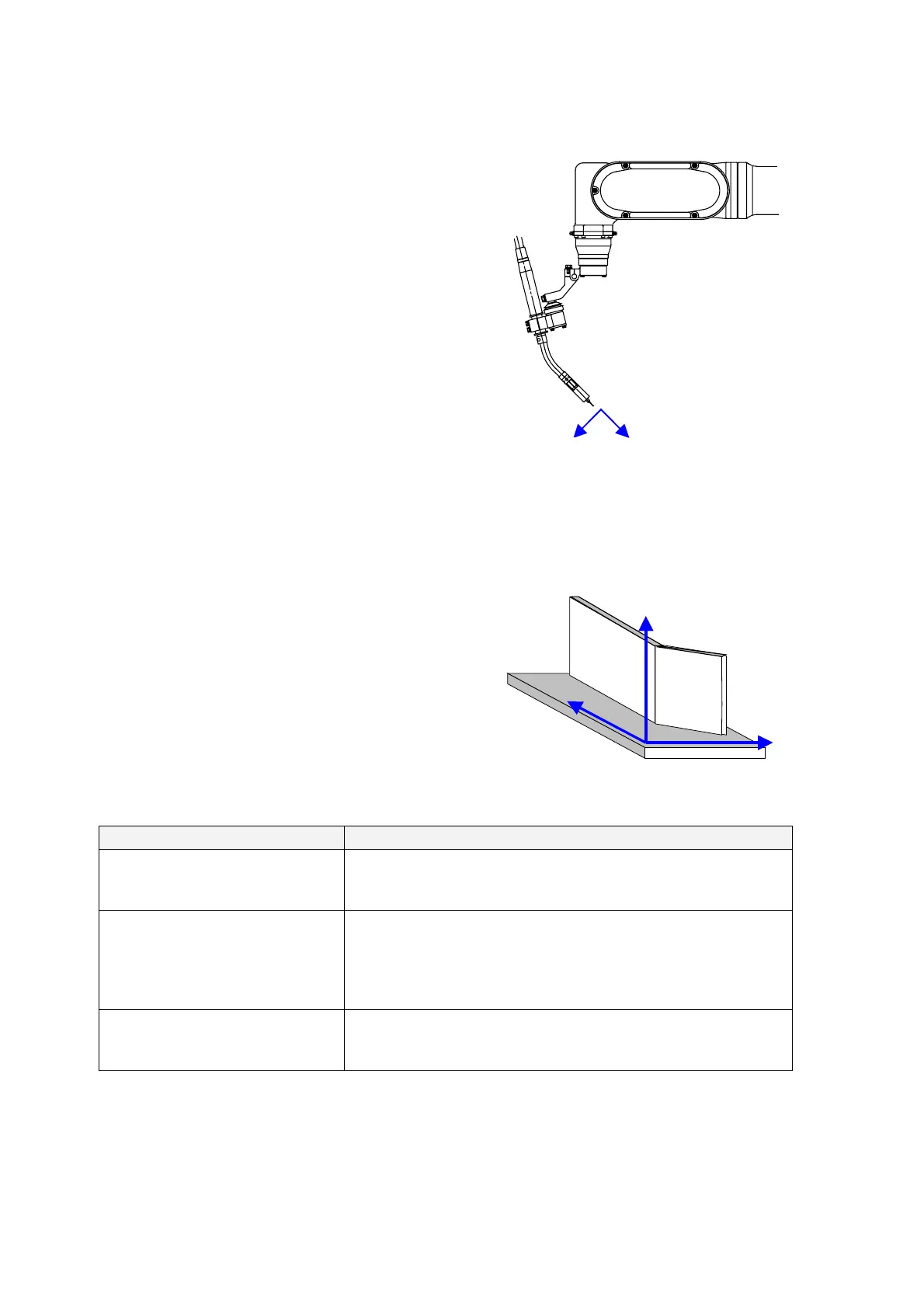
When “Tool” is selected, teaching points are shifted
along the X-axis, Y-axis and Z-axis on the tool
coordinate system as per shown in the figure on the
right.
If the tool No. is changed in the program, such change
is reflected and applied to the shift.
(Example)
TOOL 1:TOOL01
○ MOVEL P3
TOOL 2:TOOL02
○ MOVEL P4
● MOVEL P5 (Arc start)
○ MOVEL P6 (Arc end)
To shift the P5 or P6, the tool coordinate system of the
tool No.2 is applied.
[Tool coordinate system]
X direction
Z direction
Y direction:
a direction perpendicular
to this paper toward you.
(3) [User]
When “User’s” is selected as shift coordinate system,
teaching points are shifted along the X-axis, Y-axis and
Z-axis on the coordinate system specified by the user
based on the applied work as per shown in the figure on
the right.
With the user’s coordinate system, it is easy to identify
the directions of X, Y and Z as they are defined based
on the work.
[User’s coordinate system]
Y direction
X direction
Z direction
<Relations with other functions>
Function Response of this “Hot Edit” function
Arc retry
If an arc start point is the designated point to be shifted, the arc retry
function is executed at the shifted arc start point.
Multi-cooperative robot control
Twin harmonic operating
External axis harmonic movement
The “Hot Edit” function is not available in a program with the
“Multi-cooperative robot control” or “Twin harmonic operating”
function. It is not available in a weld section using the “External axis
harmonic movement “ function.
Flying start:
The flying start function does not function if the arc start point is
designated as the point for this Hot edit point.








 To Next Page