2-1
2. How to use the teach pendant
The teach pendant is used to operate the robot in most cases. Make sure that you understand the functions and how to
use each switch on the teach pendant thoroughly before using it.
2-1. Functions
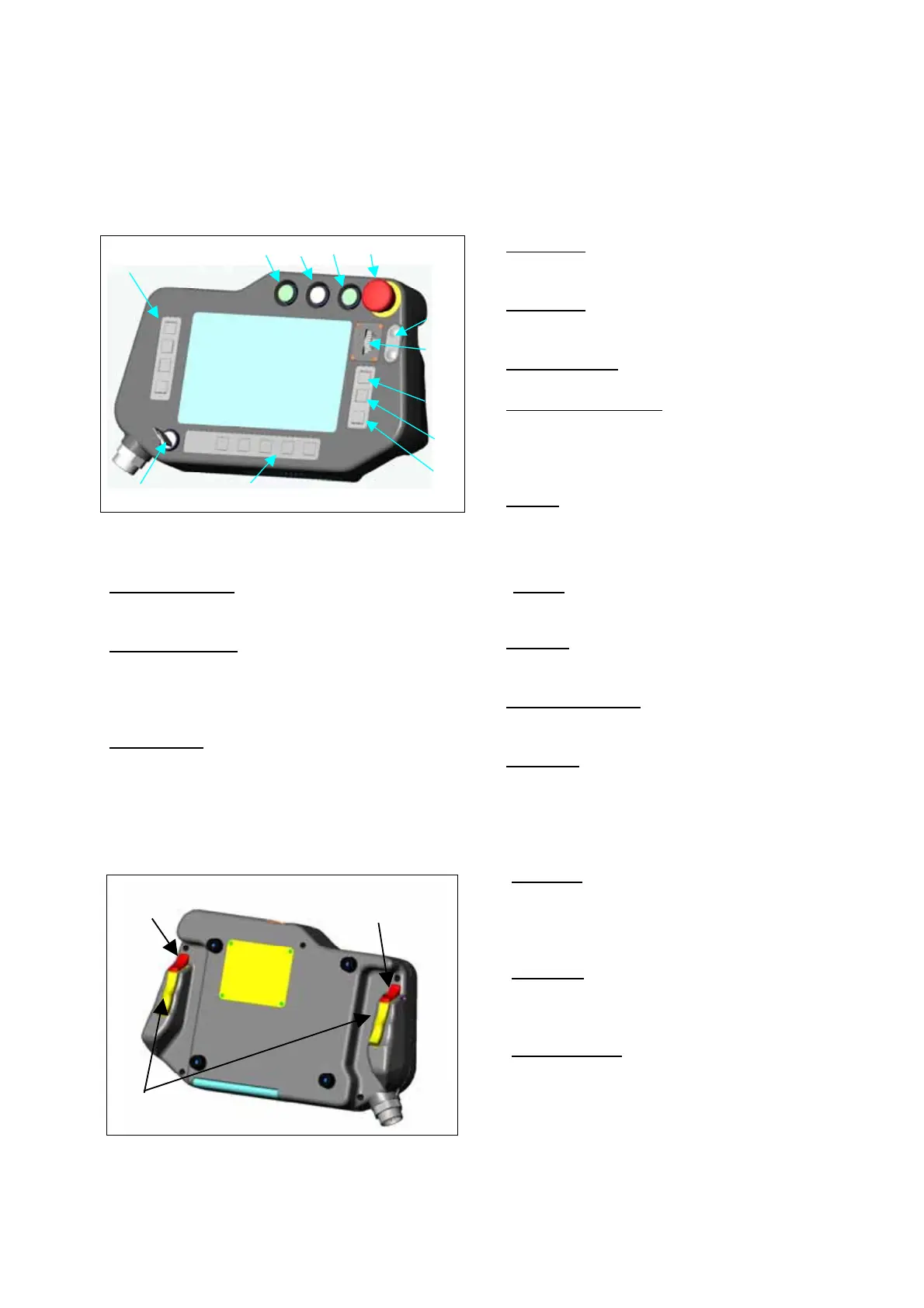
1Start switch
This switch starts or restarts robot operation in
AUTO mode.
2Hold switch
This switch suspends robot operation with the servo
power ON.
3Servo-ON switch
This switch energizes the servo power.
4Emergency stop switch
This switch stops the robot and external axis
operation immediately by shutting off the servo
power.
Turn clockwise to release.
1
2
3
4
12
6
5
7
8
9
11
10
5Jog dial
This dial is used to control movement of the robot
arm, the external axis or the cursor on the screen.
It is also used to change data or select a choice.
10User function keys
Each key is used to perform as per the user function icon
shown above each user function key
11Mode select switch
A two-position switch that allows you to choose which
mode (TEACH mode or AUTO mode) you want to work
with the robot.
The switch key is removeable.
12Function keys
Each key is used to perform as per the function icon
shown to the right of each function key.
6 + / - key
This key is used to control continuous movement of
the robot arm in the same manner as the Jog dial.
7Enter key
This key is used to save or specify a teaching point
or a choice in the window in teaching operation.
8Window change key
This key is used to switch an active window if more
than one window are displayed at a time.
9Cancel key
This key cancels the current processing such as
addion or change of data, and displays the preious
screen.
13 L-Shift key
Use this key to switch axes of the coordinate system
or to move a digit of an input number
Axes will be switched in order of “Main axes”, “Wrist
axes”, and “External axes” (if applied).
14 R-Shift key
Use this key as shortcut of functions or to move a
digit of an input number. It also changes jogging
speed of the jog dial.
1413
15
15 Deadman switch
The servo power is shut off when either switche is
released or pressed hard.
Hold either one or both switches lightly to turn on the
servo power.








 To Next Page